|
Summary | The Sakoto fork of the HotorNot plugin which adds a tier based rating system for stash entities. Features include real time dynamic and scaling matchmaking system, leaderboards, metrics, better ui, and better mobile integration. |
 |
Repository | https://github.com/Servbot91/Ascension/tree/main/plugins/Ascension/Release |
 |
Source URL | https://raw.githubusercontent.com/Servbot91/Ascension/refs/heads/main/plugins/manifest.yml |
 |
Install | How to install a plugin? |
Ascension is the Sakoto fork of the original plugin known as hot or not. It has been entirely reworked to serve as a comprehensive stash entity rating and tier system that scales and adapts to your database in real time. This fork sets out to further expand and develop core features of the original while maintaining a consistent, fair, and stable rating system.
Additional functionality has been added surrounding mobile support, quality of life, optimization, complex matchmaking, database integrity, new IU experience, and much more.
Features
-
Multiple Rating Modes
Ascension features 3 modes with more to come to better enhance the entity rating experience.
-
Head to Head
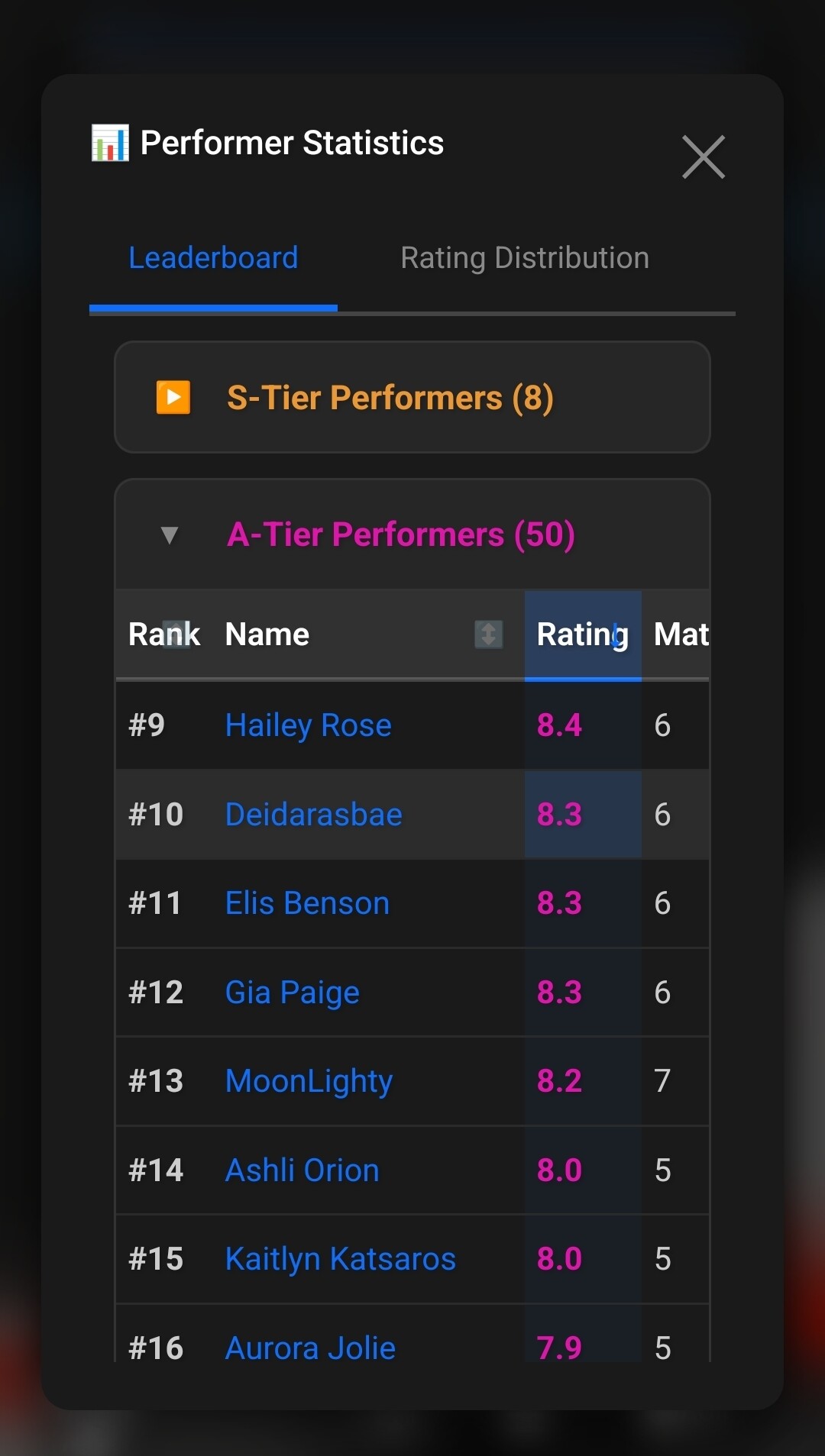
The user must select the better performer card to allocate scoring. As a performer climbs in score, they climb in tier further increasing their competition. There is 5 tiers an entity can belong to exclusively at any time.
- S-Tier - Score of 85 or above
- A-Tier - Score of 70 or above
- B-Tier - Score of 55 or above
- C-Tier - Score of 40 or above
- D-Tier - Score of 25 or above
- F-Tier - Score of 24 or below
Performers are allowed to battle within a 15 point window of their score. This allows for cross tier matchmaking and maintaining competitive integrity. During the head to head mode, a 10% chance event can happen where a cross tier match is forced allowing performers to battle as wide as a 20 point gap. S-Tier performers are limited B-Tiers and above when it comes to the cross-tier match event to maintain competitive integrity and to prevent score padding.
-
Placement Mode
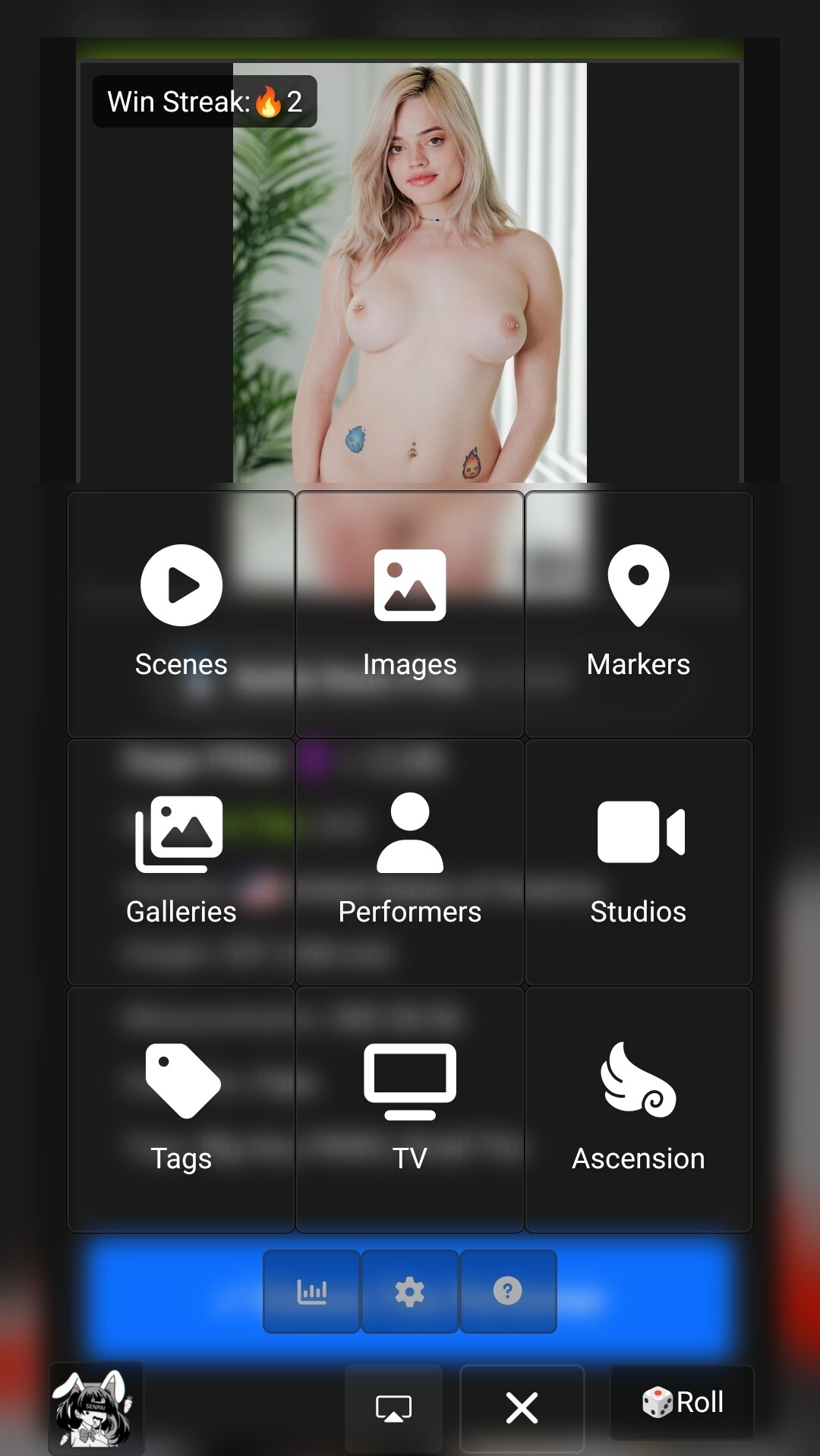
Formally known as gauntlet mode. Placement mode allows a performer to battle up tiers to find their place in your DB. This can accelerate priming your database and giving performers a VIP pass out of low tier hell. When selecting this mode you are presented with the option of 6 different performers to choose from. Furthermore, launching a Ascension on a performer page will start the plugin in placement mode, switching to champion mode will maintain this login.
-
Champion Mode
A mode where winner stays on. If a performer loses their match up, they are knocked out and the next performer takes over. As mentioned in placement mode, you are presented with an option of 6 different performers. If Ascension is launched on a performer page, you can switch to champion mode and it will start champion mode with the performer selected.
-
Matchmaking
Matchmaking has been completely reworked to adapt to the user in real time while maintaining match variety, integrity, and fairness. The logic behind this system uses math and real time variables and metrics to further calculate scoring, match selection, and frequency. This is a fairly complex topic that I will not elaborate too much on here, but for users who would like to know the deeper mechanics behind the brief explanations below I encourage you to read the Ascension White Paper.
Click to expand
Dynamic K-Factor
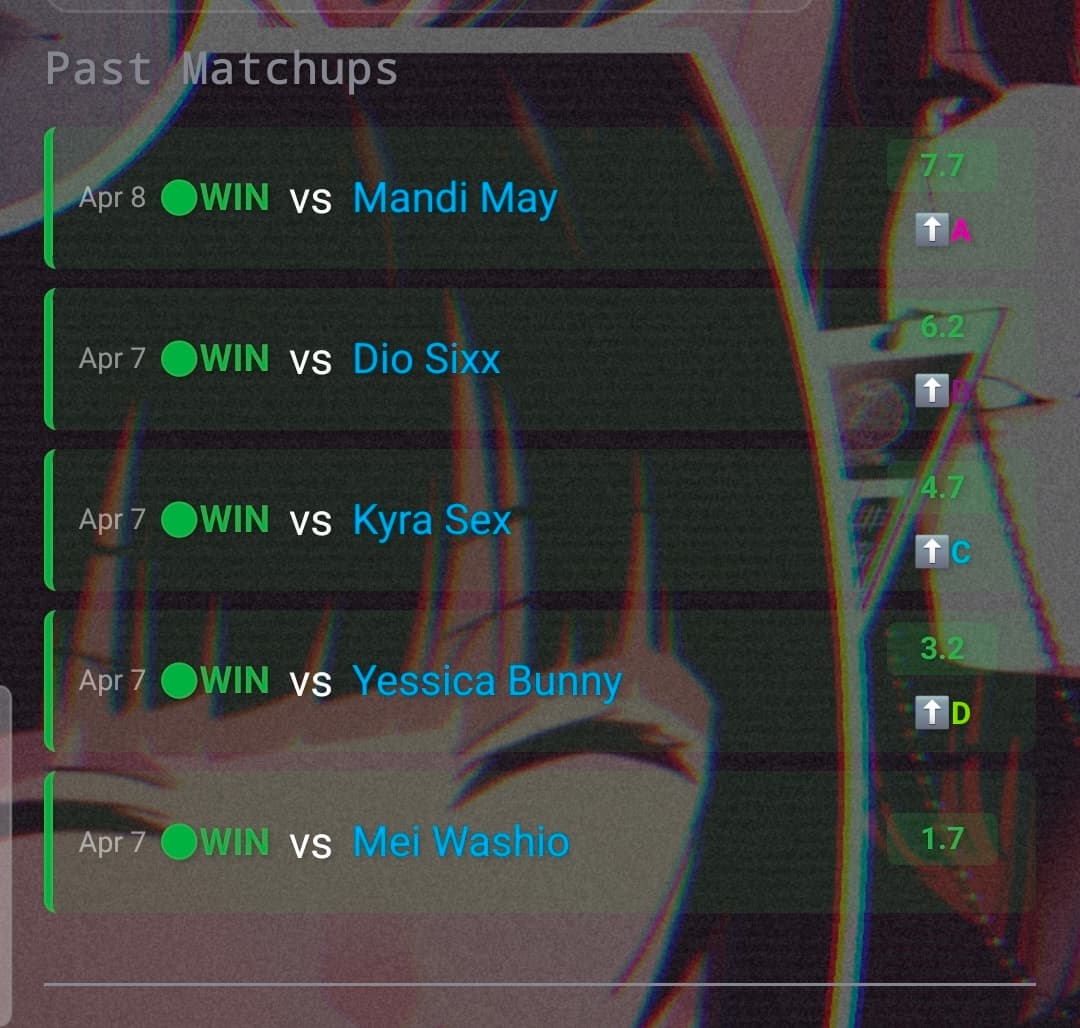
A new scoring system has been implemented over the static scoring system that previously existed in the original hot or not plugin. It rewards upsets, calculates scoring based on tiers, understands match tier and point differences, and understands a performers ‘experience’ in the system.
All performers start with a K-Factor of 32 to give them their best ability to move between tiers. As their match count grows, their k-factor will gracefully and gradually slide to a K-Factor of 16. The 50% reduction is to help ‘settle’ performers into their tiers. At 35 total matches, the K-Factor has become 16 for any performer marking them a ‘veteran’
Weight System
A weight system has been added to maintain fair match distribution that is calculated off the ‘last match’ hotornot_stats value. Weight distribution is on a scale of .10 to 1.01. A higher rating value is used for newcomers and the unrated. Once a performer has been rated they enter a blackout phase. The performer will exist in this state 15 minutes with a weight of 0.
During this time the performer cannot be selected by the matchmaking system. Once the blackout has expired their weight begins to recharge over a 12 hour period. This process continues until either every performer is blacked out, or 90% of the database has a low weight in which case the system resets every performers weight back to 1.
-
Match Distribution
New and unrated performers get significant weight distribution while respecting recency until they hit 10 matches. By 10 matches, a performer is considered integrated and they will no longer get boosted weights. This is to maintain a fair match distribution and to account for scaling for already established databases.
The system will try to catch up an entity as well if their match count has significantly fallen behind the rest of the database (20%) and will boost their weight further protecting match distribution. Once that entity is caught up, normal weight rules are followed.
New Tier System
A Tier system was added to not only better visualize your performers, but to classify where they stand on the grand scale of your database. Performers can battle across tiers to maintain their status and can expect many challenges climbing and maintaining. With the Dynamic K-Factor performers can not only see a reduction in point scoring due to match count but also due to tier. This is to prevent performers climbing to tiers they dont belong in, and keeping tiers exclusive.
In tiers such as S and A, users can expect a 40% reduction in scoring for S Tier performers and a 20% reduction in A-Tier performers. This stacks with the Dynamic K-Factor.
New UI
The UI has been reimagined and is better streamlined on mobile for the on the go user. Changes have been made on how information is displayed and consumed
-
New Leaderboard
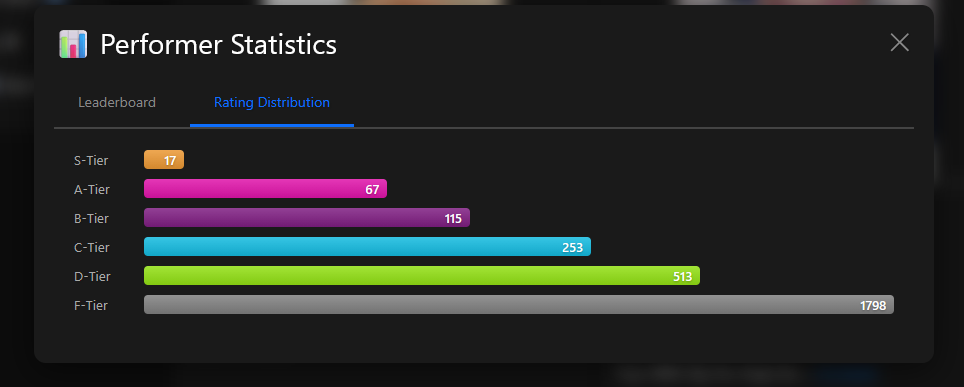
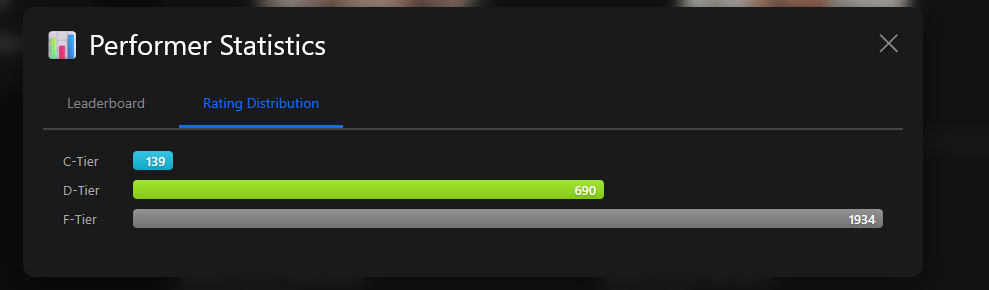
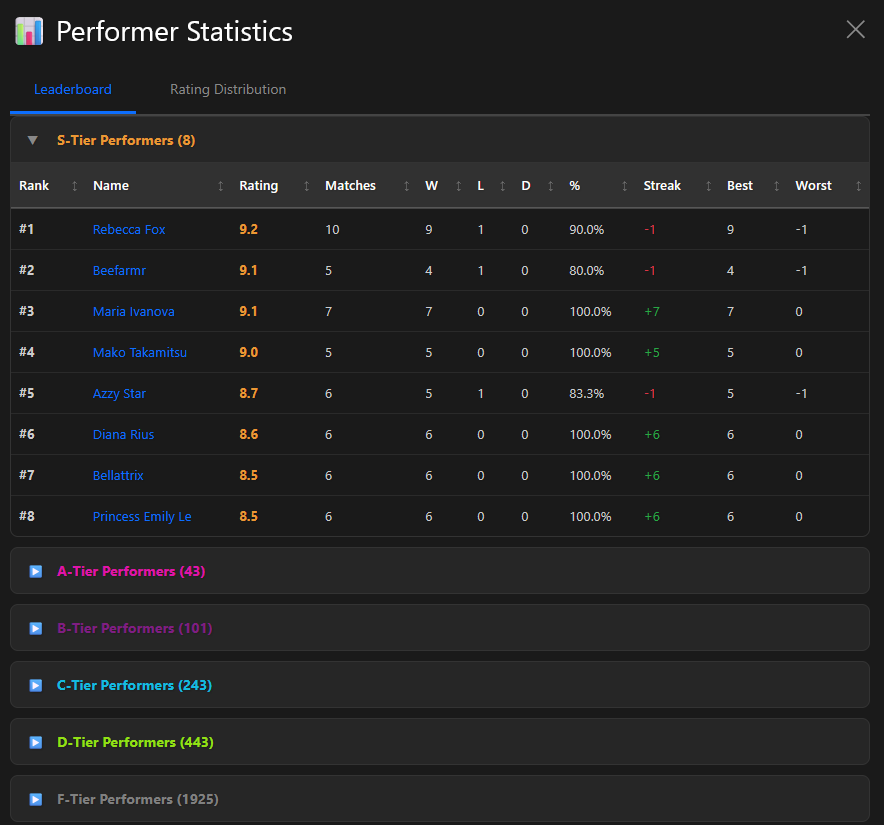
The leaderboard is now interactive and integrated with the tier system. Users can visualize their and sort fields by selecting options. The bar graph display is now animated and better helps you visualize your tier distribution
-
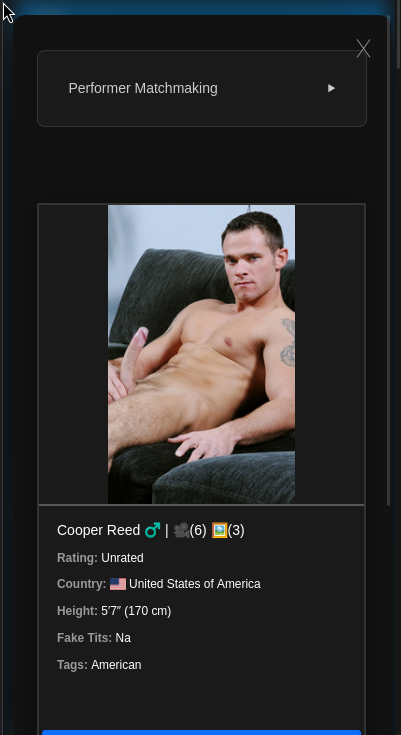
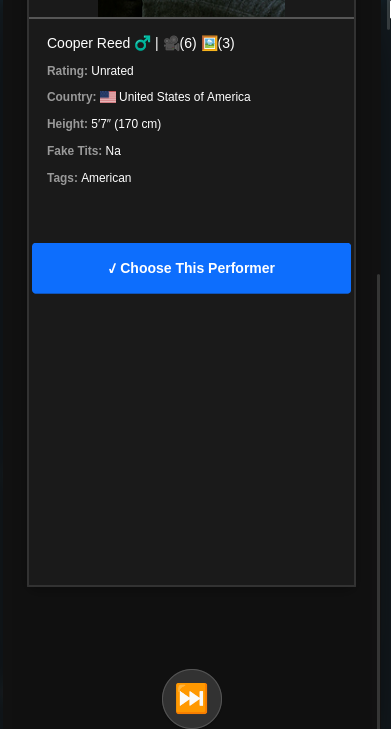
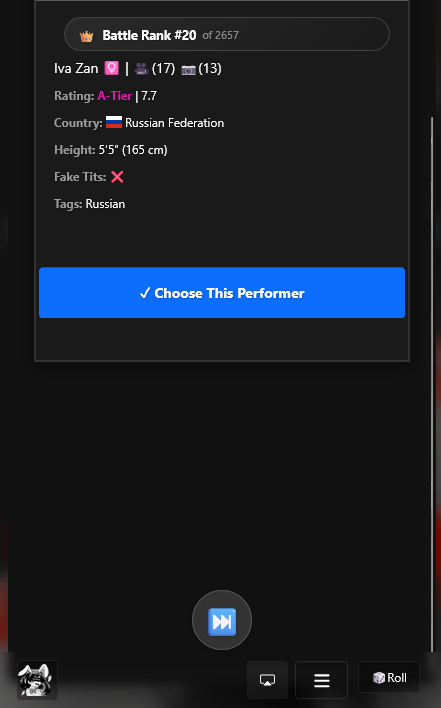
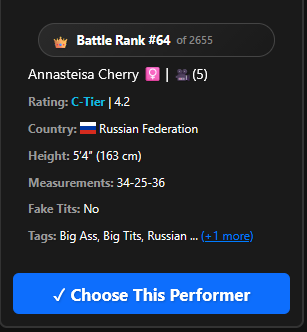
Battle Cards
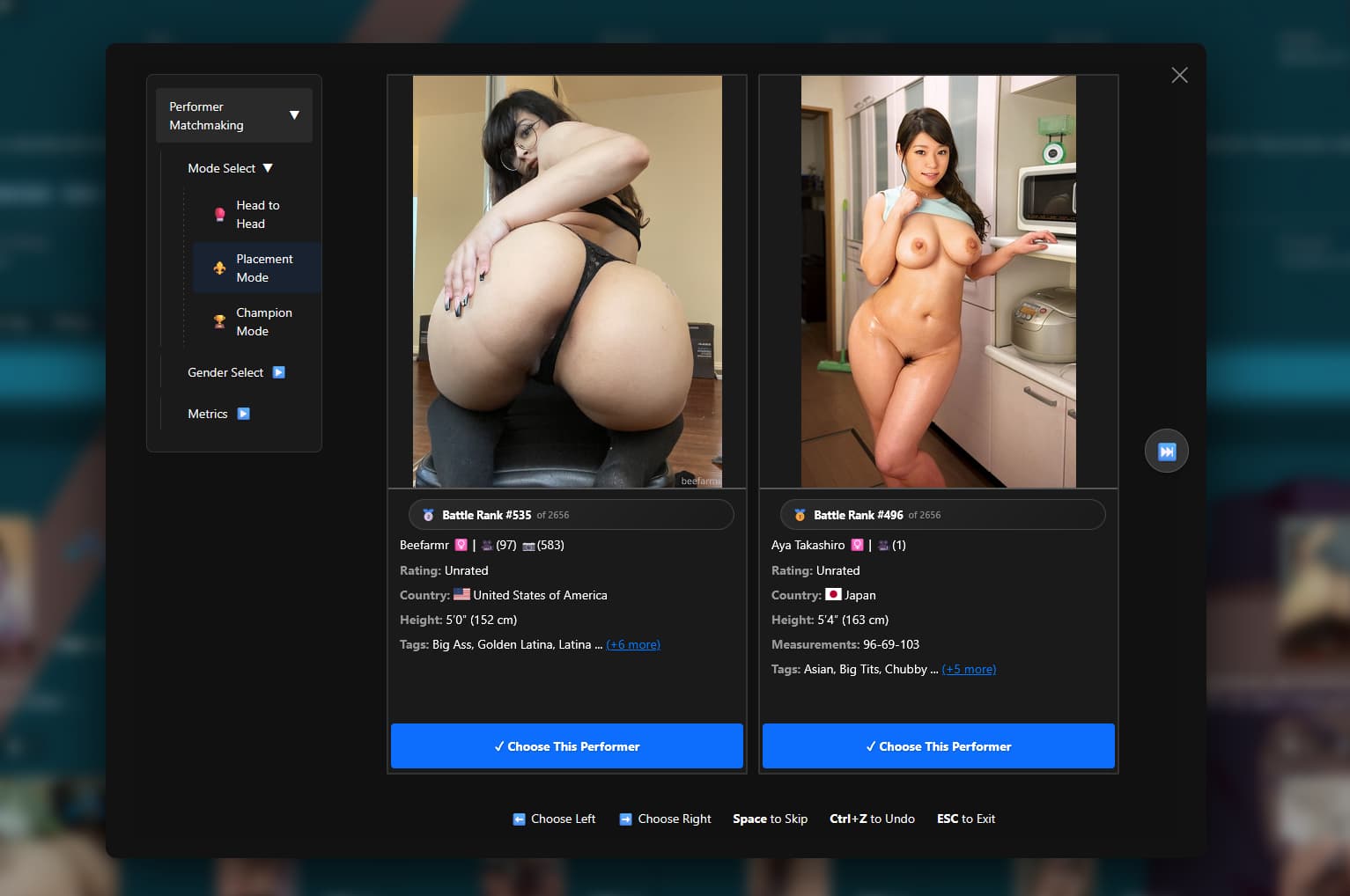
The battle cards have been reworked to display more stash related information to give you a better assessment of the rating. Some stats have been omitted to prevent bias however users can expect to see the following:
- Now displays sex next to name (emoji) | Scene Count, Gallery Count, Image Count.
- Tier
- Battle Rank Badge
- Country
- Height in ft and cm
- Measurements
- Fake Tits
- Tags (truncated after 3, can be expanded)
- Point cards show points and scoring with decimal
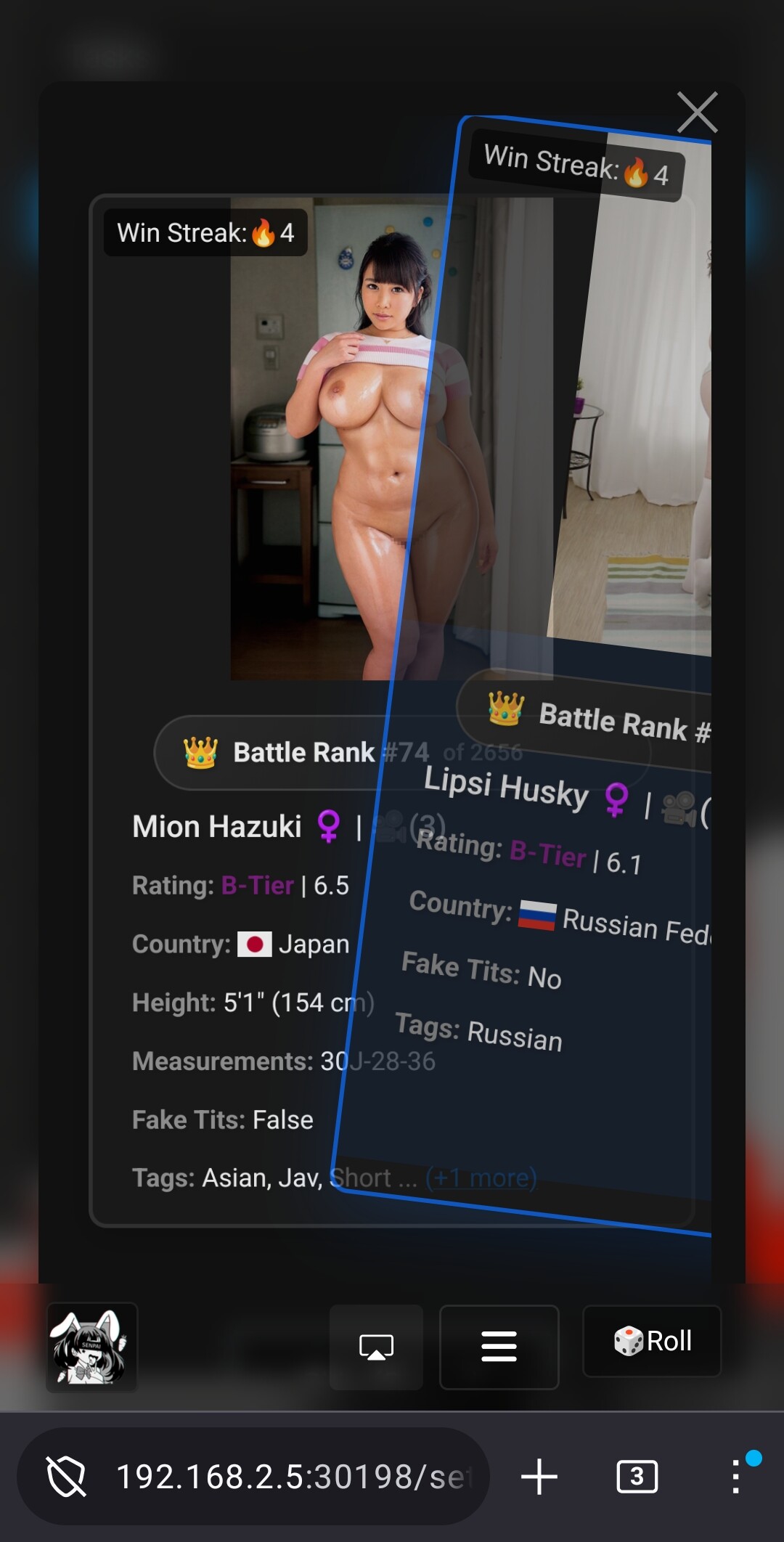
On mobile, Ascension now uses a deck of cards swipe carousel feature. Users can swipe between cards before making their decision, no more consistently scrolling up or down. Its all right in front of you.
-
New Performer Ledger
The performer ledger (and scoring) now reflects score updates with a decimal value ie 55 = 5.5. Tier changes. Other improvements have been made to further to cleanup minor visual bugs that could occur when using the ledger.
-
Additional Animations & Misc
Lots of visual animations have been prodded to the cards on mobile and desktop to give the app a more put together look. Users can expect to see Tier change notifications, and other improved UI elements on mobile and desktop
New System Tasks
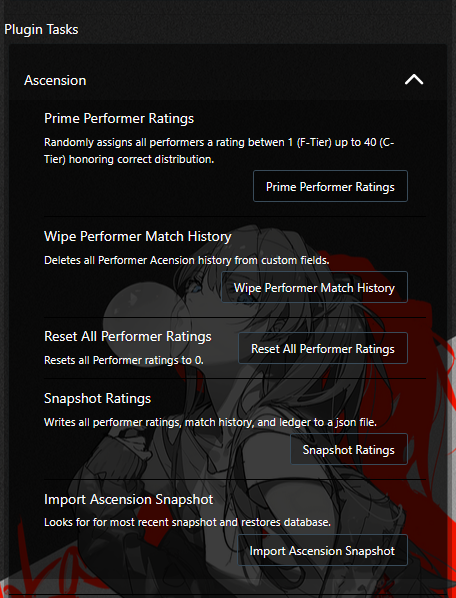
New tasks have been added for users to protect databases. Users can now prime, snapshot, reset, and restore their databases at the click of a button. This allows users to test beta builds or even the production build with no long term impact on their stash database and without having to backup the stash database as a whole.
-
Prime Performer Ratings
Randomly assigns all performers a rating between 1 (F-Tier) up to 40 (C-Tier) honoring correct distribution.
-
Wipe Performer Match History
Deletes all Performer Acension history from custom fields.
-
Reset All Performer Ratings
Resets all Performer ratings to 0.
-
Snapshot
Writes all performer ratings, match history, and ledger to a json file. Example: ‘[[Date]-[Time]] - Ascension Database Snapshot.json’
-
Import Ascension Snapshot
Looks for for most recent snapshot and restores database.
Frequently Asked Questions
Click to expand
Should I start over or keep my ratings?
There are 3 database types
Unprimed
- Your ratings start from 0, you have no match history or ratings.
Sub-primed
- You have ratings or match history from a previous version of hot or not (or elsewhere)
Primed
- Your database started from unprimed and is now fully fleshed out across tiers.
If start with sub-primed DB, you could benefit skipping the F tier grind if you delete your performer match history however it is important to consider that your tiers may be lobsided or inflated and could possibly put some performers at a disadvantage over time due to k-factor scaling. If you keep your match history, then performers with a k-factor of 16 will have less of an advantage than those closer to 32.
You can use the Primer task to jumpstart your database if you do not want to start from 0.
How long will it take before my performers are all out of F tier?
If you started from 0 it can take a quite a bit of time before your performers fill the other tiers on a reasonable bell curve. This is by design. A healthy tier system is going to filter more and more performers as they hit tier walls and bounce back to where they need to be. The scoring is meant to make your selections meaningful. Depending on your performer count, this could take a very long time.
However, there are accelerators that can help your performers climb. For example the cross tier match up will pair performers minimum 20+ points higher at a 10% chance. If they win, in most cases they can skip a tier. This begins to domino and grow exponentially as more and more performers pass the 1.7 rating wall. You will start to see your database accelerate as your S and A tiers break out.
Another option is to use the other modes. Placement mode and Champion mode with performers at least in C in D tier can help accelerate getting performers out of F tier. In Head to Head mode with the underdog bonus, performers can see points as high as 2.8.
Why S-Tier is hard to climb?
This is by design. S-Tiers are meant to be S-Tiers and their matches are meant to reflect that. They cannot battle anyone below B tier and face a significant point reduction at their level. If an S tier is in fact an S-Tier this really shouldn’t be an issue.
Why do I see unrated performers so much?
Keep in mind when your database starts from 0 unrated performers take overwhelming priority to give everyone a fair baseline and match count. Over time once your habits of play and scheduling kick in and you’ve got a baseline. Things will start shaking up.
Why am I not seeing performers that graduated ranks?
If your performers have just graduated they probably have a low weight. It is important to remember higher weights will always trump lower weights as you play. Over time, their weights recharge towards 1.0.
Why am I not seeing enough of X tier?
It takes time for your tiers to fill out enough to where the matchmaking can satisfy the requirement, you also have to consider whether weight is counting against the performers well. The database will scale over time with your input. You will see more and more cross tier matches, more and more different tier matches, and more and more competitive matches.
How to I backup and restore my database?
Use the snapshot task in your plugin tasks menu. It will create a json file in your Ascension plugin folder with a date. When running the import, it will look for the most recently created snapshot and import automatically.
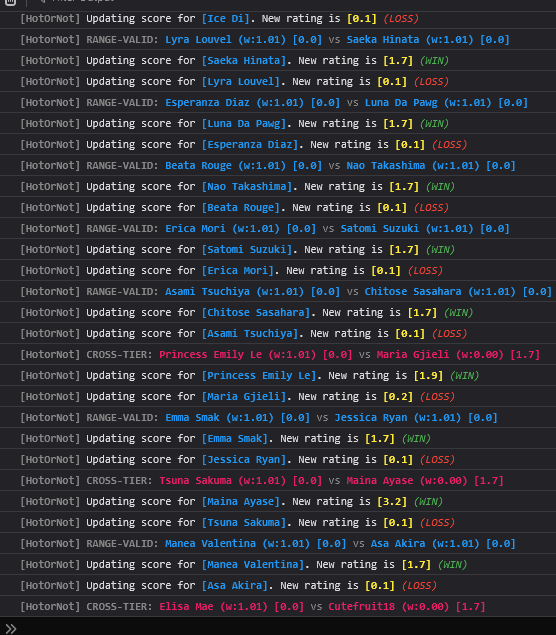
How can I check the system is working correctly?
The browser console menu features an extremely robust logging system for debug. Users can use this to further gauge if matchmaking is working as intended.
Installation
- Settings → Plugins → Available Plugins
- Add Source → Name: Ascension
- Source URL: https://raw.githubusercontent.com/Servbot91/Ascension/refs/heads/main/plugins/manifest.yml
- Click checkbox, Install
- Reload Plugins
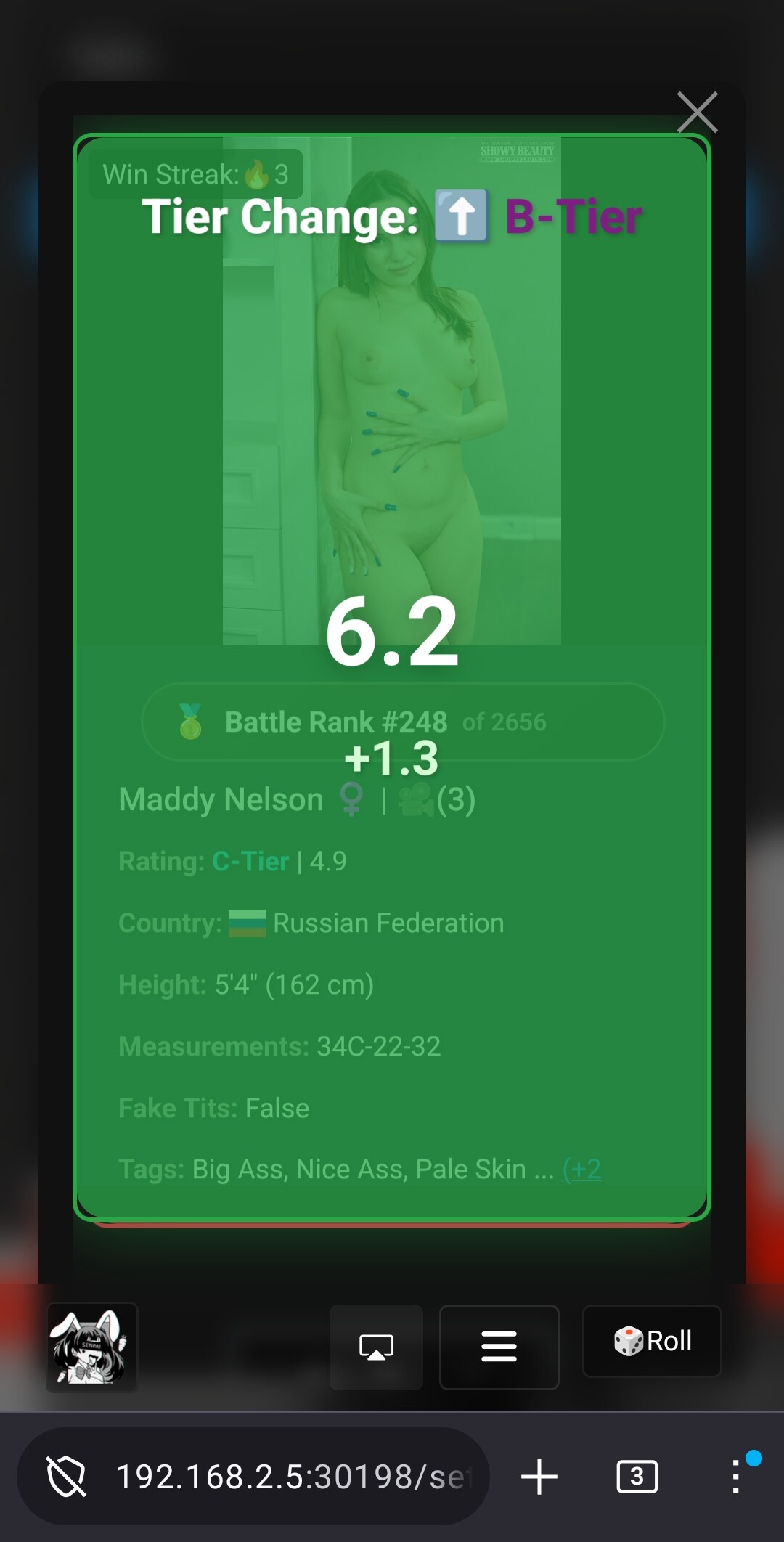
 I applied the previous fix from the beta and ran the tasks, all of which succeeded. The new layout looks good, I like the animations and the tier change alerts after voting.