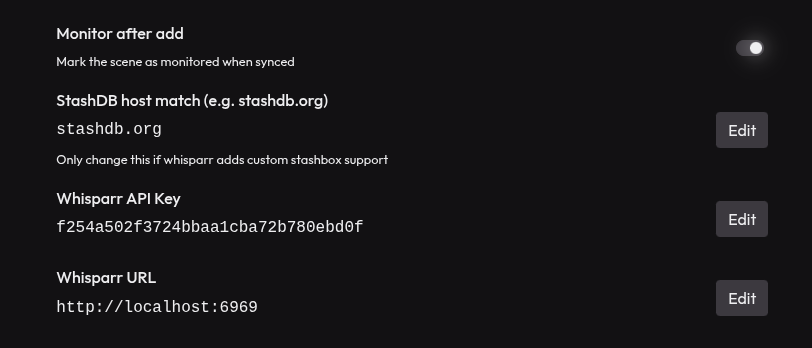
Connects your stash to whisparr. When your scenes are updated (can be done with rescanning) If there’s a stashid in the scene it will be added to whisparr.
If you configured another plugin to move/rename your files you can auto import the file to whisparr as well: How to do that
Installation
Add the index above to your stash instance and configure it:
Thanks for making this plugin! This work great and makes importing my existing library to whisparr much more convenient. One thing I can’t seem to get to work is monitoring scenes in whisparr: it seems that imported scenes are monitored even if the “Monitor after add” toggle is set to off in the plugin settings.
Important clarification that I missed when first trying this - this is for Whisparr V3 (eros). NOT for Whisparr V2.
I found this really useful but it only does half the work to “import” it.
I expanded it so that it adds the scene in whisparr, optionally moves the file, and imports the file to whisparr if it’s there. added a ton of logging so we know what happens to each scene - folder based so each scene gets its own log file.
It needs a bit of polish and more organization / stash interaction but for now it works well. If the scene isn’t already in whisparr the API call to add it is slow as heck, so it will slow down any updates.
Make sure you are sending webhooks to stash to refresh and scan whenever whisparr has an update or the stash side won’t update.
BULK option is good to try to sync your whole library. To do this disable the webhook temporarily, we will do a general scan at the end. This will create a CSV in the log folder with success/failure. Scene logging still goes to a log file per scene.
Basic idea is to let Whisparr handle file location and naming, stash just scans the files and “knows” where they are.
I have a big library and manually moving everything from Whisparr V2 to Whisparr V3 was taking me literally weeks. Currently have it almost done though after this!
Once everything is in sync between both - it works great when you add a scene to stash or Whisparr.
For FansDB/amateur content I keep it out of stashDB tags /whisparr in general and continue to use RenamerOnUpdate. I have a tag set in Stash to indicate the content type and set the Whisparr bridge to ignore it.
If anyone has any questions or wants help setting it up - Discord or Github is the best way to reach me. Happy to help since this is very much incomplete and it would be nice if it could be more comprehensive (scenes v. movies, update stash to the new file location, better handling of the Whisparr commands, async the “create scene” so that we can do big operations faster).
This is very cool but was it necessary to add so much complexity?
There’s a ton of additional dependencies. I would love to accept a PR of this but there’s so many moving parts now, It would be more work to install your version.
Edit: this isn’t even a fork. The first commit removes all my code why fork at all?
was this vibe-coded?
I’ve been making use of this plugin for a couple days now and one thing I’ve noticed is it doesn’t seem to support the case when a scene is already in Whisparr but is later updated on Stash. Ideally it should detect that the scene already exists (at the very least by the 400 Whisparr kicks back) and request a re-scan within Whisparr on the already existing scene.
It was made with the specific usecase in mind to add things added from stash to whisparr since typically people configure whisparr to add to stash by default (whisparr already does this)
It’s probably more complex than strictly necessary, but I treated it as a learning exercise with Pydantic. The goal was to make operations safe and fail fast before we start touching Whisparr state—moving files, triggering imports, etc.
While working through the problem, it became clear that Whisparr’s “import” flow is a multi-step process. At that point it made more sense to model a small Whisparr interface rather than just issuing a few API calls.
Your project was the original inspiration, and I think it’s a great idea.
I’m happy to remove the fork. There was a fair amount of local debugging and iteration involved to get it to a state I was comfortable sharing publicly. That’s why it looks like a total replacement.
Thanks for the plugin. It’s exactly something I was looking for. I wonder if it would be possible to add in the options of the plugin a simple switch “Process organized” or something lat that, which by default can be off. When switched on, the hook would process only these scenes that not only have StashId but are also marked as “Organized”. If, not I’ll probably have to edit it to for my purposes, but I would like to avoid that if possible.