Problem:
I have a lot of content in my library prior to using whisparr and it’s quite annoying to get it all in Whisparr.
Solution:
Stash is the best resource for taking your randomly named scenes into usable metadata thanks to the phash system and stashbox.
Whisparr V3 uses stashdb as the scene metadata provider making it very useful for organizing your library. I make use of both so I wrote Whisparr Bridge
This makes order out of chaos
No more _Organize folder
Steps
Step One: A good plugin for moving files
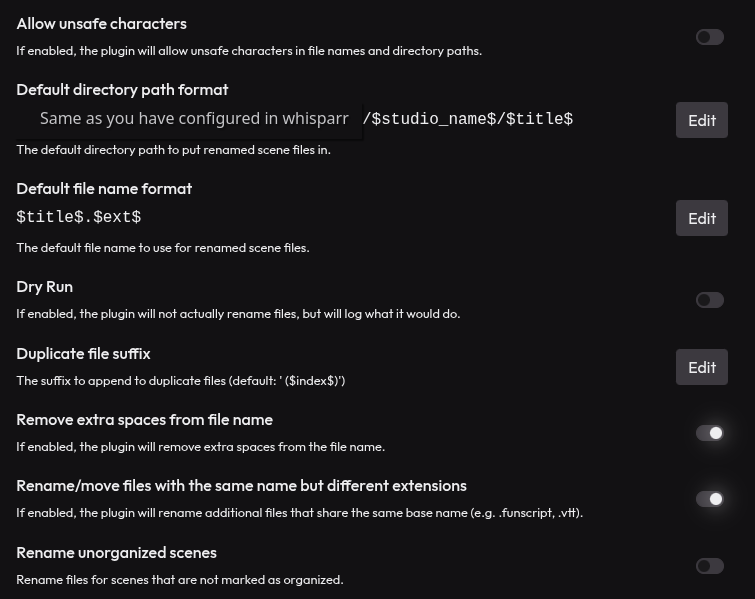
I really like Renamer so I’m using that
Configure it to match up with your whisparr configuration eg:
Line up the directory/filename
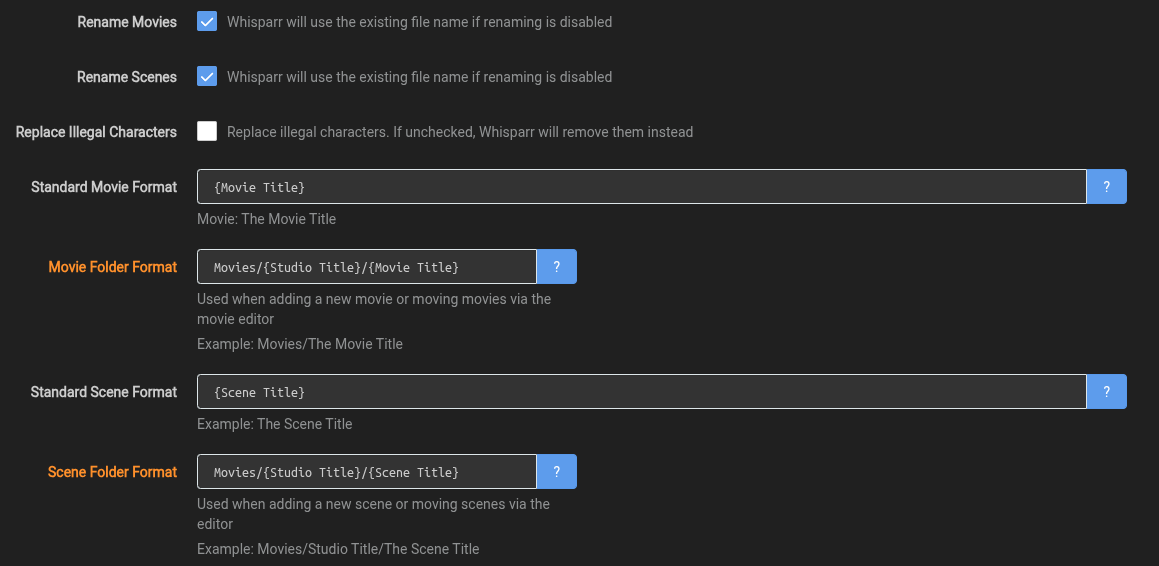
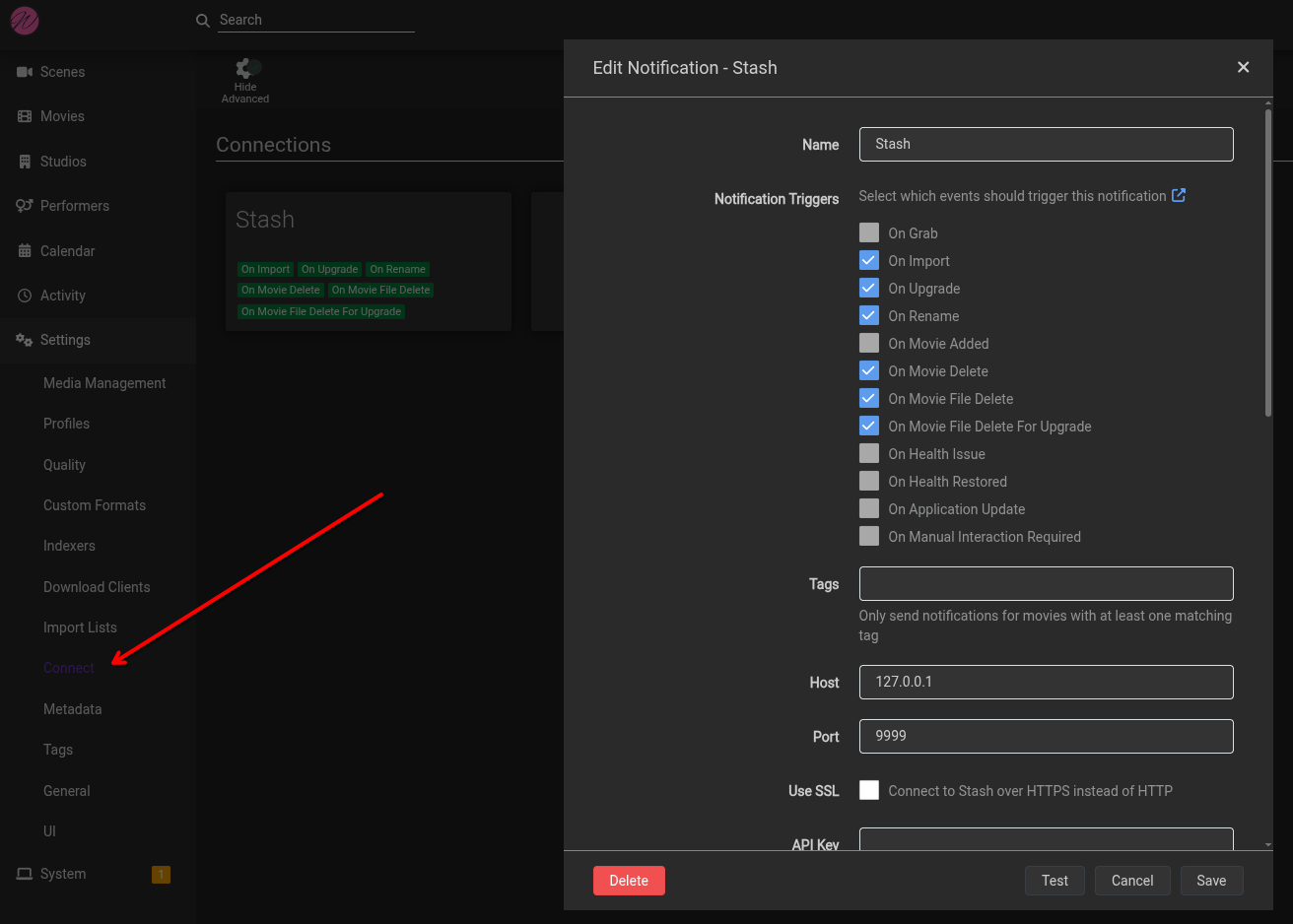
Connect whisparr to stash
Line up with whisparr’s config
Step Two: Whisparr Bridge
- Install with the index
https://eviepayne.github.io/whisparr-bridge/master/index.yml - Add the whisparr API key and URL.
- If you want to auto import the file, leave monitor as true
- Leave stashdb alone, this can be customized in the future if you want to use a custom stashbox (if whisparr ever supports that)
Step Three: Profit
If everything is configured correctly, you should be able to perform a bulk identify, and all scenes that have the following will be automatically moved and imported to whisparr:
- stashid
- The metadata necessary for the values put in the directory/title (studio_name in my example)
Order:
- For best results, scrape and update all the data you need before saving.
- When ready, mark as organized and save the metadata
- This ensures that when whisparr has the scene imported it automatically imports the files
- If you don’t follow this order you can filter by missing and hit “update all”
Important: The values you use in the title/directory, must be available in the metadata for this to work, otherwise moving the file will fail, and whisparr will say “missing”