|
Summary | Merge duplicate studios with a per-field diff dialog, plus one-click search + update of studio metadata from StashDB / ThePornDB / JAVStash. Pure UI plugin (JS + CSS only, no Python). |
 |
Repository | https://github.com/k6cc/stash-jav-tools/tree/main/studioTools |
 |
Source URL | https://k6cc.github.io/stash-plugins/plugins/main/index.yml |
 |
Install | How to install a plugin? |
Hi stashers,
Duplicate studios happen — two scrapers, different romanizations, different capitalization. And when a local studio’s metadata is thin, there is no one-click way to pull it from StashDB. This plugin adds two buttons to every Studio detail page: Merge and Update. No Python, no daemon — pure JS + CSS injected into the page.
What it does
Studio Merge
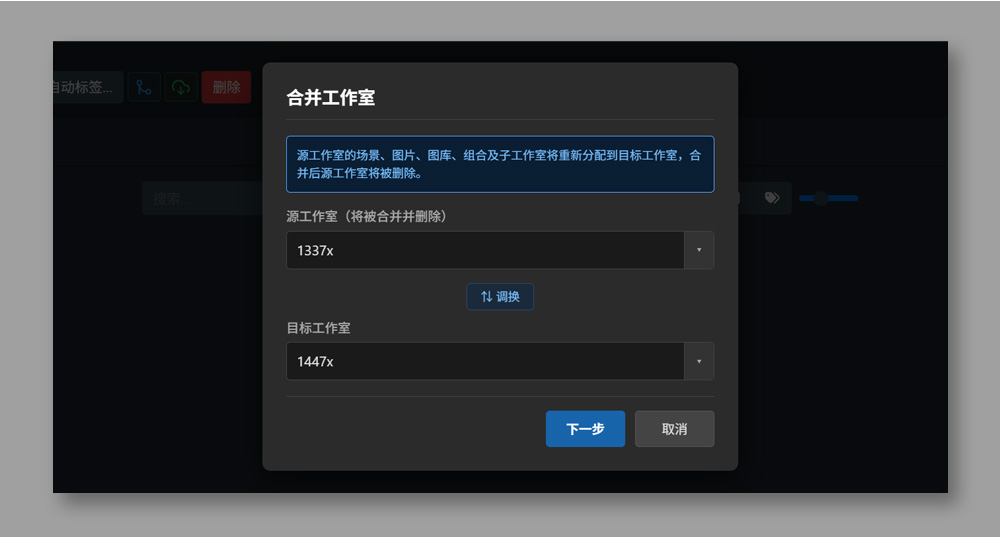
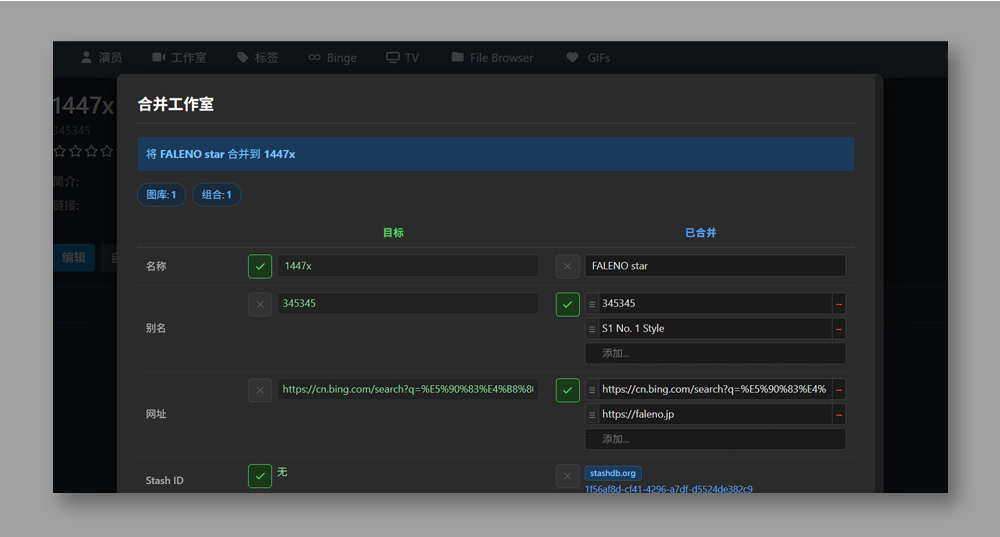
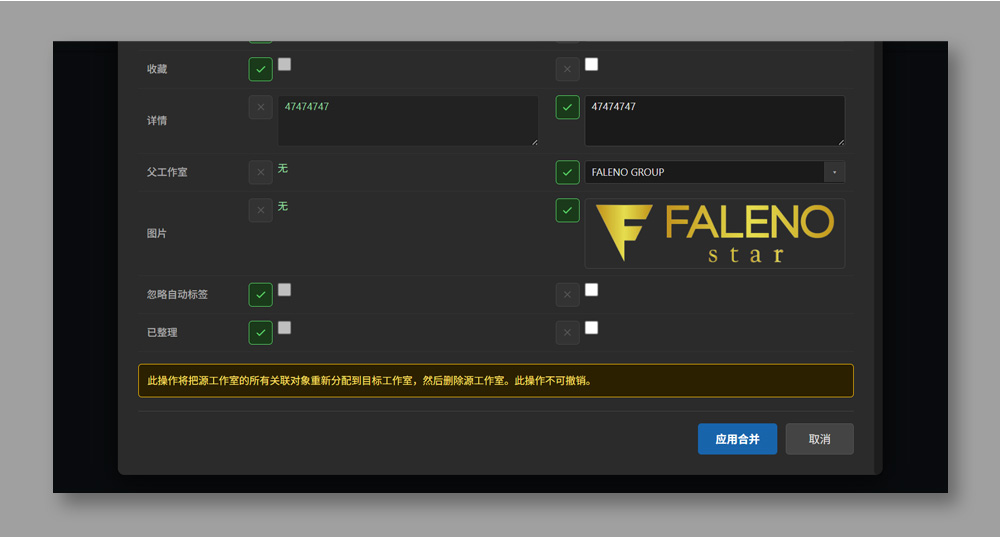
Merge any two studios with a per-field diff dialog, exactly like Stash’s native merge dialog: pick a source studio (deleted) and a destination (kept), compare field by field, pick “keep destination” or “take merged” per field, then apply.
- Aliases, URLs and tags auto-merge as a union; the discarded name is kept as an alias automatically.
- Merge order is safe: reassign scenes/images/galleries/groups/child studios first, then update the destination, then delete the source.
Search & Update
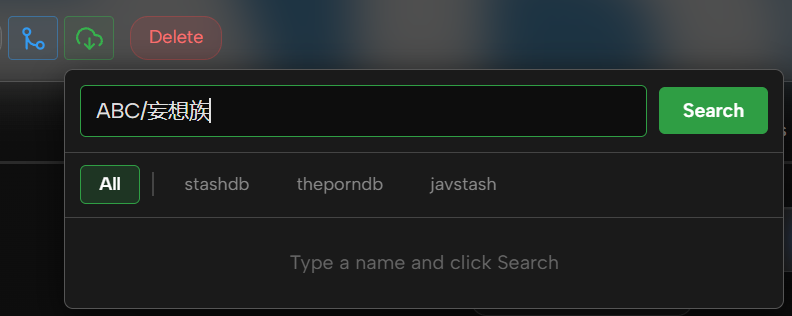
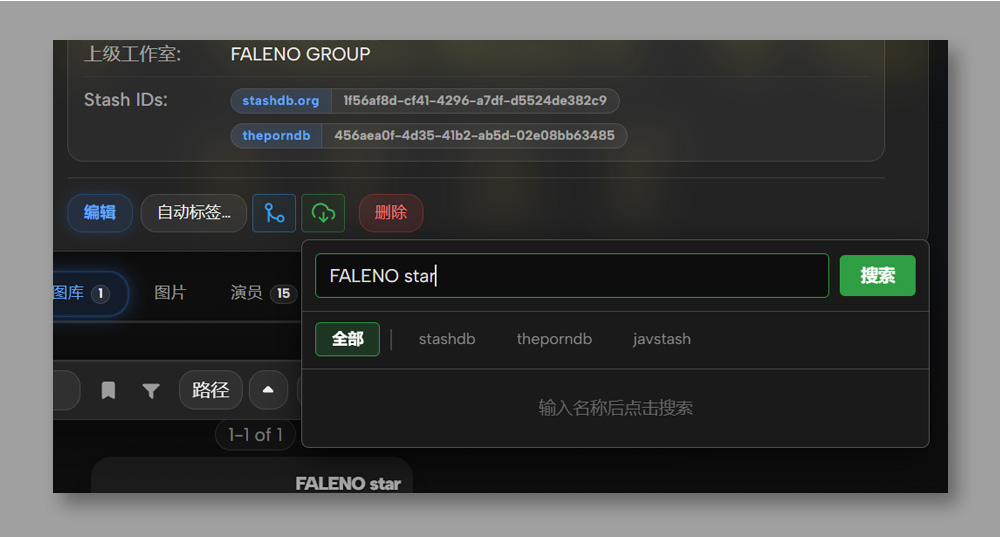
Search StashDB / ThePornDB / JAVStash (plus any custom Stash-box instance configured under Metadata Providers) by studio name, then click a result to apply it.
- Update is append-only: the local name and an existing image are never overwritten; missing aliases, URLs, Stash ID and image are filled in.
- Parent is linked only when the result carries a parent and a same-named studio already exists locally — never auto-created.
- API key is read from your Metadata Providers configuration; images are fetched by the Stash backend (Docker-friendly).
Notes
- Merge deletes the source studio — references are transferred first, but back up before bulk work.
- Update never overwrites the name, an existing image or manually curated fields.
- Search requires at least one Stash-box API key (Settings → Metadata Providers).
Screenshots
Install
Option 1: Download Release
- Go to Releases and download the latest
studioTools-vX.Y.Z.zip - Unzip into your Stash plugins directory (files go directly in the
studioToolsfolder):- Windows:
%USERPROFILE%\.stash\plugins\studioTools\ - Linux/macOS:
~/.stash/plugins/studioTools/
- Windows:
- Stash → Settings → Plugins → Reload plugins
Option 2: Add plugin source
In Stash → Settings → Plugins → Available Plugins → Add Source, add:
Recommended (GitHub Pages):
https://k6cc.github.io/stash-plugins/plugins/main/index.yml
Fallback (raw URL, no Pages required):
https://raw.githubusercontent.com/k6cc/stash-plugins/main/plugins/main/index.yml
Then install Studio Tools from the list. Same unified source that carries JavStashLinker, Performer Merge, Tag Merge, Studio Tools Auto, sceneGallerySync, and Scene Translate — one source, install any.
Companion plugins
| Plugin | Synergy with Studio Tools |
|---|---|
| Binge (fork) | Correct studio names + aliases show everywhere: Feed studio chips, performer studio links, scene card badges. |
| sceneTranslate | Translate studio names/aliases/details after pulling them down from StashDB. |
| Studio Tools Auto | The headless twin: hook-based auto merge/fill for new studios, plus a scan task for the backlog. |
License: MIT. Feedback and bug reports welcome — tell me the exact studio names, your Stash-box endpoints and your Stash version.
AI Development Statement
From project setup, fault debugging and architecture refactoring to the writing and polishing of all Markdown‑formatted documents, artificial intelligence runs through the entire development workflow of this project, and the whole project is developed with the help of AI.