|
Summary | Instagram-style social & discovery layer for Stash — vertical Reels, Stories + Feed, performer profiles, discovery on your chosen stash-box instance (defaults to javstash.org). Chinese localization fork with switchable zh/en UI. Web plugin, no Python. |
 |
Repository | https://github.com/k6cc/binge-cn |
 |
Source URL | https://k6cc.github.io/stash-plugins/plugins/main/index.yml |
 |
Install | How to install a plugin? |
Hi stashers,
A Chinese-localized fork of ordureconnoisseur’s Binge, an Instagram-style layer on top of Stash’s GraphQL API, built and maintained for the Chinese-speaking crowd. Now at v0.9.2.
- Repo: GitHub - k6cc/binge-cn: Stash 的 Instagram 式社交 + 发现层——故事、竖屏视频、表演者个人资料和 StashDB 支持的关注/发现 · GitHub
- Releases: Releases · k6cc/binge-cn · GitHub
Features
- JAVStash-driven discovery — Trending, Discover, Stories, Follow and AddScene all run on a configurable stash-box instance; defaults to javstash.org out of the box, caches isolated per source.
- Chinese localization — every user-visible string translated; zh + en bundles ship together, switchable in Settings without reload, localized dates and relative time.
- Scene galleries — two-layer performer galleries with a lightbox viewer, cover hover autoplay, gallery cards in the feed.
- Player enhancements — random-segment playback with optional loop, auto subtitles, fullscreen auto-hiding controls, scrub bar with timecode, transcoded-stream auto-reconnect, global mute sync.
- Stories + Feed — multi-source Stories row, new-release tracking for linked performers, discovery cards with a full-screen stills preview.
- binge-server integration — optional daemon adds Reddit, X and PornHub playback + save-to-Stash, one-click install from the Settings page.
- forage integration — optional “send to forage” watchlist for release tracking (stashdb.org only).
Notes
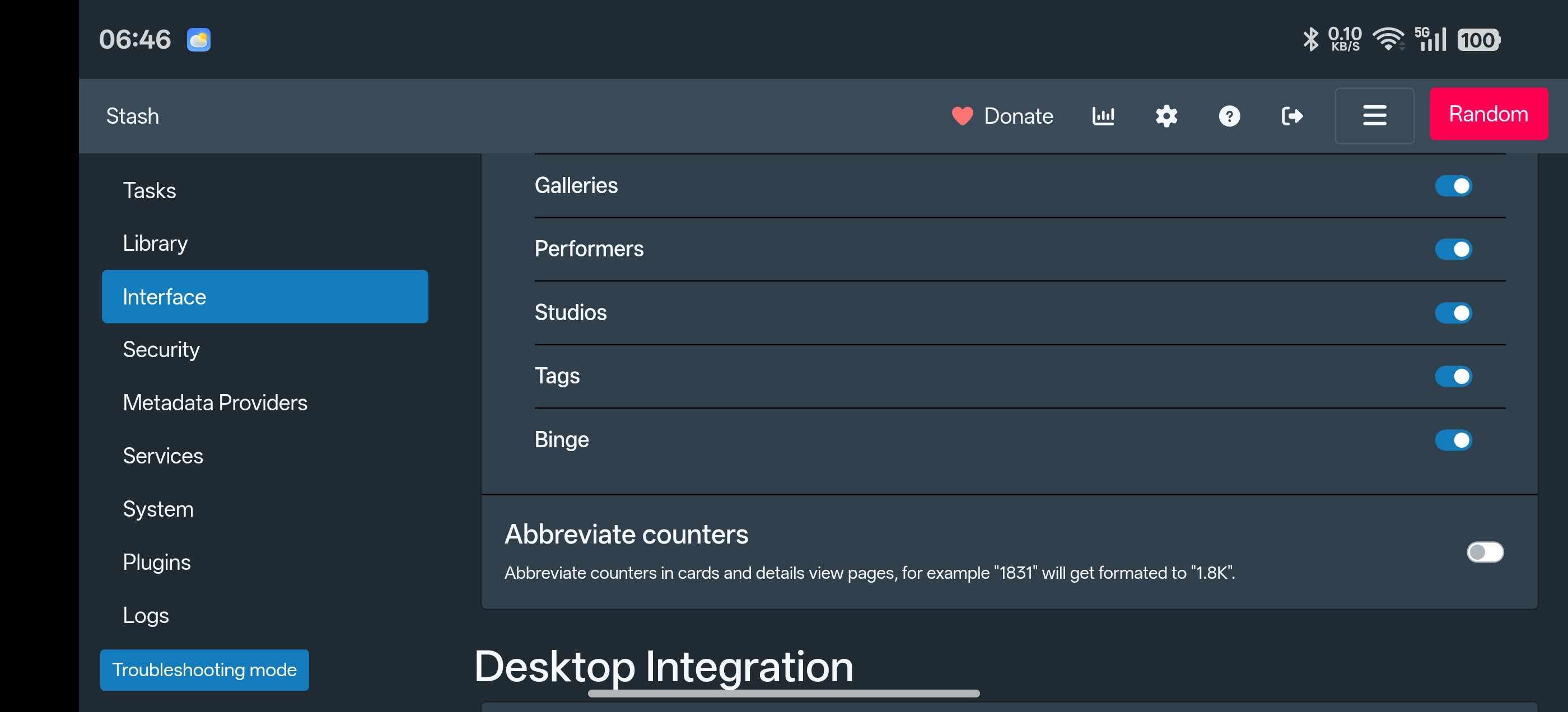
- Enable the nav button: Settings → Interface → Menu Items → Binge (off by default)
- The discovery source must match a stash-box endpoint configured in Stash’s Metadata Providers
- Reddit posts and X/PH saves need the separate binge-server daemon; everything else works without it
- Preferences live in
localStorageunderbinge.*; Stash’s own config is never touched - Full change log (Chinese): 汉化及修复.md
Screenshots





Install
Option 1: Download Release
- Download the latest
binge-vX.Y.Z.zipfrom Releases - Unzip into the
bingefolder in your Stash plugins directory (%USERPROFILE%\.stash\plugins\binge\on Windows,~/.stash/plugins/binge/on Linux/macOS) - Stash → Settings → Plugins → Reload plugins
Option 2: Add plugin source
In Stash → Settings → Plugins → Available Plugins → Add Source, add:
https://k6cc.github.io/stash-plugins/plugins/main/index.yml
(raw fallback: https://raw.githubusercontent.com/k6cc/stash-plugins/main/plugins/main/index.yml)
Then install Binge from the list. The same source also carries JavStashLinker, Studio Tools, Performer Merge, Tag Merge, sceneGallerySync, and Scene Translate.
Companion plugins
Runtime-detected — install any; binge degrades gracefully without them.
| Plugin | Adds |
|---|---|
| Refract | Mirrors refract’s accent palette into binge (optional toggle) |
| stash-multiview | 4-grid button in the operation stack |
| stash-advanced-rating | Per-dimension 0–5 rating modal |
| stash-scribe | Scribe pencil → LLM-powered review writing |
| binge-server | Reddit posts in the Stories row, X/PH playback and saves (separate Go daemon) |
My related plugins from the same source — they pair naturally with binge:
| Plugin | Synergy |
|---|---|
| Performer Merge | One clean performer record everywhere |
| JavStashLinker | Performers linked to stash-box instances feed the configurable source’s discovery |
| Studio Tools | Clean, deduplicated studios with fresh metadata |
License: AGPL-3.0. Feedback and bug reports welcome.
AI Development Statement
From project setup, fault debugging and architecture refactoring to the writing and polishing of all Markdown‑formatted documents, artificial intelligence runs through the entire development workflow of this project, and the whole project is developed with the help of AI.