 |
Summary | Jellyfin Plugin to Read Groups from Stash. |
 |
Repository | https://github.com/Lurking987/jellyfin-plugins/tree/main/StashSync |
StashSync Groups Jellyfin Plugin
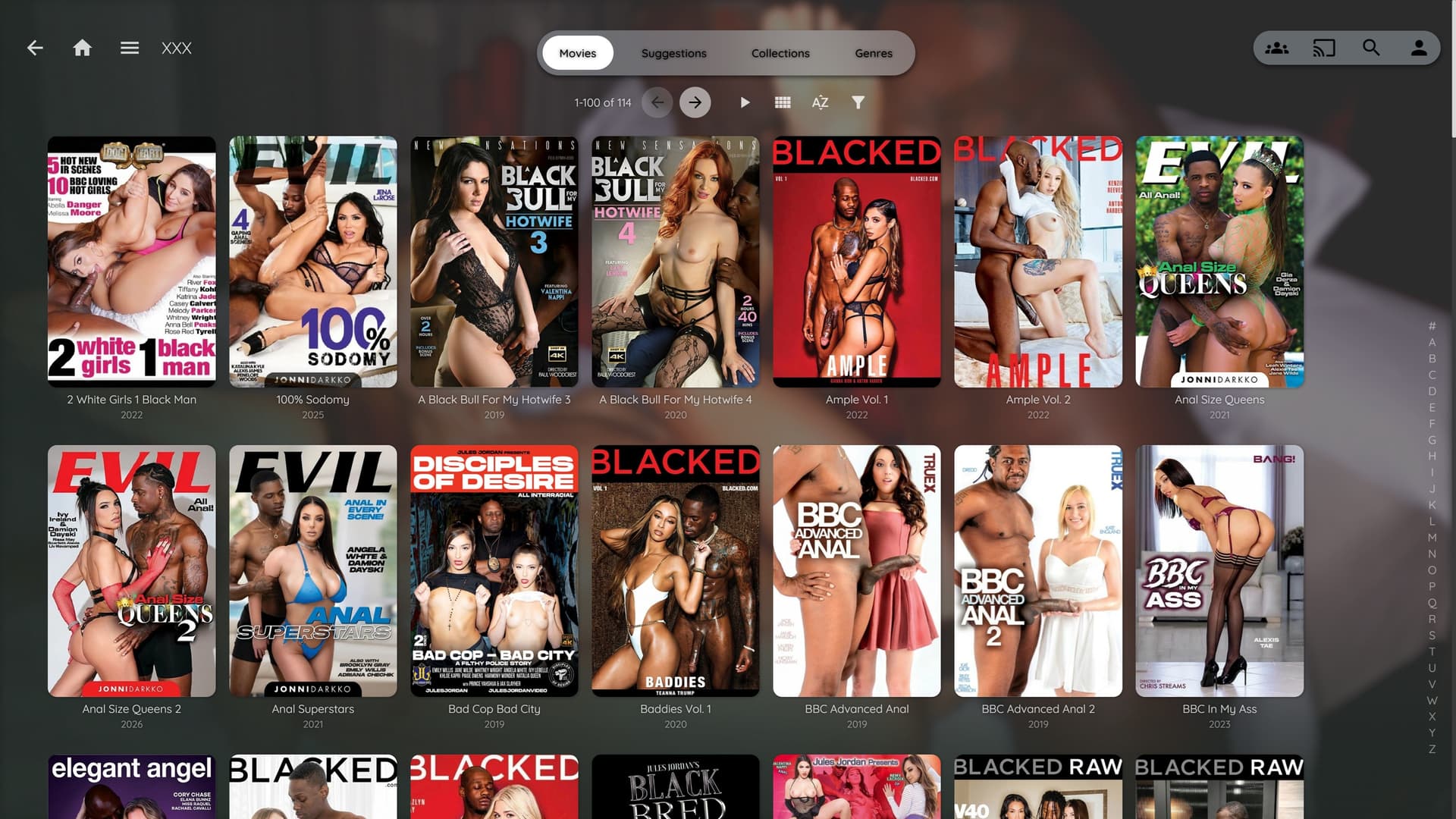
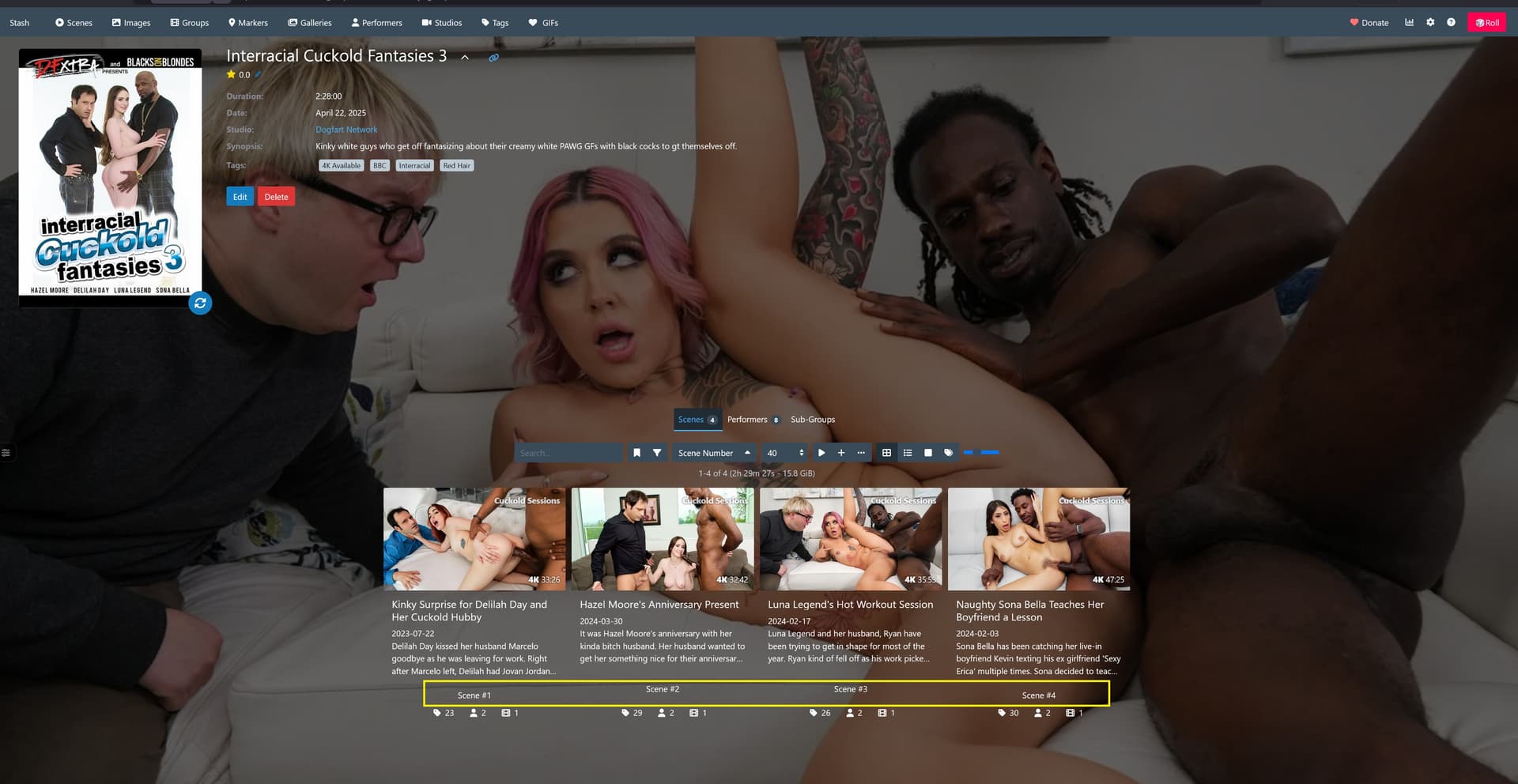
A Jellyfin plugin that syncs your Stash App Groups to Jellyfin as Movies, with scenes mapped as chapter markers and full TheMovieDB metadata support.



What It Does
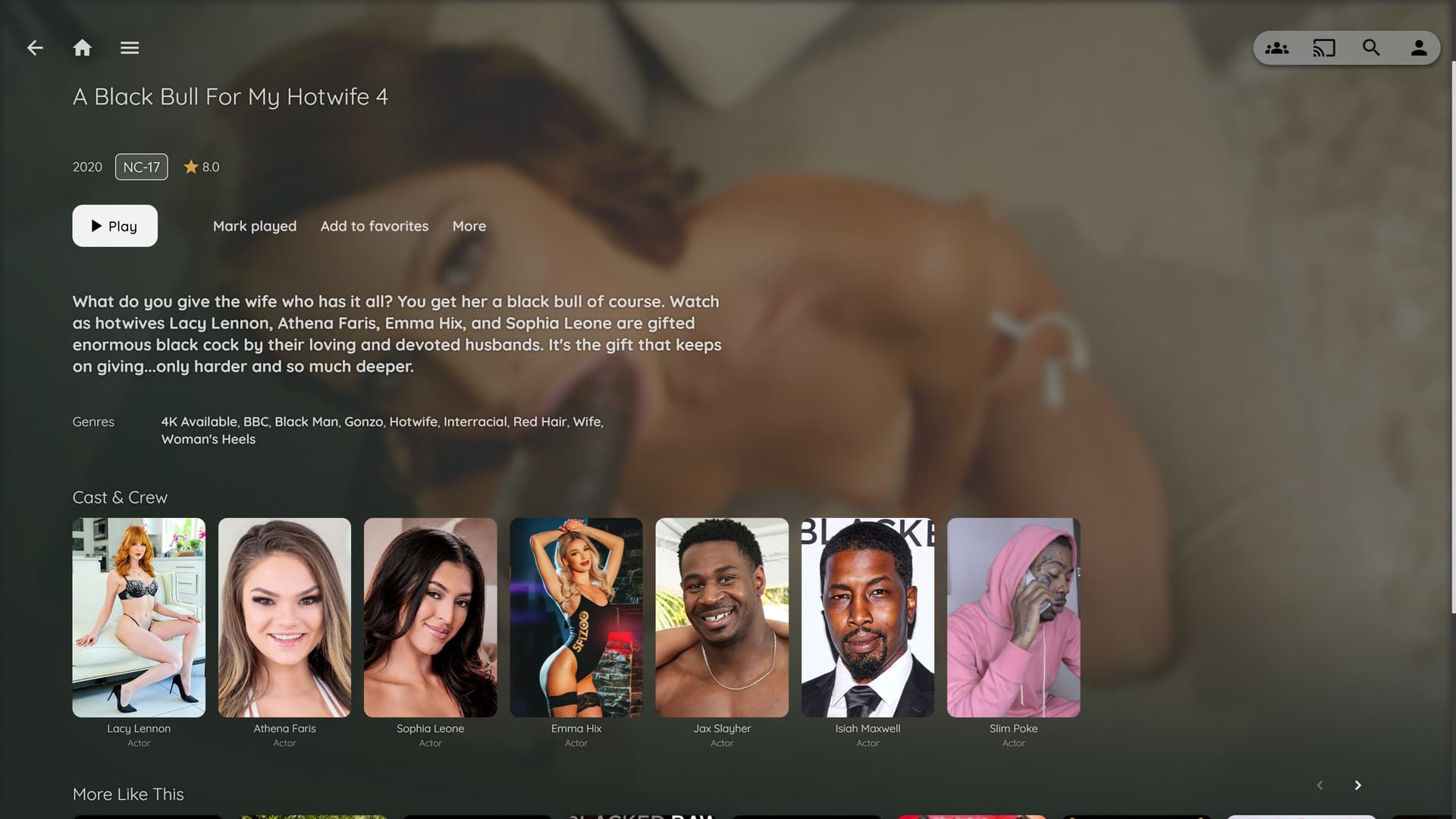
Each Stash Group becomes a Movie entry in Jellyfin. The scenes inside the Group appear as chapter markers, letting you jump between them like chapters on a Blu-ray. If the Group has a TheMovieDB URL, the plugin automatically fetches the TMDB ID, poster, and backdrop during sync.
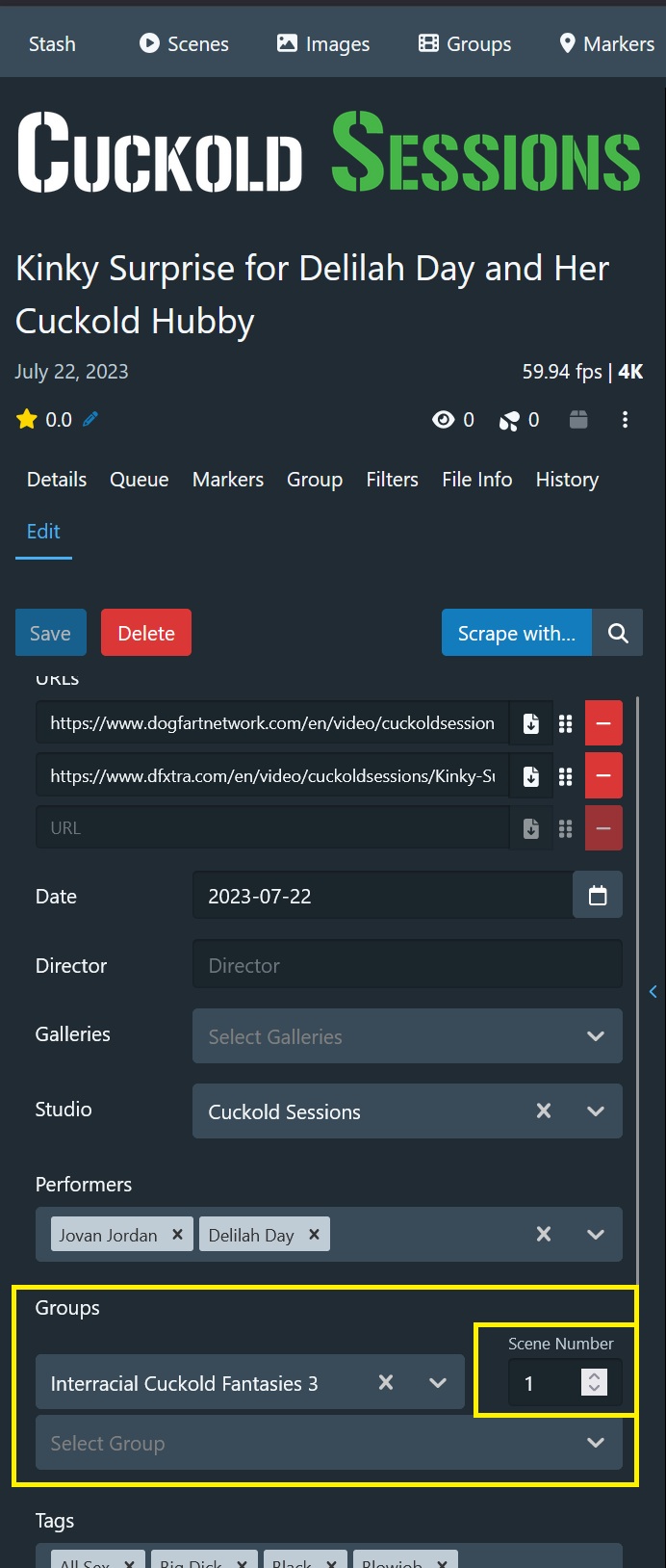
Stash Group "My Movie Title"
  ├── Scene 1 — "Opening"    →  Chapter 1   0:00:00
  ├── Scene 2 — "Middle"     →  Chapter 2   0:34:12
  └── Scene 3 — "Finale"     →  Chapter 3   1:02:45

Jellyfin Movie: "My Movie Title"
  ├── poster.jpg         (TMDB poster, falls back to Stash cover)
  ├── backdrop.jpg       (TMDB backdrop)
  ├── My Movie Title.strm     → streams via Stash HTTP
  ├── My Movie Title.nfo      → metadata + TMDB ID + chapters
  └── chapter-metadata.xml    → scene chapter offsets
Why
.strmfiles?
Jellyfin requires a physical file to anchor each library entry. A.strmis a single-line text file containing a stream URL — Jellyfin opens it and streams directly from Stash, while handling all the library UI itself.
Requirements
| Jellyfin | 10.9.0 or later |
| Stash App | Any recent version with GraphQL API enabled |
| TMDB API Key | Free — optional, needed for automatic poster/backdrop fetching |
| .NET SDK | 8.0 (only needed to build from source) |
Installation
Download the latest release
- Go to the Releases page and download
Jellyfin.Plugin.StashSync.dll - On your Jellyfin server, create the folder:
<jellyfin-config>/plugins/StashSync_1.0.0.0/ - Copy the DLL into that folder
- Restart Jellyfin
- Confirm it loaded: Dashboard → Plugins → My Plugins → StashSync should appear
TrueNAS Scale: The plugin folder is typically at
/mnt/.ix-apps/app_mounts/jellyfin/config/plugins/StashSync_1.0.0.0/
Build from source
git clone https://github.com/YOUR_USERNAME/jellyfin-plugin-stashsync.git
cd jellyfin-plugin-stashsync
dotnet build -c Release
# DLL output: bin/Release/net8.0/Jellyfin.Plugin.StashSync.dll
Setup
1. Configure the plugin
Dashboard → Plugins → My Plugins → StashSync → Settings
| Setting | Example | Description |
|---|---|---|
| Stash URL | http://192.168.1.50:9999 |
LAN IP of your Stash instance. No trailing slash. |
| Stash API Key | eyJ... |
Only needed if Stash authentication is enabled. |
| TMDB API Key | abc123... |
Free v3 key from themoviedb.org/settings/api. Used to fetch posters and backdrops automatically. |
| STRM Output Path | /config/stash-groups |
Where .strm files will be written. Jellyfin must have write access. |
| Use Stream URLs |  |
Recommended. Stash serves video, Jellyfin handles the UI. |
| StashProxy URL | http://192.168.1.50:5678 |
LAN IP of your StashProxy server |
| Min Scene Count | 1 |
Groups with fewer scenes than this are skipped. |
2. Add the output folder as a Jellyfin library
- Dashboard → Libraries → Add Media Library
- Type: Movies
- Folder: the same path set as STRM Output Path
- Make sure TheMovieDb is enabled under both Metadata downloaders and Image fetchers
- Click OK
3. Fix folder permissions (TrueNAS / Docker)
Jellyfin runs as uid 568 inside its container. The output folder must be owned by that user or new subfolders won’t be writable:
chown 568:568 /mnt/<pool>/path/to/stash-groups
chmod 777 /mnt/<pool>/path/to/stash-groups
chmod g+s /mnt/<pool>/path/to/stash-groups   # inherit group on new files
The g+s setgid flag is important — without it, newly created subfolders won’t inherit the correct ownership and Jellyfin will hit permission errors on subsequent syncs.
4. Deploy StashProxy
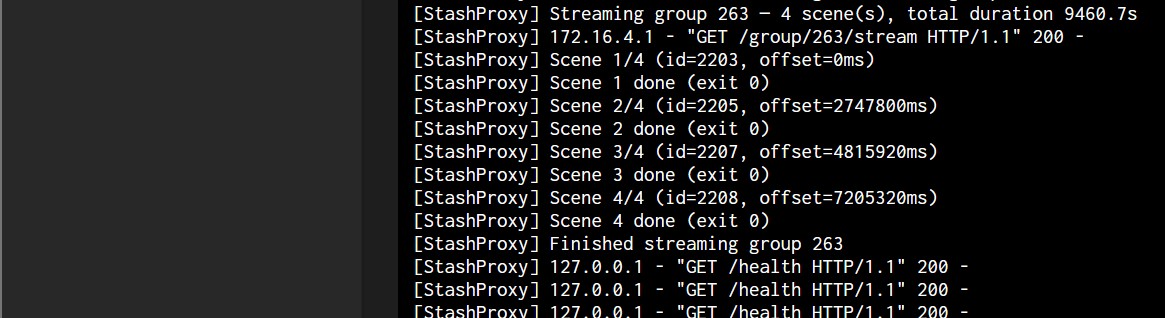
Multi-scene groups require StashProxy to stream correctly. Without it, only single-scene groups will play. See the StashProxy README for setup instructions.
Once StashProxy is running, set the Proxy URL in the plugin settings to http://<your-server-ip>:5678, then re-run the sync.
5. Run the sync
- Dashboard → Scheduled Tasks → StashSync → Sync Stash Groups →
 Run
Run - Once complete, Scan Library Files on your stash-groups library
- Jellyfin will read each
.nfo, match the TMDB ID, and fetch full metadata and images automatically
TMDB Integration
If a Stash Group has a TheMovieDB URL in its URLs field (e.g. https://www.themoviedb.org/movie/12345), the plugin will:
- Parse the TMDB movie ID from the URL
- Call the TMDB API to fetch the poster and backdrop image paths
- Write the TMDB ID into the
.nfoas the defaultuniqueidso Jellyfin uses it for all metadata lookups - Embed the poster and backdrop URLs directly in the
.nfoso Jellyfin picks them up immediately on scan - Download
poster.jpgandbackdrop.jpginto the group folder as local copies
Groups without a TMDB URL will still sync — they’ll use the Stash cover image as the poster and whatever metadata Stash has.
Re-syncing After Changes
The sync is manual only. After adding/removing scenes from a Group or creating new Groups in Stash:
- Scheduled Tasks → Sync Stash Groups → Run
- Refresh Metadata → Replace all metadata + Replace existing images on the library
The sync task updates existing group folders in place and removes folders for Groups that no longer exist in Stash.
Troubleshooting
No groups appear after sync
- Check the Jellyfin log for
[StashSync]entries - Verify Stash is reachable:
curl http://<stash-ip>:9999/graphql - Check that Jellyfin has write permission to the STRM Output Path
Movies appear but no images
- Make sure your TMDB API Key is saved in the plugin settings
- Confirm the Stash Group has a
themoviedb.org/movie/...URL in its URLs field - Run Refresh Metadata → Replace existing images on the library
- Check that TheMovieDb is enabled under Library → Image fetchers
Chapters don’t appear
- Confirm
chapter-metadata.xmlexists in the group folder - Check Library Settings → Metadata readers — StashSync should be listed and checked
Video won’t play
- The
.strmcontains a URL likehttp://<stash-ip>:9999/scene/101/stream - Test that URL directly in a browser — if it loads, Jellyfin should be able to play it
- If Stash has authentication enabled, make sure the Stash API Key is set in plugin settings
Permission errors on TrueNAS after sync
- See the permissions fix in Step 3 of Setup above
- The
g+ssetgid flag on the output folder is required for new subfolders to inherit the correct ownership
Project Structure
Plugin.cs                        Plugin entry point and ID
PluginServiceRegistrator.cs      Dependency injection registration
Configuration/
  PluginConfiguration.cs         Settings model
  configPage.html                Admin settings UI
GraphQL/
  StashModels.cs                 GraphQL DTOs and query definitions
  StashApiClient.cs              Stash API client with pagination
Tasks/
  SyncStashGroupsTask.cs         Scheduled task — orchestrates the sync
  StrmWriter.cs                  Writes .strm, .nfo, chapters, posters
Providers/
  StashGroupMetadataProvider.cs  Local metadata provider
  StashExternalId.cs             Registers Stash as an external ID type
Extending
Automatic sync on a schedule — add a trigger to GetDefaultTriggers() in SyncStashGroupsTask.cs:
yield return new TaskTriggerInfo
{
    Type = TaskTriggerInfo.TriggerInterval,
    IntervalTicks = TimeSpan.FromHours(6).Ticks
};
Performer/actor metadata — extend the GraphQL query in StashModels.cs to include performers { name } and write them into the .nfo as <actor> elements.
Studio collections — use the Stash studio name to group movies into Jellyfin collections.
License
MIT

 No
No