 |
Summary | A Jellyfin plugin that automatically syncs movie groups from Stash into your Jellyfin library using symbolic links — no copying or moving files required. |
 |
Repository | https://github.com/Lurking987/jellyfin-plugins/tree/main/StashMovies |
How It Works
Stash organizes related scenes into Groups. This plugin treats each Group as a single Movie in Jellyfin:
- Queries your Stash instance for all Groups and their associated scenes via the GraphQL API.
- Creates a dedicated folder for each Group inside your configured library path.
- Writes a
movie.nfofile so Jellyfin picks up the group’s title and synopsis. - Creates a symbolic link for each scene file inside that folder, named according to your chosen Sync Mode.
- Runs on a configurable schedule (default: every 24 hours) and overwrites any broken links automatically.
/your-library-path/
└── My Movie Group/
    ├── movie.nfo
    ├── My Movie Group - pt1.mkv  ← symlink → actual file on disk
    └── My Movie Group - pt2.mkv  ← symlink → actual file on disk
Requirements
- Jellyfin 10.11 or later
- .NET 9
- A running Stash instance with the GraphQL API accessible from your Jellyfin server
- Jellyfin must have read/write access to the symlink output directory
- The Jellyfin process must have permission to create symbolic links on your OS
Installation
Manual
- Download the latest
StashMoviesSync.zipfrom the Releases page and extract it. - Copy
Jellyfin.Plugin.StashMovies.dllinto your Jellyfin plugins directory (e.g./config/plugins/StashMovies/). - Restart Jellyfin.
Via Jellyfin Plugin Repository
- In Jellyfin go to Dashboard → Plugins → Repositories → +
- Add this URL:
https://lurking987.github.io/jellyfin-plugins/manifest.json - Go to Catalogue, find Stash Movies Sync, and install.
Build from source
git clone https://github.com/Lurking987/jellyfin-plugins.git
cd jellyfin-plugins
dotnet build StashMovies/Jellyfin.Plugin.StashMovies.csproj --configuration Release
Copy the output .dll from bin/Release/net9.0/ to your Jellyfin plugins directory and restart Jellyfin.
Configuration
Navigate to Dashboard → Plugins → Stash Movies Sync → Settings.
| Setting | Description |
|---|---|
| Stash GraphQL URL | Full URL to your Stash GraphQL endpoint, e.g. http://192.168.1.x:9999/graphql |
| Stash Movies Library Path | Absolute path where symlink folders will be created, e.g. /mnt/jellyfin/stash-movies |
| Minimum Scene Count | Groups with fewer scenes than this number are skipped entirely. Set to 0 to include all groups. |
| Sync Mode | Controls how scene files are named inside each movie folder (see below). |
Sync Mode
Both modes create one folder and one movie.nfo per Group. The only difference is how the individual scene symlinks are named.
| Mode | File naming | Jellyfin behavior |
|---|---|---|
| Parts | Movie Name - pt1.mkv, Movie Name - pt2.mkv … |
Jellyfin recognizes the pt# suffix and plays all parts back-to-back automatically |
| Scenes | Movie Name - Scene Title.mkv … |
Jellyfin lists each scene as an individually selectable section; playback is not automatic |
Path Translation
If your Stash and Jellyfin instances run in separate containers or mount paths differently, you can configure path translation directly in the plugin settings.
| Setting | Example | Description |
|---|---|---|
| Stash Path Prefix | /data/Studios |
The path prefix as Stash sees the files |
| Jellyfin Path Prefix | /mnt/stsh |
The same location as Jellyfin sees it |
Leave both fields blank if Stash and Jellyfin share identical mount paths — no translation will be applied.
Scheduled Task
The sync runs automatically every 24 hours. You can also trigger it manually at any time from Dashboard → Scheduled Tasks → Sync Stash Movies.
Project Structure
jellyfin-plugins/
├── .github/
│   └── workflows/
│       └── release.yml               # Auto-build and publish on version tags
├── StashMovies/
│   ├── Configuration/
│   │   └── config.html               # Plugin settings page
│   ├── Jellyfin_Plugin_StashMovies.csproj
│   ├── Plugin.cs                     # Plugin entry point & web page registration
│   ├── PluginConfiguration.cs        # Settings model
│   └── ScheduledTask.cs              # Sync logic, GraphQL client, symlink creation
├── manifest.json                     # Jellyfin plugin repository manifest
└── README.md
- Push a version tag:
git tag v1.0.0 git push origin v1.0.0 - GitHub Actions will build the
.dll, zip it, and attach it to a GitHub Release automatically. - Update
manifest.jsonwith the new version entry and the MD5 checksum printed in the release notes.
Releasing a New Version
- Push a version tag:
git tag v1.0.0 git push origin v1.0.0 - GitHub Actions will build the
.dll, zip it, and attach it to a GitHub Release automatically. - Update
manifest.jsonwith the new version entry and the MD5 checksum printed in the release notes.
Contributing
Pull requests are welcome. Please open an issue first to discuss any significant changes.
License
This project is provided as-is with no warranty. See LICENSE for details.
Screenshots
Screenshots were taken utilizing the scenes option to show how to select the different scenes. Screenshots were taken from Jellyfin.
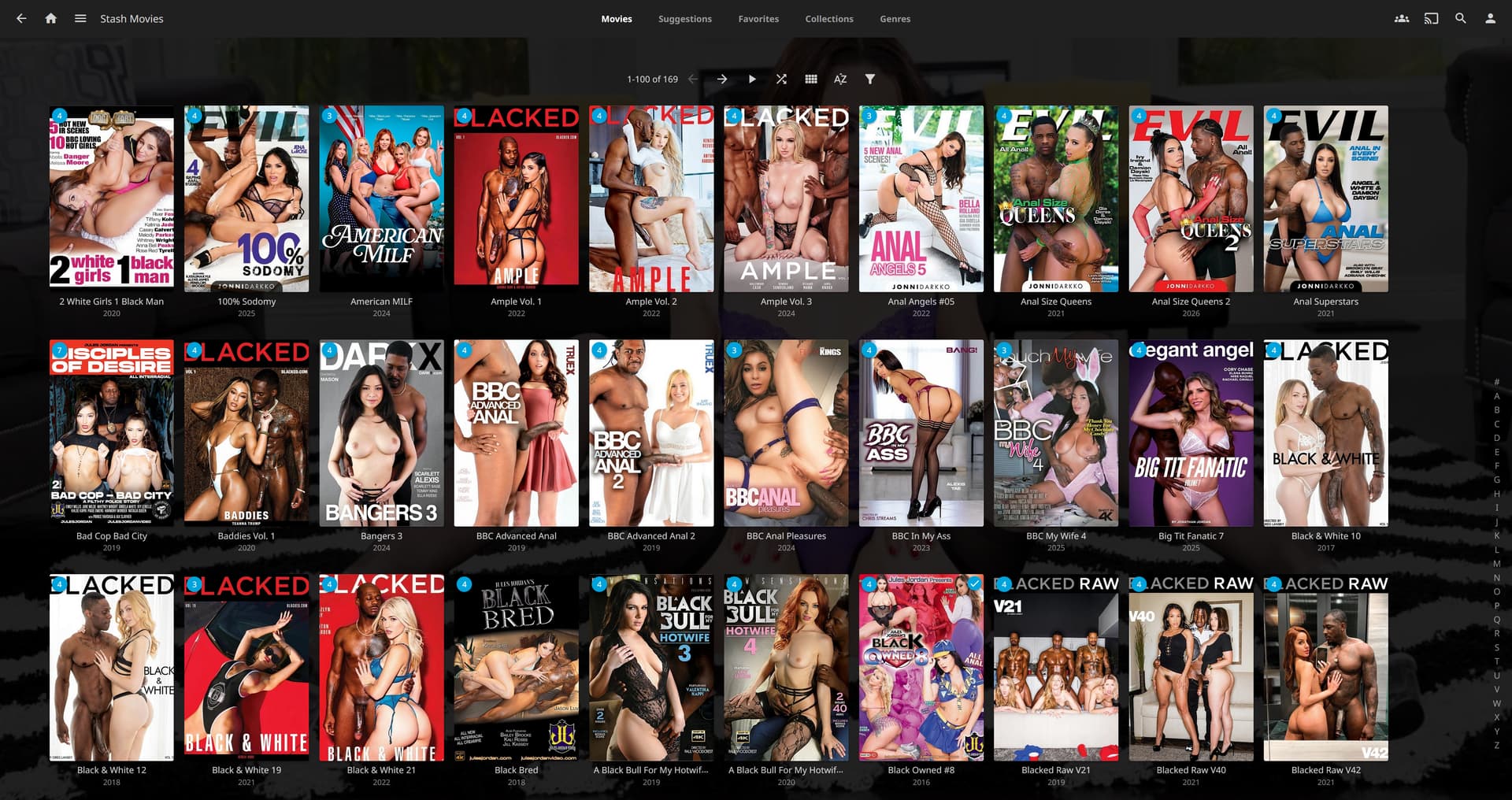
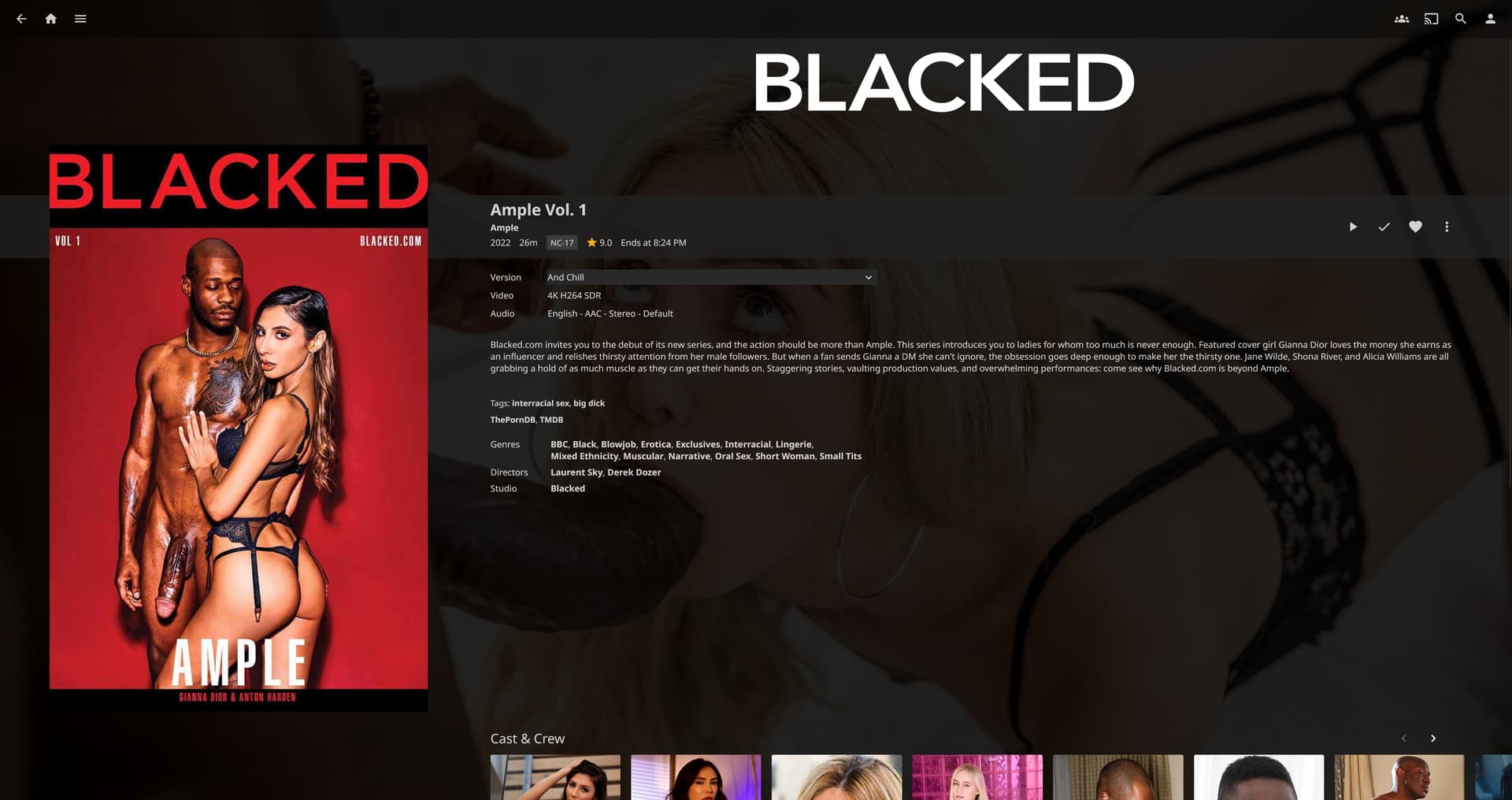
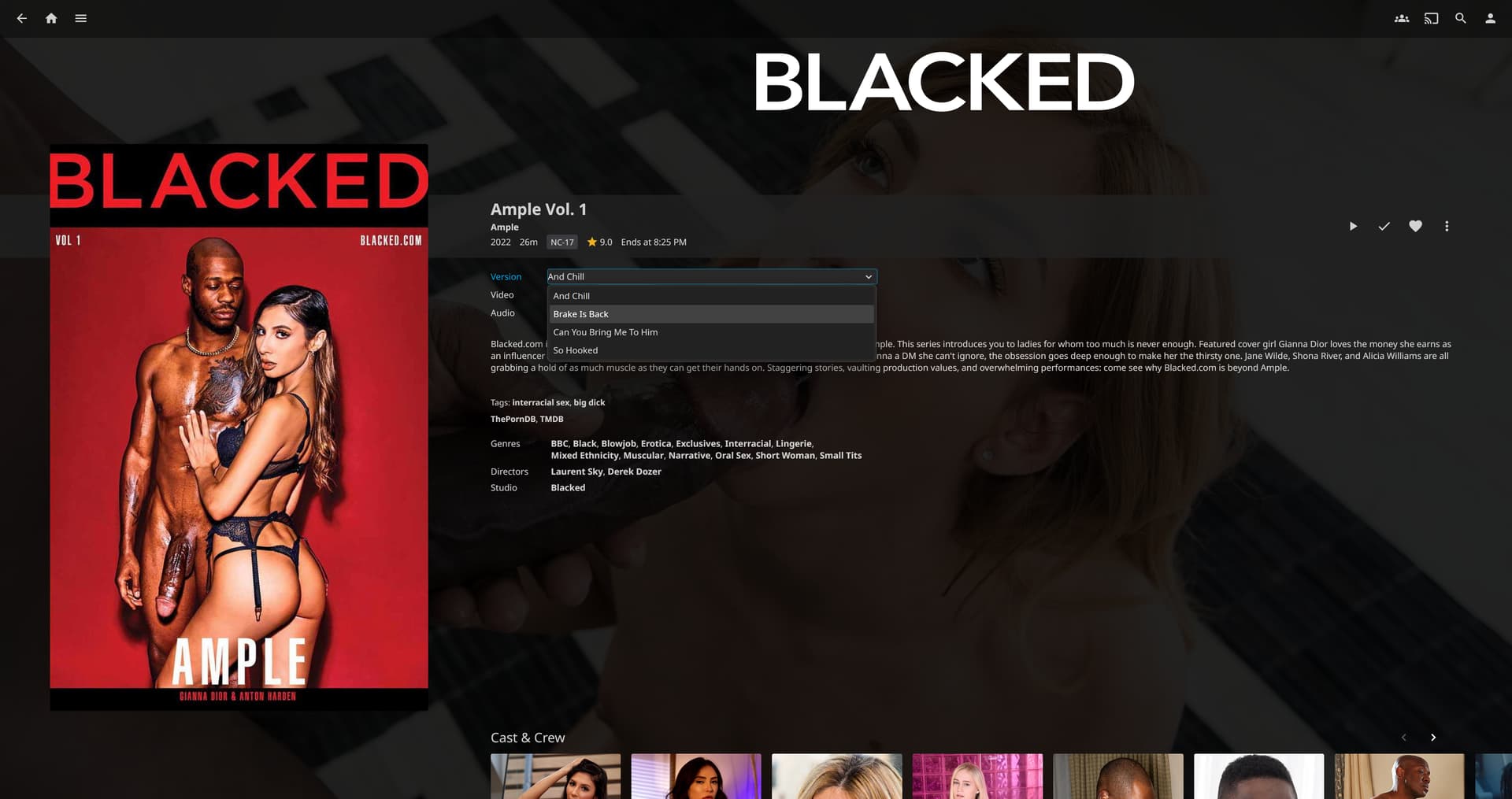
I highly recommend reviewing your Movies in Jellyfin as sometimes the Jellyfin scraper will associate some movies to the wrong one, even when the Stash information didn’t have anything incorrect. After you update the information correctly, in the page to edit the metadata, select to lock the item from future metadata changes.