|
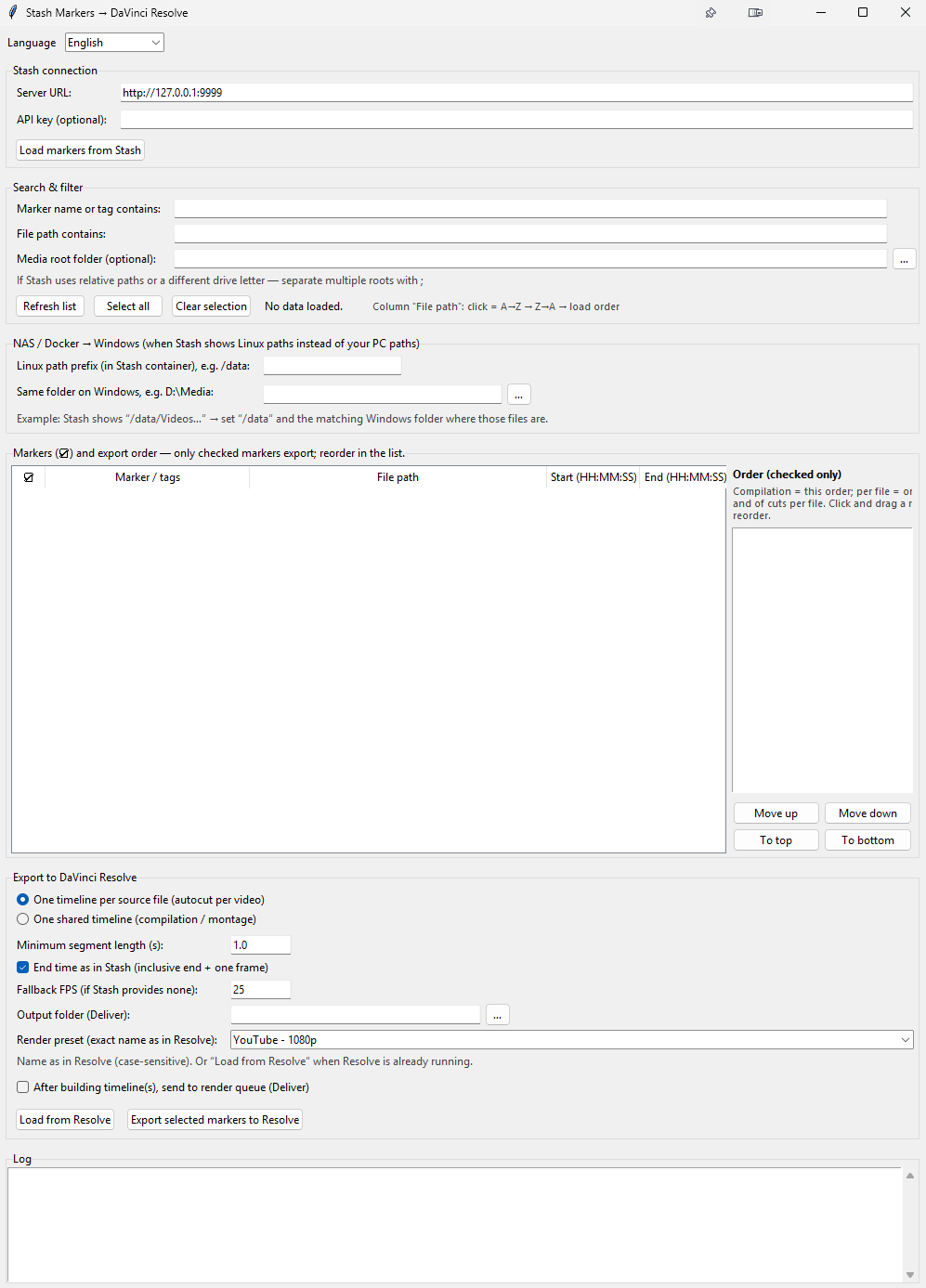
Summary | Load markers from Stash, you can sort them and export to Davinci Studio (Paid) directly in timeline. Highlight is you can do a compilation easily with this tool. |
 |
Repository | https://github.com/PepegaSan/Stashmarker-Davinci-Export |
Features
-
Connects to your Stash GraphQL API and lists scene markers (title, tags, file path, times).
-
Filter by name/tag and by path.
-
Optional path mapping when Stash stores Linux-style paths (e.g. Docker) and your files live under a Windows folder.
-
Two export modes:
-
One timeline per video file — each source file gets its own Resolve timeline with cuts in order.
-
One compilation timeline — all selected segments on a single timeline (order from the list).
-
-
Resolve Studio with external scripting enabled is required for export
Installation
-
Clone or download this repository.
-
Install Python 3.10+ (tick “Add Python to PATH” on Windows).
-
Open a terminal in the project folder and run:
-
python app.py -
or doubleckick on app.py