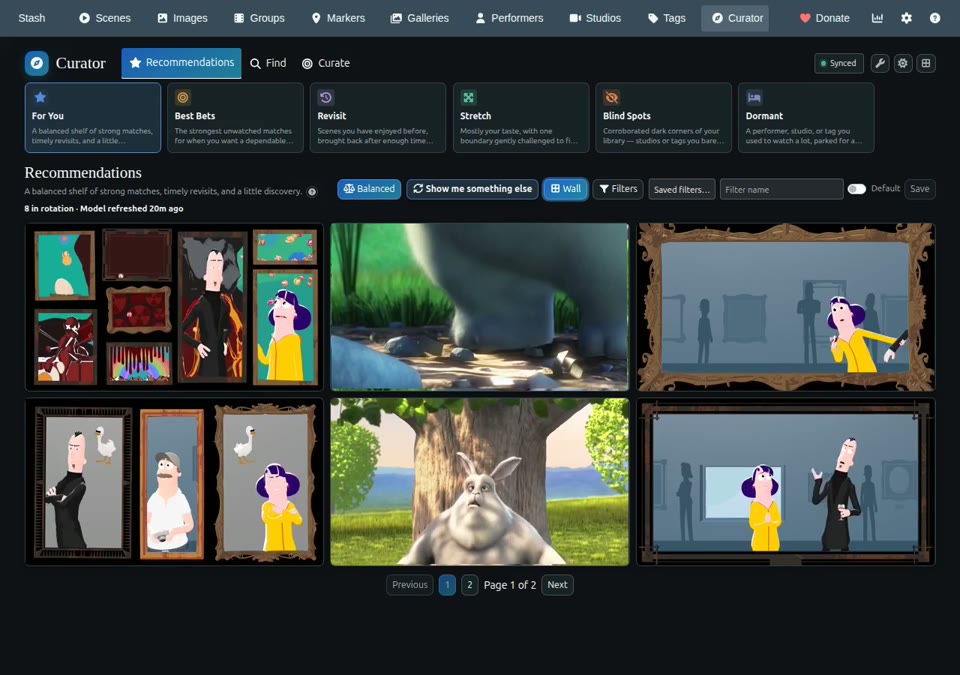
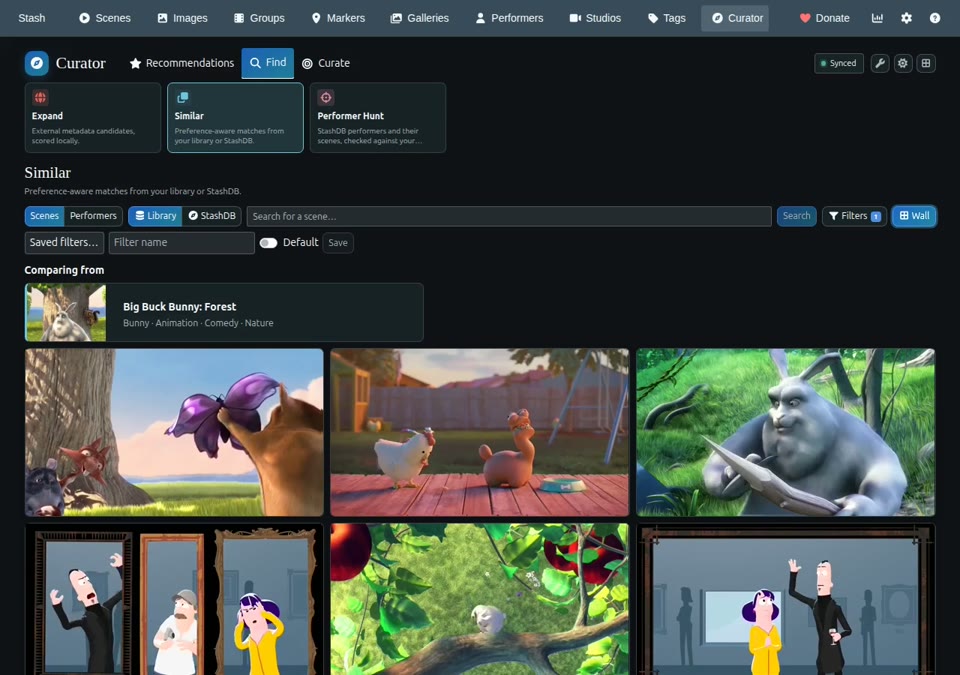
I’ve been working on Stash Curator, a plugin that helps you find something you’ll enjoy watching in your Stash library. It uses your metadata, viewing history, and feedback to learn your preferences and bring relevant scenes to the surface, whether they’re unwatched finds or old favorites you haven’t revisited in a while.
Features
Recommendations are grouped into lanes:
For You — a mix of recommendations from across the lanes.
Best Bets — strong matches you haven’t watched yet.
Revisit — past favorites ready for another watch.
Stretch — something familiar with a tag or studio outside your usual preferences.
Blind Spots — parts of your library you’ve barely explored.
Dormant — unwatched scenes matching interests you enjoyed in the past but haven’t returned to lately.
Open Why this? to see what influenced a suggestion, and use thumbs up/down or tag preferences to help Curator learn when it gets your taste wrong. Similar finds related scenes and performers already in your library.
If you have StashDB configured in Stash, you can also find similar scenes and performers beyond your library, use Expand to discover scenes matching your preferences, and use Performer Hunt to browse a performer’s scene catalog with views for scenes linked to your library and those not linked locally. External results are metadata leads rather than playable media.
If you have Whisparr configured in Curator, you can send individual scenes to it from the external results.
Your viewing history, feedback, and preference model stay local.
Installation
Requires Stash v0.31 and a python executable available to Stash (inside the container if you use Docker).
Open Settings → Plugins → Available Plugins → Add Source and enter:
Thanks for fixing the Windows SQLite URI issues in v0.31.1!
While investigating the original Windows problem, I also encountered another issue when synchronizing a large Stash library:
too many SQL variables
I traced this to historicalRebuild() in core/historical.go, where an SQL IN clause is constructed with one bound parameter for every selected scene, without batching. Large selections can exceed SQLite’s variable limit.
A fix was developed that processes scene IDs in batches of 500. This was successfully tested with a custom Windows build of v0.30.1. After applying the fix, synchronization completed, the recommendation model was built, and recommendations appeared correctly.
I’ve checked the v0.31.1 source code, and the unbounded query still appears to be present.
I have a patch for v0.31.1, including regression tests, although I haven’t yet runtime-tested that version.
Could you take a look at this issue? I’d be happy to share the patch and tests. I’m not sure whether this forum supports ZIP or patch attachments, but I can provide them in another way if needed.
Thanks for testing and tracking this down! I was able to reproduce the error and fix it by passing the scene IDs as a single JSON parameter, avoiding SQLite’s variable limit.
Thanks for the quick fix and for including the regression tests!
I managed to get Curator fully working using my own custom build, and I now have a successfully built recommendation model that I’d rather not risk messing up by forcing a new synchronization
I’ve upgraded to the official v0.31.4 release, and so far everything seems to be working perfectly! The existing model is still available, and recommendations are displaying correctly.
So while I haven’t tested a fresh full synchronization with v0.31.4 yet, the update itself looks great.
Thanks again for your excellent work and quick response. Much appreciated!
Looks like that is a download timeout. Apparently this is hardcoded to 10s in stash, and this plugin has one go binary per arch, so its 30MB in size. I’ll try to reduce it, and make individual plugins per arch to see if that helps!
Just replace your current Curator source URL with the matching one, keeping Local Path unchanged. Choose the platform where Stash runs. For Docker, that means Linux, otherwise use e.g. windows if stash runs on a windows host.
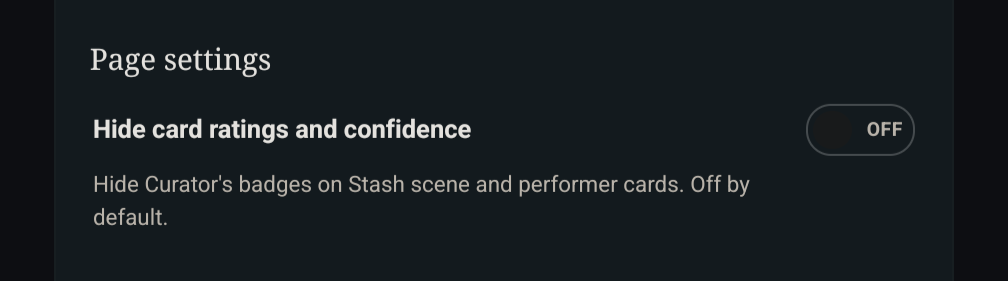
Interesting plugin! Is there any way to disable or hide the ratings/confidence chip on the Scenes or Performer cards? Possible that it’s already in the settings somewhere, but I couldn’t find it.
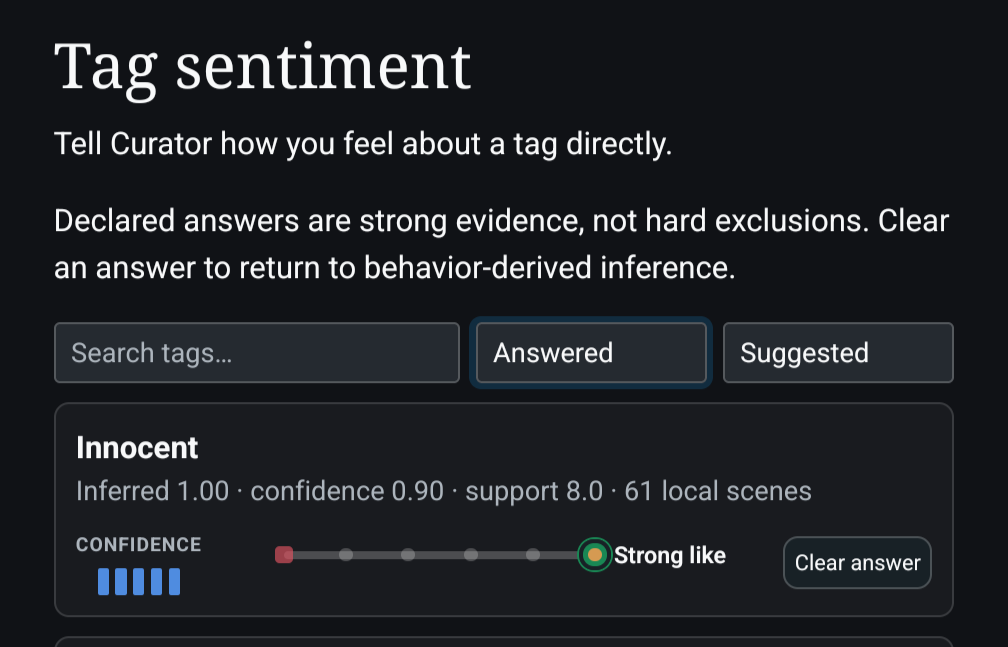
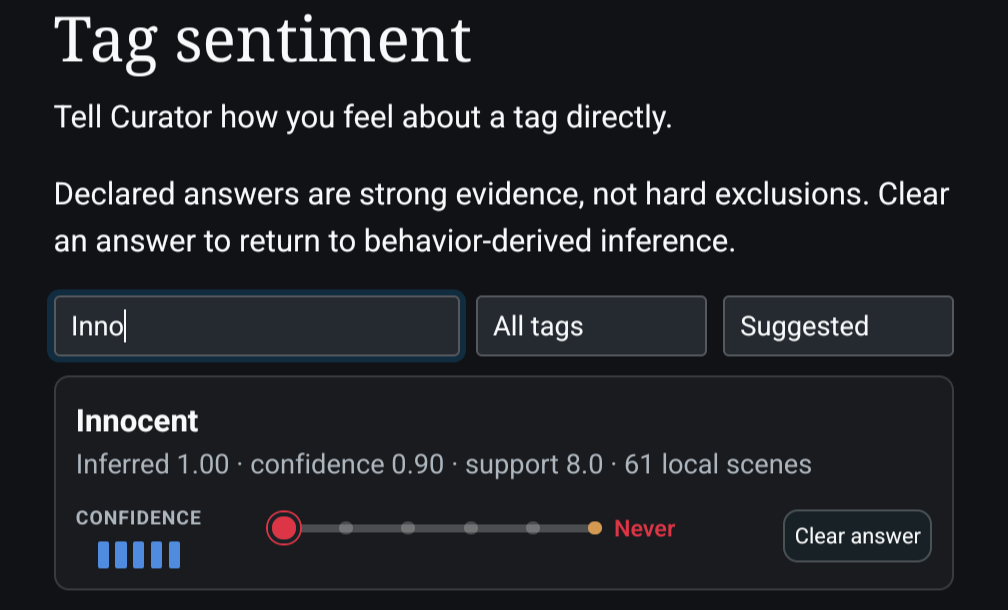
Right is better, left is worse. Under Curate → Tag sentiment, that is shown explicitly using labels, but when using the tag rate button, that is less clear. The very left is “Never” which effectively blocks content with those tags from bein shown.
I will try to make it more clear from the tag rate button on the scene cards
This is an awesome Plugin! But for me it feels like I have to click under this scale. When I feel like clicking on it, it doesn’t work. It’s not a big thing, just a bit inconvenient.
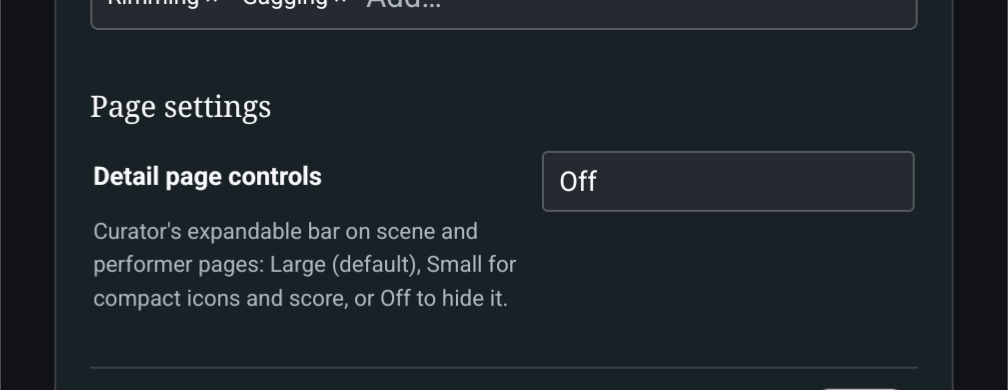
I prefered the small icons in the Scene Player. The big one now takes up so much space when editing scenes. Could you add the option to switch to the smaller one?
The card ratings do not work with Valkyr Scene Cards. It does work with Serechops, Refract Cards and Glassy Scene Cards. In v0.33.? it did work with Valkyr Scene Cards.