Scene Rename: File Organizer Plugin
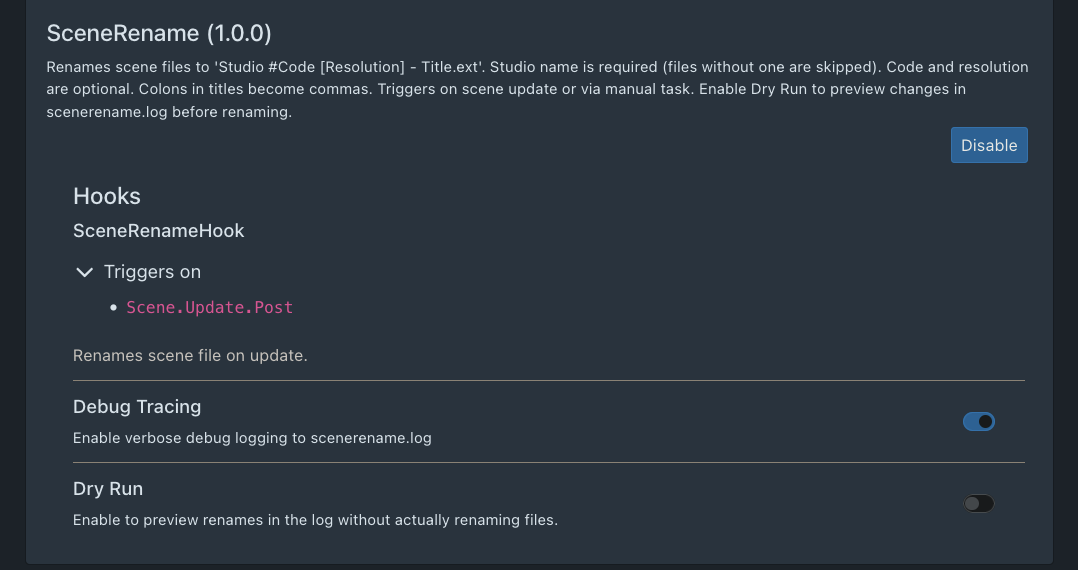
I’ve written a simple plugin to help organize scene files into a clean, consistent format. It includes debug tracing that integrates with the Logs view, supports dry runs, and provides a clear description in the Plugins UI.
Features
- Dry run support
- Debug output in the
Logsview - Graceful handling of already-renamed files
- Does not fail if Scene ID or resolution are missing
- Requires a Studio and Title to proceed
The code is simple and the plugin UI includes clear usage instructions.
Screenshot
What It Does
The Scene Rename plugin renames scene files using the following format:
Studio #StudioID [Resolution] - Title.mp4
For example, a file in my library that still has its default name:
wodhhd_06_1080p.mp4
Is renamed to:
TitanMen #395 [1080p] - Coyote Point, Dakota Rivers.mp4
This format keeps filenames consistent and easy to scan. It also makes it simple to group files by studio if desired, or keep everything in a single directory while maintaining a clean, uniform structure.
I’ve found it very effective for keeping my library organized, and others may find it useful as well.
Installation Example (Docker)
Note: the files scenerename.py and scenerename.yml are attached to this post.
I run Stash in Docker. My folder structure looks like this:
docker/
└── docker-compose.yml
└── plugins/
    └── scenerename/
        ├── scenerename.py
        └── scenerename.yml
In docker-compose.yml, add the following under volumes:
- ./plugins/scenerename:/root/.stash/plugins/scenerename
That’s all that’s required. The plugin loads normally, outputs to the Logs window, and supports dry runs.
Community Plugins Repository
If anyone is willing to help upload this to the CommunityScripts repository, it would be appreciated:
https://github.com/stashapp/CommunityScripts
I’d prefer not to use my personal GitHub account. I’d really appreciate it if someone is able to submit it for me.
Attachments
- scenerename.yml (1.1 KB)
- scenerename.py (7.3 KB)
Feel free to try it.
Thanks goon gang,
stashdb.corrode248
