 |
Summary | Renames scene files to Studio #Code - Title [Resolution].ext. Studio and title are both required (scenes missing either are skipped). Code and resolution are optional. Colons in titles become commas. Triggers on scene update or via manual task. Enable Dry Run to preview changes in scenerename.log before renaming. |
 |
Repository | https://github.com/stashapp/CommunityScripts/tree/main/plugins/sceneRename |
 |
Source URL | https://stashapp.github.io/CommunityScripts/stable/index.yml |
 |
Install | How to install a plugin? |
Scene Rename: File Organizer Plugin
Simple plugin to help organize scene files into a clean, consistent format. It includes debug tracing that integrates with the Logs view, supports dry runs, and provides a clear description in the Plugins UI.
Features
- Dry run support
- Debug output in the Logs view
- Graceful handling of already-renamed files
- Does not fail if Code or resolution are missing
- Requires a Studio and Title to proceed
- Renames through Stash’s moveFiles API, so the database stays in sync without a rescan
- Records the pre-rename filename in the scene’s original_filename custom field
- Strips illegal and control characters, and truncates to the filesystem’s byte limit
The code is simple and the plugin UI includes clear usage instructions.
Screenshot
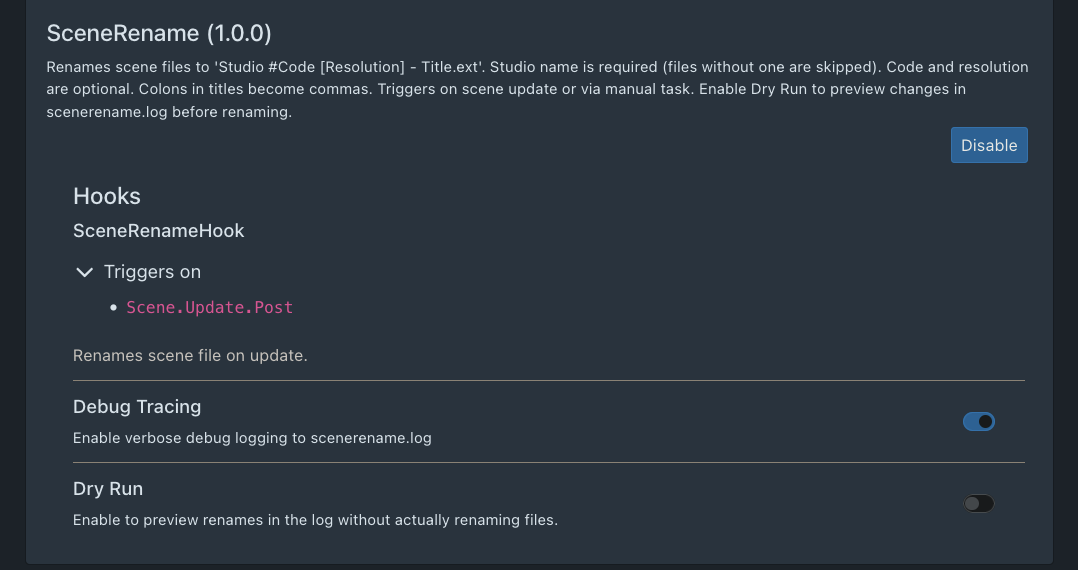
What It Does
The Scene Rename plugin renames scene files using the following format:
Studio #Code - Title [Resolution].mp4
For example, a file in my library that still has its default name:
wodhhd_06_1080p.mp4
Is renamed to:
TitanMen #395 - Coyote Point, Dakota Rivers [1080p].mp4
This format keeps filenames consistent and easy to scan. It also makes it simple to group files by studio if desired, or keep everything in a single directory while maintaining a clean, uniform structure.
I’ve found it very effective for keeping my library organized, and others may find it useful as well.
Installation Example (Docker)
I run Stash in Docker. My folder structure looks like this:
docker/
└── docker-compose.yml
└── plugins/
    └── scenerename/
        ├── scenerename.py
        └── scenerename.yml
In docker-compose.yml, add the following under volumes:
- ./plugins/scenerename:/root/.stash/plugins/scenerename
That’s all that’s required. The plugin loads normally, outputs to the Logs window, and supports dry runs.
Releases:
- v1.2.0
- Renames through Stash’s moveFiles API instead of os.rename + folder rescan, the database stays in sync, no stale paths, no scan job
- Records the pre-rename filename in the scene’s original_filename custom field, written once so the earliest name survives later renames
- Requires a title as well as a studio; without one the name collapsed to just studio + resolution
- Skip messages now name the missing field
- Strips : from studio names and codes (previously only titles), collapses control characters, trims leading dots and trailing dots/spaces
- Truncates to the filesystem’s 255-byte limit rather than 240 characters, so long non-ASCII titles no longer fail to rename
- Fixed README format and example - resolution follows the title