 |
Summary | Sends scene audio to a whisper.cpp whisper-server to be transcribed into an SRT file saved with the scene. |
 |
Repository | https://github.com/Jay4242/whisper_transcribe/tree/main/plugins/whisper_transcribe |
 |
Source URL | https://jay4242.github.io/whisper_transcribe/main/index.yml |
 |
Install | How to install a plugin? |
Features
This whisper_transcribe plugin for Stash allows users to access a whisper.cpp whisper-server hosted locally or somewhere on their network to create SRT subtitle files for scenes.
When the SRT formatted subtitles are complete, they are saved with the scene file & added into Stash so the user only needs to navigate away from the scene and return back to the scene (or Refresh) to have the [CC] caption option in the player.
Note that this will overwrite any existing SRT file with the same file name, ie. the scene file name with a .srt file extension!
Installation
Copy the whisper_transcribe directory/files to your plugins directory.
Reload your plugins.
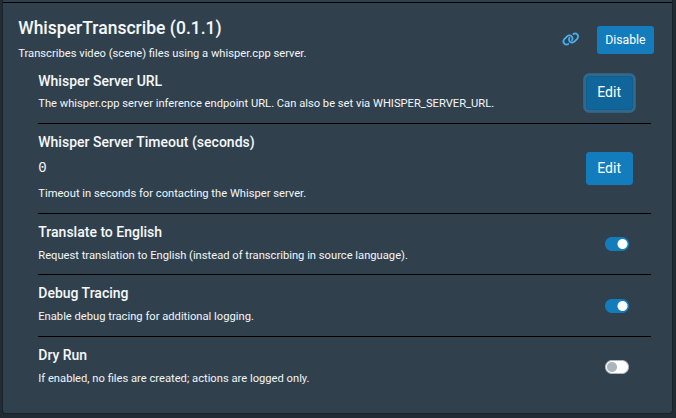
Set your ‘Whisper Server URL’ to the location & port of your whisper-server. The default is 127.0.0.1:9191/inference.
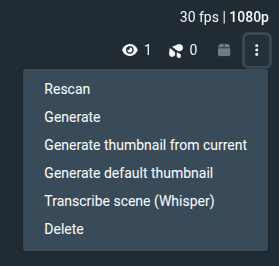
You should now have a Transcribe scene (Whisper) option in your scene ‘Operations Menu’ (the three dots drop-down menu).
Screenshots
The plugin settings in (/settings?tab=plugins):
The operation menu from a video scene (/scenes/{scene_number}) with ‘Transcribe scene (Whisper)’ added:
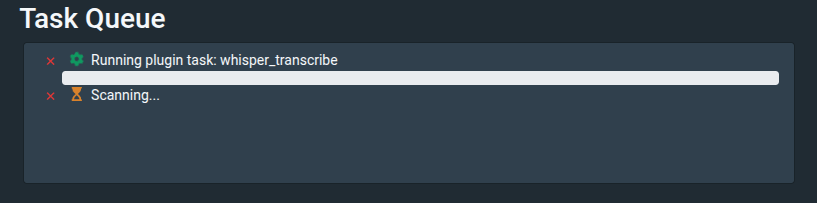
The whisper_transcribe task (/settings?tab=tasks):
Other Notes
The default timeout is 3600 seconds (1 Hour). For long videos, or slow, multi-tasking hardware.
‘Translate to English’ assumes -tr/--translate is set on whisper-server.
Updates
v.0.2.0: It was failing for jobs longer than 60 seconds. Now whisper_transcribe is a task that appears in the ‘Task Queue’ and can run longer. Edit: Project wasn’t correctly updated before, should be fixed now, sorry for the inconvenience. Also queues the SRT file scan after the whisper_transcribe task now in case the user creates a queue of transcriptions.
