Overclock 0.2.0 is out. It can now restyle Insights and Performers Toolkit to match Overclock:
- Insights: the Stats page dashboard gets Overclock’s clipped panels, corner brackets, yellow tab underlines and mono readouts.
- Performers Toolkit: its page and the Stats and Catalog tabs it adds to performer pages get the same display.
- The count on Performers Toolkit’s Catalog tab is readable now. It was near-black on Overclock’s dark badge.
- Insights’ What works sidebar no longer slides under Overclock’s taller navbar, even with the settings off.
To get it:
- Open Settings > Plugins, click Check for updates, tick Theme - Overclock, click Update and refresh the page.
- In Settings > Plugins > Theme - Overclock, turn on Restyle Insights, Restyle Performers Toolkit, or both. Each setting only shows once its plugin is installed and turned on.
- Open the Stats page or Performers Toolkit.
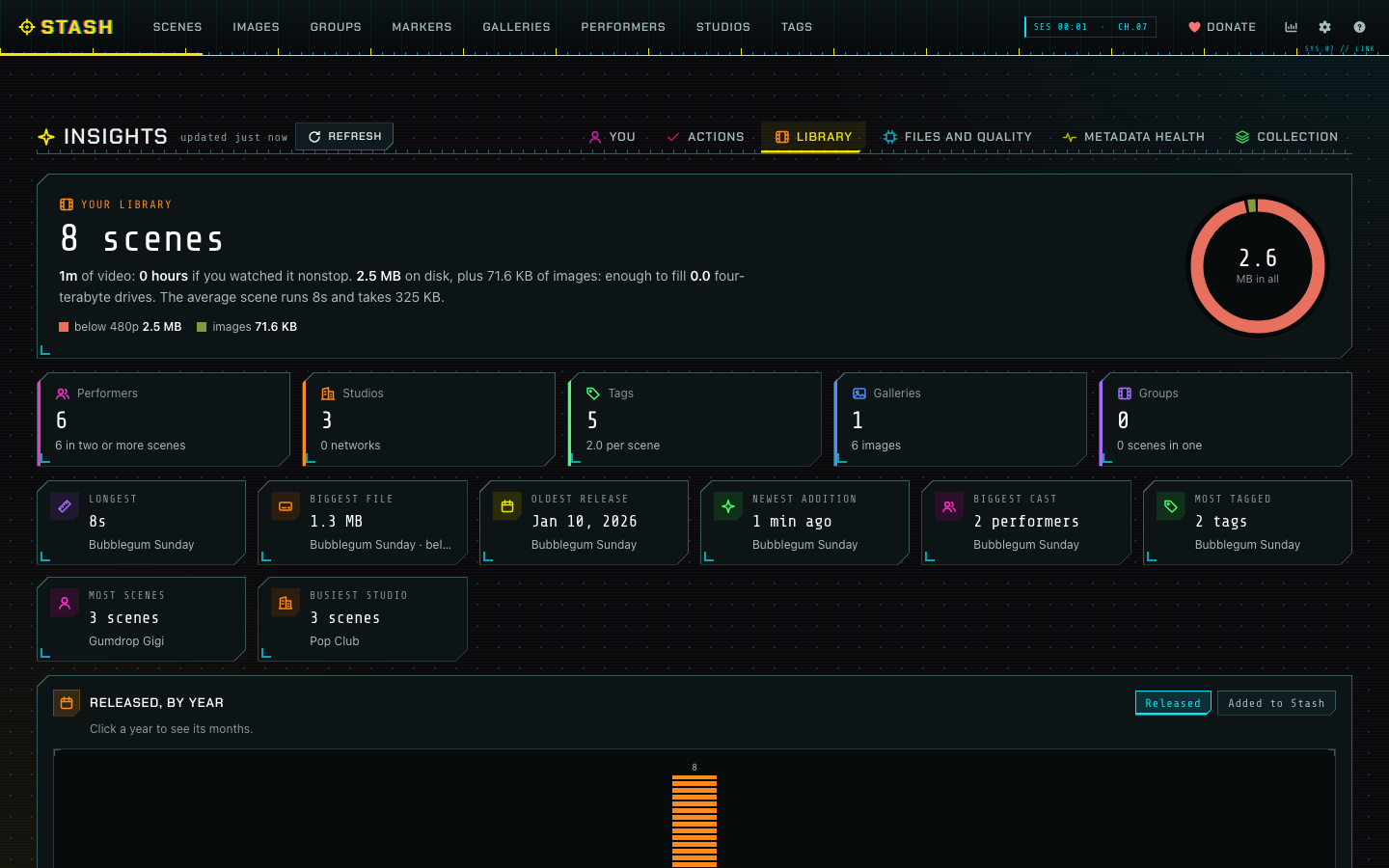
The settings are off by default. Nothing changes until you turn them on. Insights keeps its own colours for its heatmaps and codec charts.
It’s tested on Stash 0.31.1 alongside the latest releases of Insights (2.11.0) and Performers Toolkit (0.4.2). The release notes are on GitHub.