|
Summary | Modern dark theme. Phone-friendly. Better tags. Easier navigation. |
 |
Repository | https://github.com/StickyStash/Sticky |
 |
Source URL | https://stickystash.github.io/Sticky/index.yml |
 |
Install | How to install a plugin? |
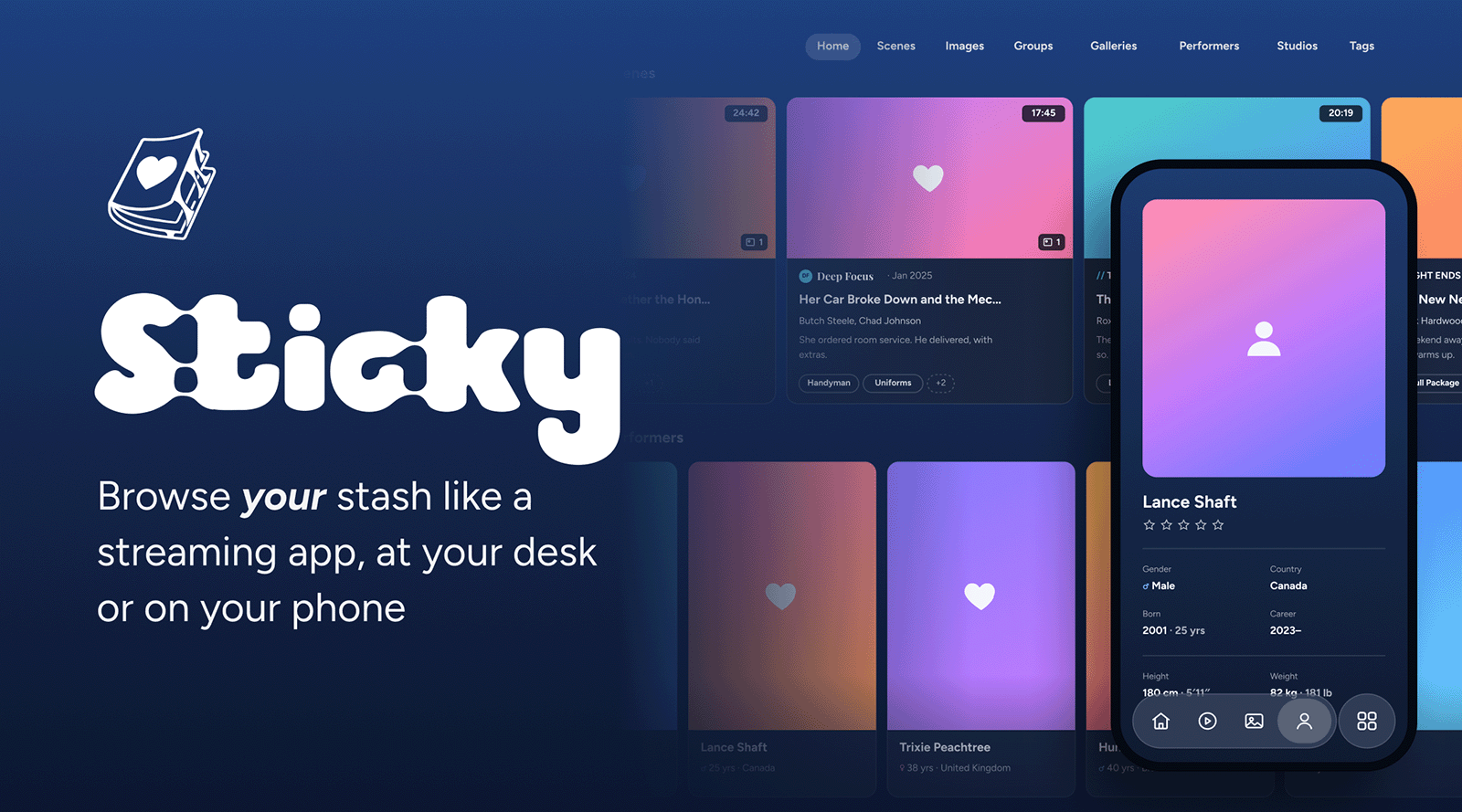
Is your Stash sticky?
You built your collection. Stash keeps it organised.
Sticky makes it a pleasure to browse at your desk or on your phone.
At your desk
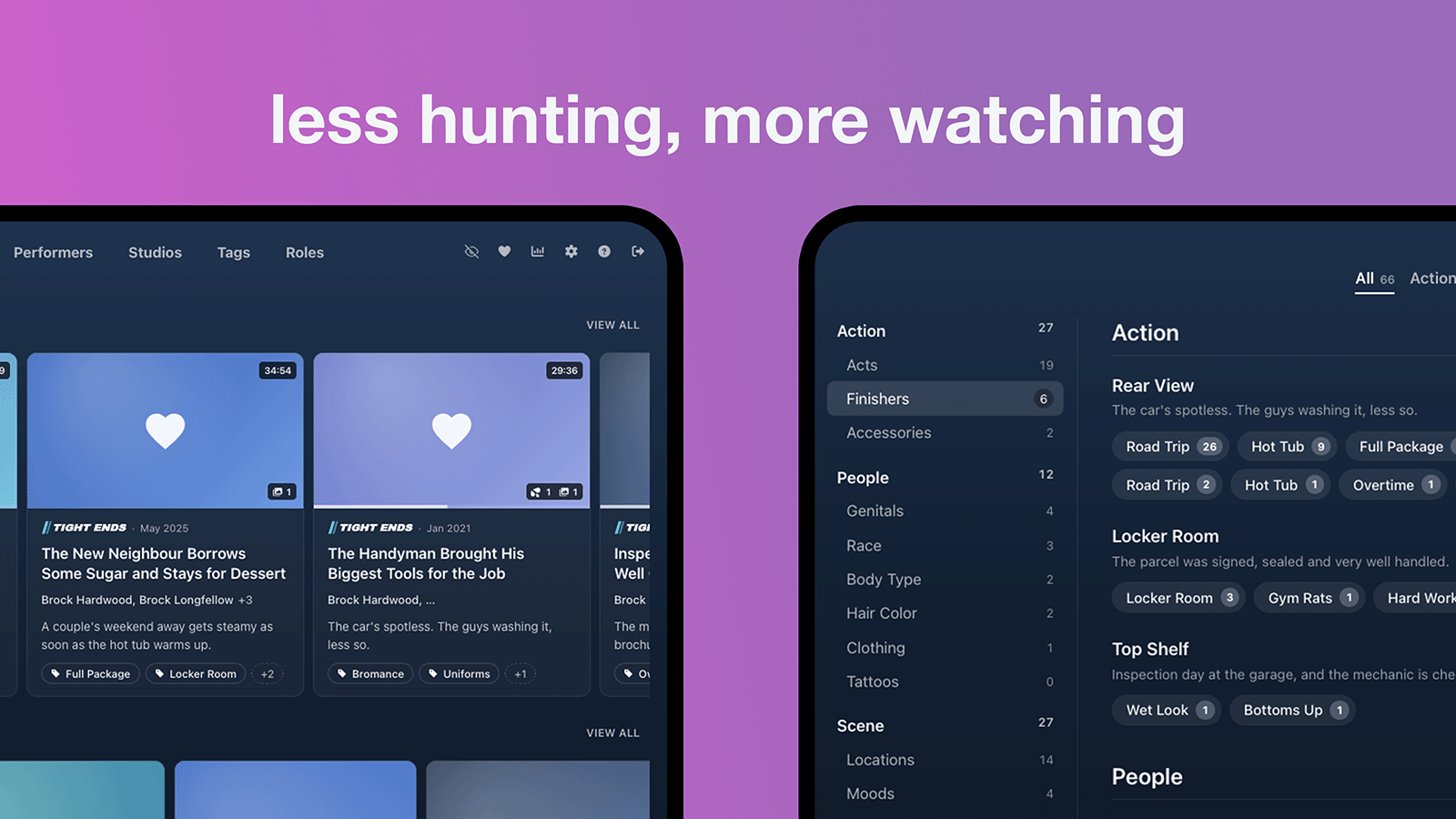
Your Home page, and your tags grouped by category.
Everything up front. You don’t need to hover or click to find out what something is. It’s right there on the card.
- Scene cards see the full title, studio, date, who’s in it and the tags.
- Performer cards show their age, their country and years they were active.
- Hover over any card and get even more.
- Cards are slimmer, now more fits on your screen.
Tags, sorted
Your tags used to sit in one long list. Sticky sorts them under the parent tags you already have.
- Pick a category, like Action, People or Scene.
- Pick a tag. Each one shows a count beside it.
- Done. You’re straight to the good part.
Every tag you own is now two clicks away.
Cards, redesigned
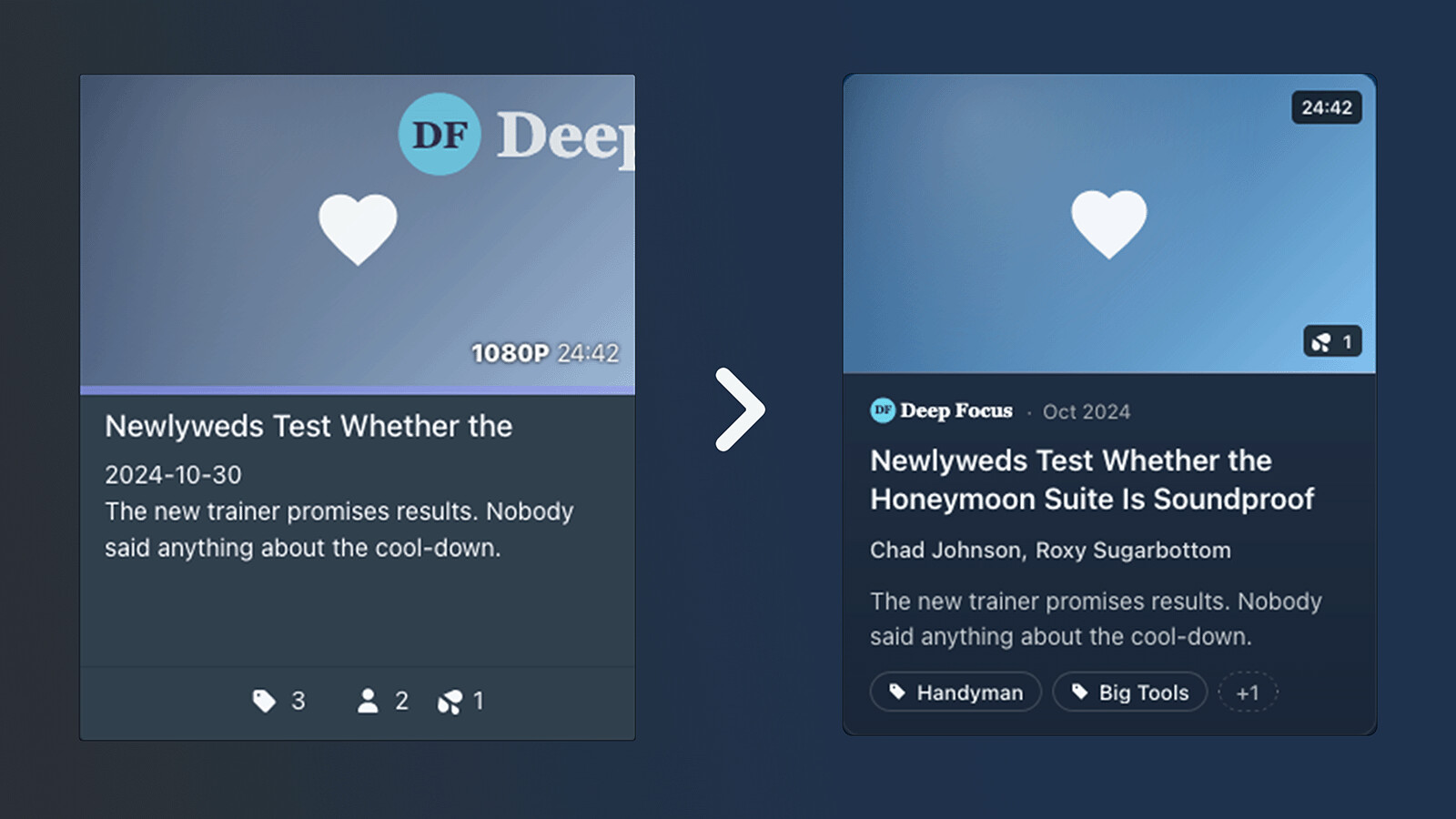
Same scene, two looks. Stash does the organising. Sticky makes browsing the fun part.
It’s late at night, you’re scrolling for something to watch. Maybe it’s your favourite performer. Maybe it’s the scene you rented on DVD years ago and never forgot.
- With the performers and tags hidden, you struggle to find it.
- Now, every card has been upgraded - you don’t need to guess. Wasn’t it Newly weds Test Whether the Honeymoon Suite is Soundproof? Oh yeah, that one.
Performers, laid bare
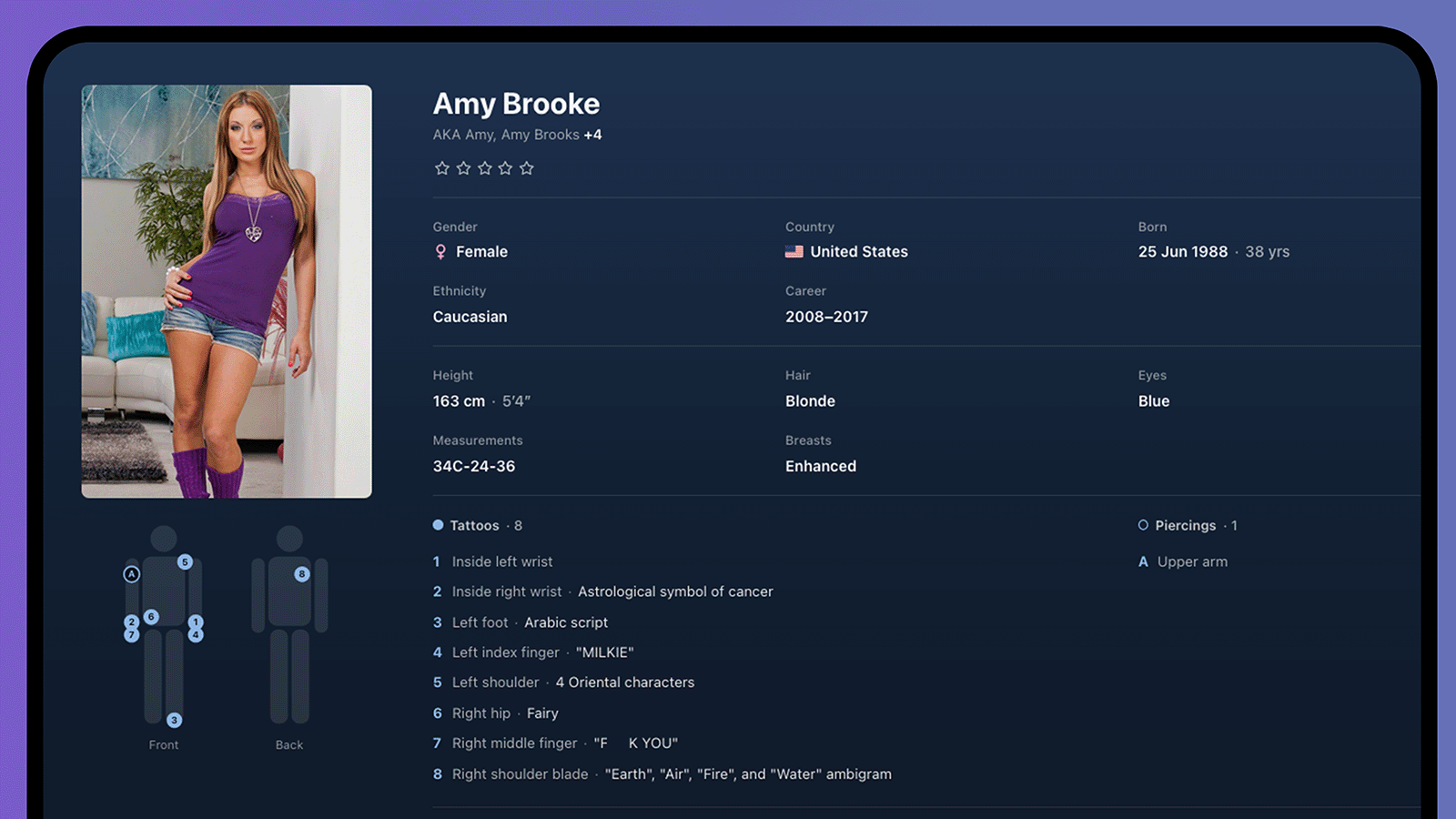
Every detail in its place.
Get to know your faves without digging.
- Basics. Gender, country, birthday and age.
- Career. The years they were active.
- Their look. Height, hair, eyes and measurements.
- Tattoos and piercings. An anatomical map showing where everything is.
You’ll always know where to look.
In your hand
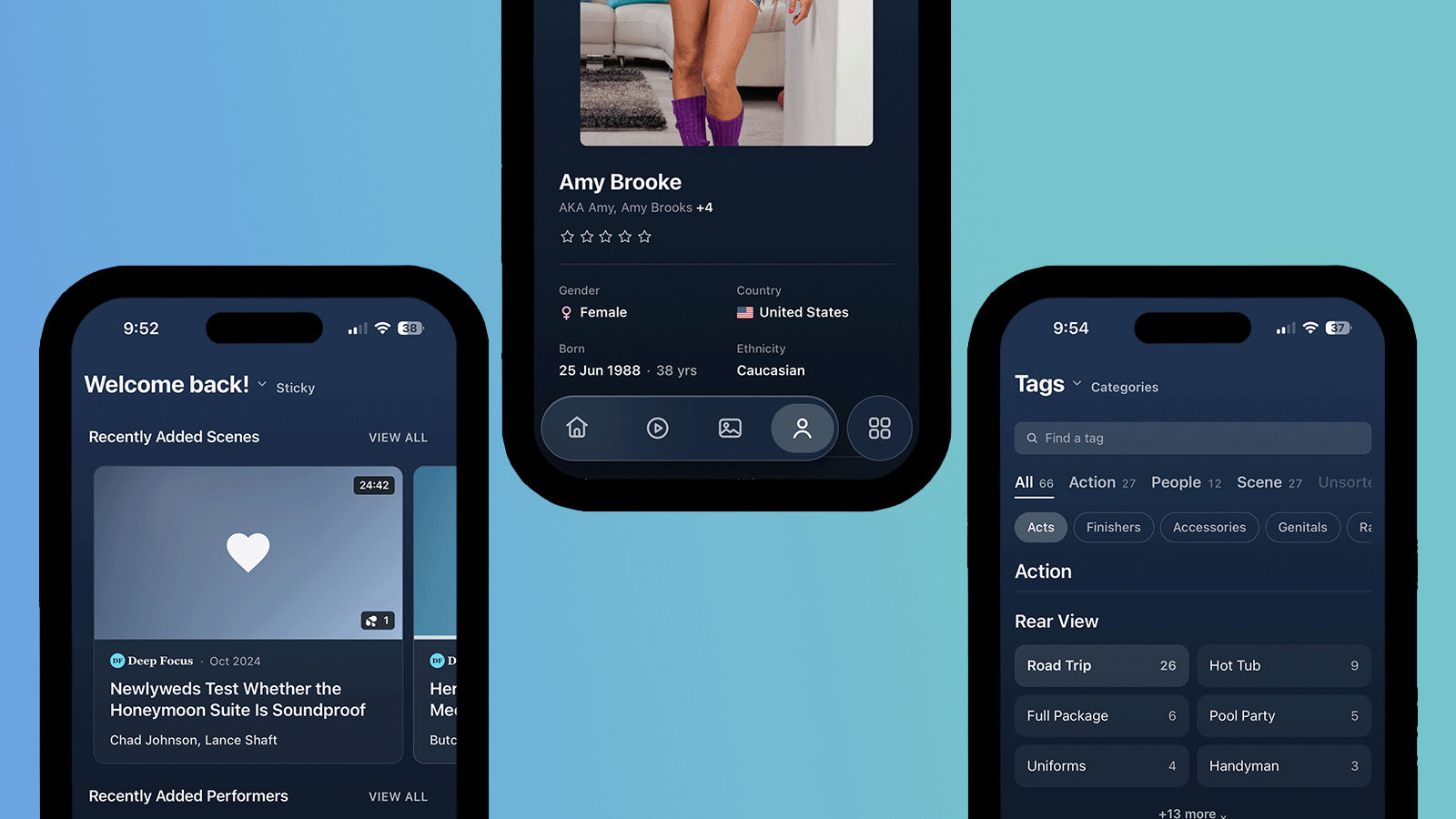
Home, a performer and Tags, all one thumb away.
Later, in bed, on your phone.
- Liquid glass bar at the bottom of the screen, like YouTube’s. Your four favourite pages are one tap away.
- Cards made for a small screens, for easier searching and your viewing pleasure.
- Tags sorted for phones, Scroll through category tabs along the top.
One-handed browsing, as nature intended.
The whole package
🎞️CardsGet the whole story (studio, date, title, cast and tags) all on one card. |
🏠Home redesignWelcome back to your new modern streaming app. |
🏷️Tags by categoryNo more scrolling, tags are sorted under the parent tags you already have. |
👤Performer pagesDetails in neat groups, plus a tattoo and piercing map. |
📱Phone barA glass bar with your four favourite pages. |
🔍One-row toolbarSearch, sort, filters and views on one line. |
💗Its own iconOn your browser tab and your iPhone Home Screen. |
🎨Everything matchesSettings, menus, pop-ups and the video player too. |
📦Ready to useNo dependencies, no bloat, one theme, one install. |
Install
Three steps. About a minute.
1 Add Sticky to Stash
In Stash, go to Settings → Plugins → Available Plugins → Add Source. Name it Sticky and paste this link:
https://stickystash.github.io/Sticky/index.yml
2 Install it and reload.
Open the new source, tick Sticky and click Install. That’s it. Stash will let you know when there’s an update.
Install by hand instead
Copy this folder into your Stash plugins folder (for example ~/.stash/plugins/sticky/). Then go to Settings → Plugins → Reload plugins and reload the page.
3 Choose your phone bar
Go to Settings → Plugins → Sticky → Phone tab bar. List your four pages in order, with commas between them (everything else goes into the More menu):
home, scenes, images, performers
How Sticky came together
A couple of months ago, I was flicking between Netflix on the TV and Stash on my phone, and it hit me. Why can’t Stash feel like this? So Sticky borrows the best bits from Netflix and YouTube.
Huge thanks to the hard working Stash developers. None of this exists without the thing they built.
Sticky was built with help from Claude Opus 5.5, Which wrote much of the code under my direction. I reviewed every change, tested it on a live Stash install on desktop and iPhone, and I take responsibility for the code. Issues and pull requests are welcome.
MIT licence. See LICENSE.
Sticky isn't affiliated with the Stash project.
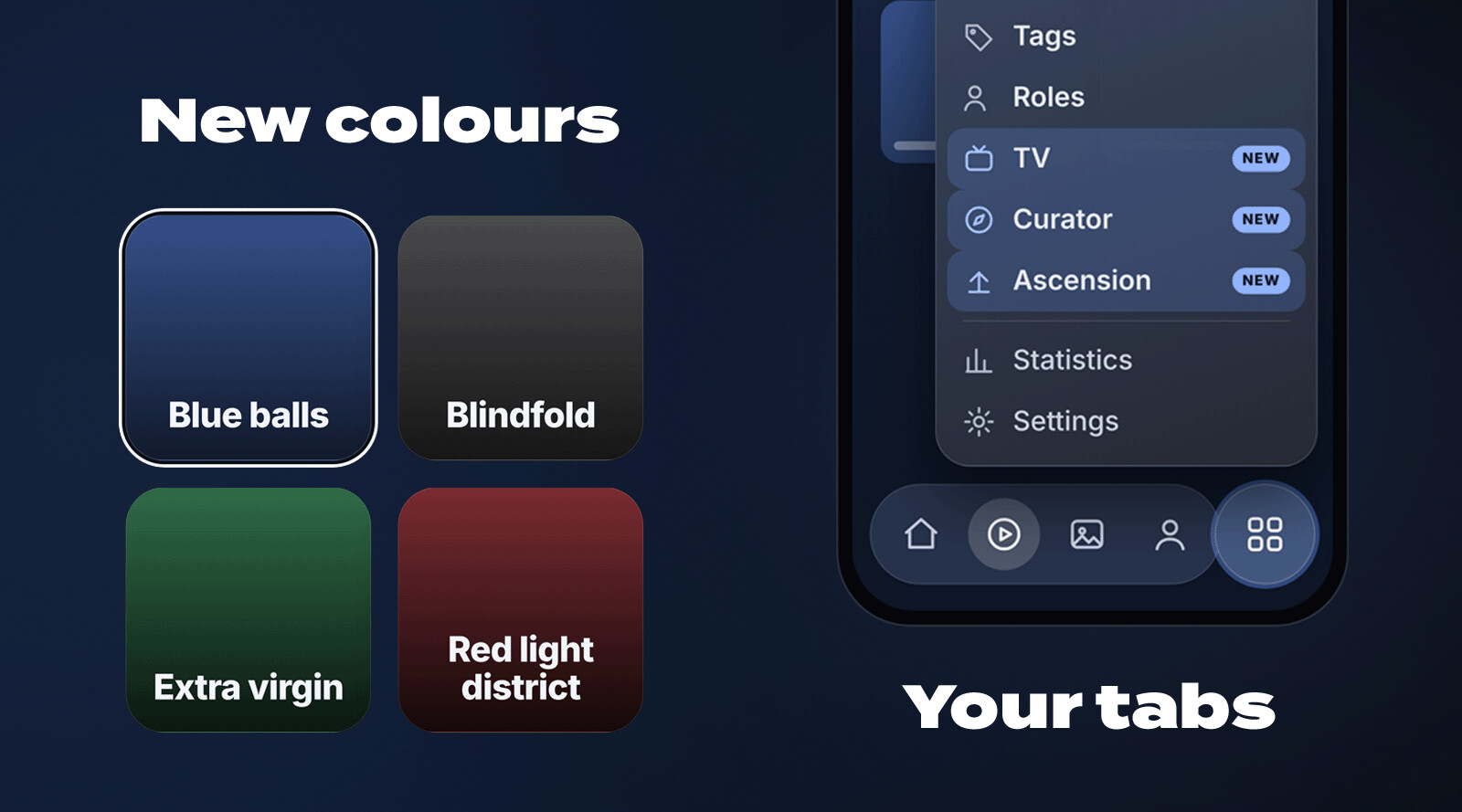
 Blue balls
 Blindfold
 Extra virgin
 Red light district