|
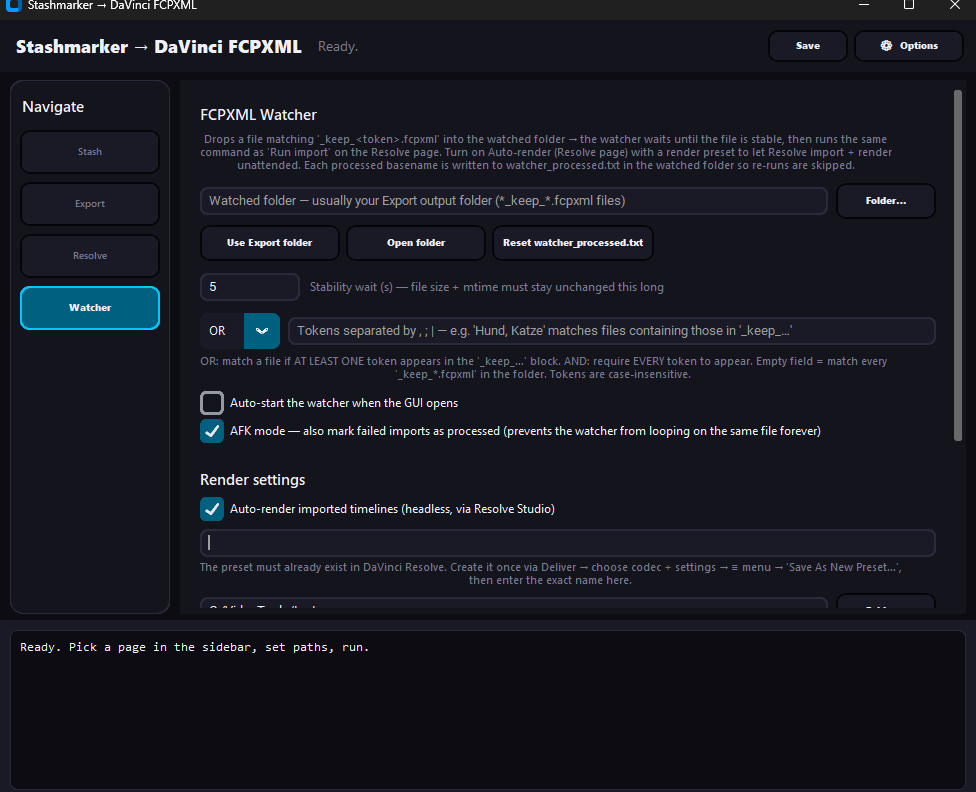
Summary | Pull scene markers from a running Stash instance over GraphQL and turn them into FCPXML (or optional EDL) timelines for DaVinci Resolve — markers, full razor-cut timelines, or filtered “keep-only” compilations. A bundled scripting helper imports the file straight into Resolve, replaces same-named timelines, and (on Studio) auto-renders a preset. A folder Watcher does all of that headlessly for new exports. |
 |
Repository | https://github.com/PepegaSan/Stashmarker-Davinci |
Features
-
Goal: turn Stash scene markers into ready-to-edit DaVinci Resolve timelines without manual cutting or in full Autocutmode.
-
Pulls markers straight from a running Stash instance over GraphQL.
-
Exports FCPXML (optional
.edl) per source video — full clip with markers, razor-cut autocut, or a keep-only compilation of just the marker types you want. -
Filter with OR / AND tokens (e.g.
Dog, Cat) in both the Export tab and the headless folder Watcher. -
Auto-imports into DaVinci Resolve via its scripting API, replaces same-named timelines, and (Studio only) auto-renders a saved preset.
-
Per-clip accuracy via
ffprobe— correct FPS (incl. 23.976/29.97), resolution and audio carried over per timeline, so locked project settings can’t override the source.
Installation
Python 3.10+ required. On Windows you can also double-click:
-
install.bat— one-shot installer for the Python dependencies. -
start_gui.bat— starts the GUI; auto-installs deps on first run if they are missing. -
Or use my created Stashmarker-DaVinci.exe