A modern, multi-platform client for your Stash server. Designed for seamless browsing, effortless discovery, and high-quality playback across Android , Desktop (Windows, macOS, Linux), and the Web Demo.
If you run into any bugs or have an idea to improve StashFlow, feel free to open an issue.
Android: Full-featured mobile experience with PiP and background audio.
Desktop: Native performance on Windows, macOS, and Linux with keyboard shortcuts and window management.
Web Demo: Access your library from any modern browser without installation.
Interface & Navigation
Adaptive UI: Responsive design that transitions from mobile-first layouts to expansive desktop views, including a side Navigation Rail and intelligent grids that scale up to 5+ columns.
Flexible Layouts: Switch between Grid/List and TikTok-style vertical discovery layouts.
Discovery Tools: Use floating “Random” actions and “Surprise Me” entries to quickly explore your library.
Video Player & Subtitles
Seamless Playback: Native-feel player with multiple stream strategies, startup diagnostics, Autoplay Next, and queue continuity.
Subtitle Support: Load external VTT/SRT subtitles automatically. Customize font size and vertical position to suit your device.
Multi-Language: Set a default subtitle language (English, Chinese, German, etc.) to auto-load whenever available.
System Integration: Supports audio_service controls (notifications/lock screen), background audio, and Picture-in-Picture (PiP).
Improved Subtitle Handling: External subtitles are auto-detected and loaded when available. Users can customize subtitle_font_size and subtitle_position_bottom_ratio, and set default_subtitle_language to prefer a language when multiple tracks exist.
Images & Galleries
Media Libraries: Browse high-resolution Images and Galleries with smooth animations and responsive layouts.
Enhanced Fullscreen Image Viewer: Choose vertical/horizontal swipe direction, use previous/next quick-nav buttons, and avoid accidental UI hide when tapping overlay controls.
Configurable Slideshow: Start/stop slideshow, tune interval/transition/direction/loop, and save preferred defaults.
Inline Rating Actions: Rate either the current Image or its parent Gallery directly in fullscreen, with remembered rating target selection.
Sprite Image (Thumbnail Atlas) Support: The app detects sprite metadata and uses thumbnail atlases for fast seek previews and compact gallery grids. Sprite parsing and rendering are handled during metadata resolution to provide smooth hover/seek preview UX.
Browsing, Search & Filters
Rich Browsing: Explore Scenes, Images, Performers, Studios, Tags, Galleries, and Groups with fast pagination and global search.
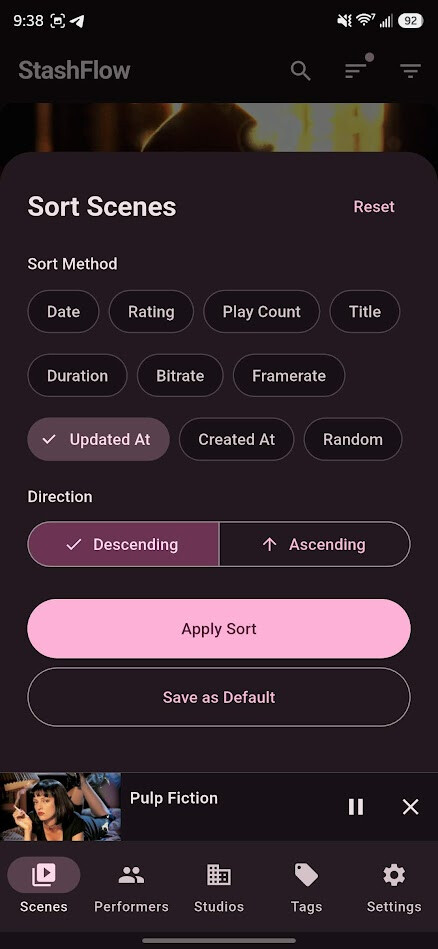
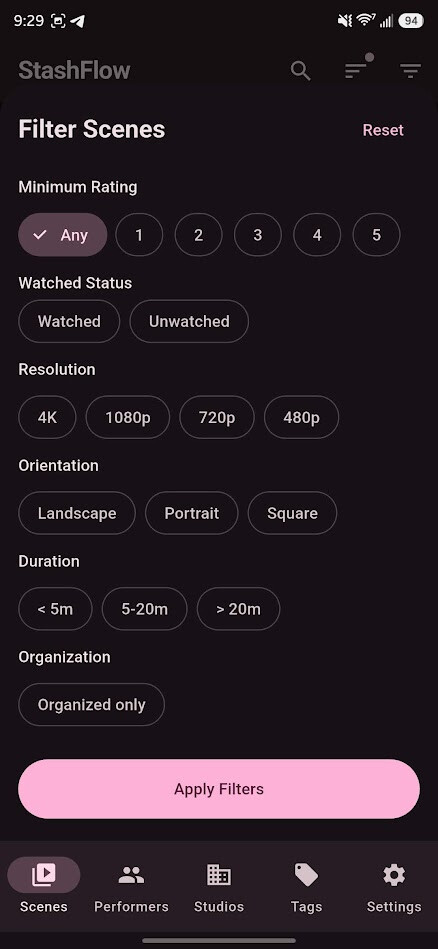
Advanced Filtering: Use menu sorting (Date, Rating, Play Count, Random) and comprehensive multi-filter sheets.
Editing & Metadata
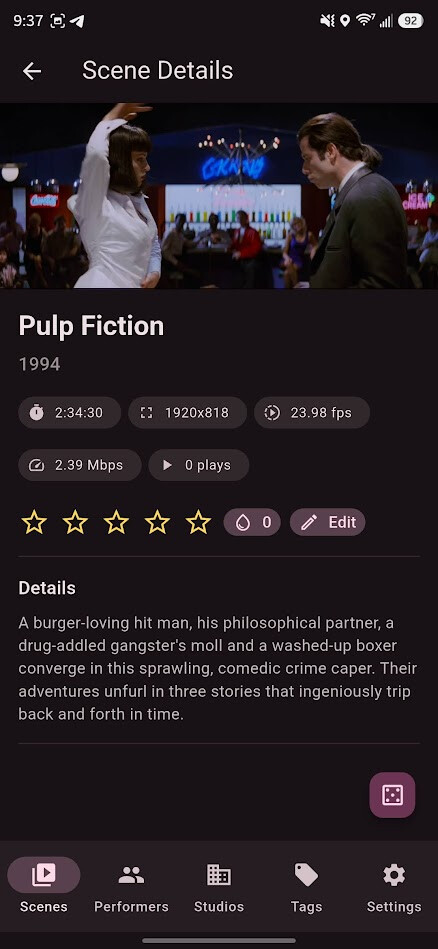
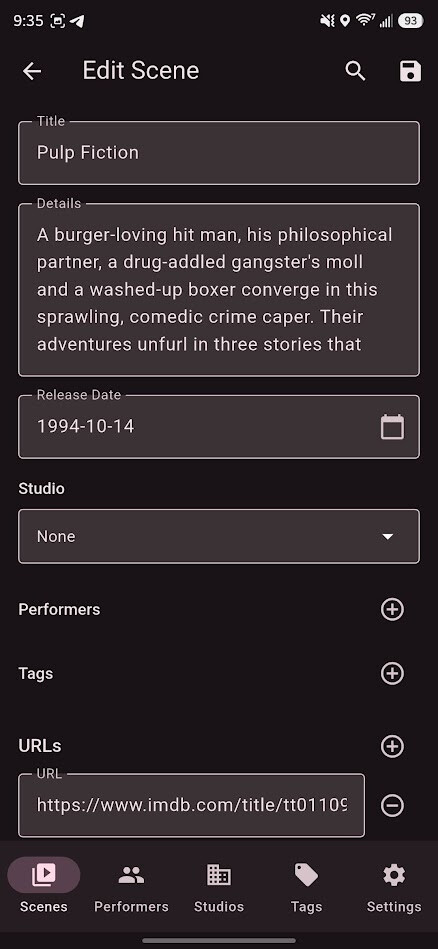
Metadata Editor: Update Scene Title, Details, Date, and URLs in a fullscreen editor.
Entity Association: Assign Studios, Performers, and Tags from searchable pickers.
Smart Scraping: Pull metadata from multiple scrape matches with automatic merge support for existing entities.
Reliability & Configuration
Performance Optimized: Includes Image Deduplication, prefetching, and automatic recovery from corrupt cache files for low-latency usage.
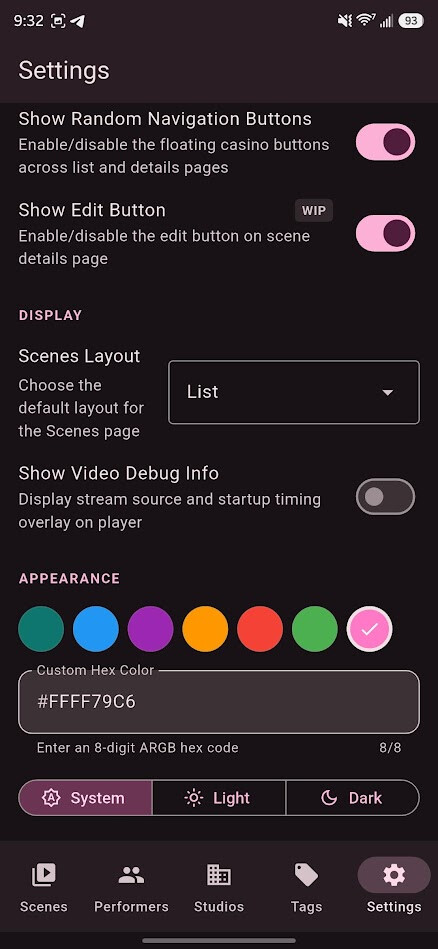
Native Customization: Configure server connection, UI preferences, and streaming-related behaviors in one place.
Getting Started
Android
Download: Grab the latest APK from the Releases page.
Connect: Open the app ➔ Settings ➔ Enter your Server URL and API Key.
Desktop (Windows, macOS, Linux)
Download: Download the appropriate installer for your OS from the Releases page.
Setup: Install and launch ➔ Enter your Server URL and API Key in Settings.
Web
Access: Visit the Live Web App (if hosted) or host your own build.
Configure: Enter your Stash server details in the connection prompt. Enable local network access.
UI/UX: Enhanced Image/Video player interfaces; improved rendering performance.
Flexibility: Implemented Grid/List view toggles across all modules.
Status Update: Core functionality is now locked. The project is entering a Maintenance & Optimization phase to polish existing features and resolve remaining bugs.
Okay, it’s very possible I’m just dumb - but I’ve installed the app and tested a connection to my server. How do I leave the settings menu and actually interact with the content on my server? I don’t see a menu control to leave the settings menu.
It looks like a bug slipped in during the settings page overhaul. In the meantime, once you’ve entered the server URL, a quick restart should get you to the main page. I’ll have a fix pushed soon.
This update focuses on a major overhaul of the desktop experience and several highly requested playback features.
Desktop Enhancements
Dynamic UI: Video controls now appear on mouse hover for a cleaner viewing experience.
Keyboard Navigation: Introduced support for basic hotkeys to control playback.
True Fullscreen: Expanded display support for immersive, edge-to-edge viewing.
New Features
Subtitle Support: You can now load subtitles directly within the video player.
Sprite Image Integration:
Scene List: Hover and drag across scene cards to scrub through sprite previews.
Player Progress Bar: Visual thumbnails now appear when scrubbing through the video timeline.
Update Check: Check for update once everyday.
Improvements & Bug Fixes
Logic Fixes: Resolved an issue where the web version would pause unexpectedly when entering fullscreen.
Persistent Randomization: The random sorting algorithm has been updated so that your sequence stays consistent until you manually refresh the scene list.
URL Handling: Fixed a bug in URL construction that affected resource loading.
DevOps: Added dedicated build scripts for both UNIX and Windows environments.
Due to a change in the package name, the android app will be installed as a new app if you upgrade from <v1.8.5
If you run into any bugs or have an idea to improve StashFlow, feel free to open an issue.
Improved responsive behavior so Default mode remains adaptive, while manual column overrides take priority.
Added main-pages gravity orientation setting for non-fullscreen browsing pages.
Added fullscreen gravity orientation controls for video playback, including aspect-ratio-aware orientation matching.
Performance & Scrolling
Implemented dynamic prefetch distance tuned to active grid density.
Added dynamic page sizing so data fetch size scales with layout density for smoother continuous scrolling.
Increased prefetch efficiency and reduced runtime work by hoisting expensive layout calculations out of itemBuilder loops (including Images page paths).
Improved media-grid smoothness with better high-density loading behavior.
Video Player & Playback
Added playback speed controls in player UI.
Improved playback controls and overlays, including better scrubbing UX.
Added sprite thumbnail atlas support for fast seek previews.
Added and wired gravity-controlled fullscreen orientation behavior with player state support.
Refactored NativeVideoControls internals for maintainability while preserving behavior.
Keyboard & Desktop Interaction
Added a dedicated Keybind Settings page.
Added new keybind actions for:
Previous image
Next image
Back navigation
Improved keybind settings page layout and styling.
Authentication, Networking & Web Compatibility
Introduced a GraphQL HTTP client factory for web and IO platform differences.
Added and refined password-based authentication and made it the default mode.
Improved web session handling and cookie behavior across login flows.
Improved authentication state management and login reliability.
This release introduces major improvements to media organization, enhanced security with unified authentication, a more powerful search experience, and extensive UI refinements across the application.
New Features
Advanced Media Organization
Unified “Organized” Filter: Introduced a new OrganizedFilter system across all media types (Scenes, Studios, Tags), allowing users to filter by “Organized”, “Unorganized”, or “Any”.
Enhanced Sorting Options: Expanded sorting capabilities for Studios and Tags, including:
Rating, Date Created, Updated At.
Scene/Image/Gallery counts.
Play Count and O-Counter (for relevant entities).
Hardened Filter Logic: Refactored filter panels for better consistency and performance.
Search & Discovery
Search History: Implemented persistent search history with Material 3 SearchAnchor in ListPageScaffold.
Auto-Submit: Added auto-submission of search queries when the search bar is closed or the “Done” action is triggered.
Improved UX: Full history display and clear-search functionality integrated into the unified header.
Security & Unified Authentication
Exclusive Priority Logic: Implemented a robust authentication priority system: Cookie > Bearer > Basic > ApiKey. Only the highest-priority valid credential is sent to the server.
Unified Media Headers: Verified that StashImage (thumbnails) and VideoPlayer (streams) consistently use these custom headers, improving compatibility with authenticated servers.
Web-Specific Fallback: Optimized the apikey URL injection for web environments where custom headers might be restricted.
Enhanced Privacy: Removed username and password from generated URLs in favor of header-based authentication where possible.
Proxy Auth Support: Added a setting to enable/disable proxy authentication modes for advanced networking setups.
Scene Editing & Metadata
New Scraper UI: Enhanced scraper functionality with improved URL handling and a new validation report UI.
Metadata Editing: Significant updates to scene editing components, including improved input fields and status indicators.
Batch Tasks: Improved reliability for background tasks like PHash generation and URL resolving.
Localization & Accessibility
Complete Localization Coverage: Localized dozens of new strings across all supported languages, including new sorting options and filter modes.
Accessibility Sweep: Added localized tooltips to IconButton components across the app, specifically targeting search history removal and query clearing in ListPageScaffold.
Semantic Labels: Verified that all interactive elements map correctly to screen reader labels for better broad device support.
Fixes & Refinements
UI/UX Stability
Responsive Layouts: Refactored SettingsPage and other dense views using Wrap and Expanded to prevent overflows on small/narrow screens.
Grid Density: Refined scene grid layouts with improved aspect ratios (1.15) and spacing for better metadata readability.
Consistency: Replaced various OutlinedButton instances with TextButton for a more consistent visual style across the app.
Tablet Optimization: Improved NavigationRail and adaptive grid behaviors for larger screen sizes.
Reliability & Performance
Mock Data Handling: Fixed a bug where mock repositories in tests would persist error states across retries; improved test helpers for more deterministic UI testing.
Video Playback: Optimized stream prewarming and resolver logic to reduce first-frame latency.
Subtitle Resilience: Improved robustness of subtitle loading, adding fallbacks for empty responses or malformed VTT data.
CI/CD: Streamlined the nightly release workflow and optimized Gradle build configurations.
Automated Testing
Search Testing: Added comprehensive coverage for the new search submission and history logic.
Filter Verification: Added unit and widget tests for the new OrganizedFilter logic.
Auth Verification: Implemented a new suite of tests in auth_headers_test.dart to verify the exclusive priority system.
great app, thank you so much for making it work for desktop as well! Any plans for adding play count and duration updating in stash? I use play length for some filters and when I watch scenes through the app, that info doesn’t get updated.


 StashFlow
 Screenshots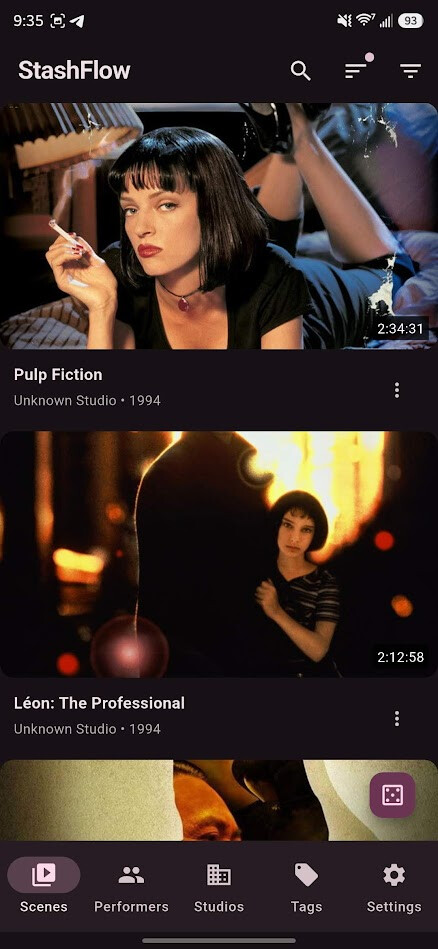
 Key Features
 Multi-Platform Support
 Desktop: Native performance on Windows, macOS, and Linux with keyboard shortcuts and window management.
 Web Demo: Access your library from any modern browser without installation.
 Interface & Navigation
 Discovery Tools: Use floating “Random” actions and “Surprise Me” entries to quickly explore your library.
 Video Player & Subtitles
 Subtitle Support: Load external VTT/SRT subtitles automatically. Customize font size and vertical position to suit your device.
 System Integration: Supports
  Improved Subtitle Handling: External subtitles are auto-detected and loaded when available. Users can customize
  Images & Galleries
 Configurable Slideshow: Start/stop slideshow, tune interval/transition/direction/loop, and save preferred defaults.
 Inline Rating Actions: Rate either the current Image or its parent Gallery directly in fullscreen, with remembered rating target selection.
 Browsing, Search & Filters
 Rich Browsing: Explore Scenes, Images, Performers, Studios, Tags, Galleries, and Groups with fast pagination and global search.
 Advanced Filtering: Use menu sorting (Date, Rating, Play Count, Random) and comprehensive multi-filter sheets.
 Editing & Metadata
 Entity Association: Assign Studios, Performers, and Tags from searchable pickers.
 Smart Scraping: Pull metadata from multiple scrape matches with automatic merge support for existing entities.
 Reliability & Configuration
 Getting Started
 keep it up boss.. and if possible give native Color change option for the apps (currently green)
 any plans to add support images, clips and galleries too? Would go well with the tiktok scrolling mode
 Interface & Layout Customization
 Keyboard & Desktop Interaction
 Authentication, Networking & Web Compatibility
 Fixes & Refinements Since v1.9.0
 Advanced Media Organization