Yes! That’s something I’ve been wanting to add but haven’t had the chance yet. I’ve now added it to the feature roadmap above but no promises on a time line.
This is another one I’d been thinking about doing in the back of my head. Added to the roadmap above now 
There already is one! As long as the loop button is not active then it should “auto scroll” to the next video when it reaches the end of the current video. And in the settings you can set it to end early to that effectively it’ll only play a video for a certain amount of time before scrolling to the next one (cog icon > media player > end point > after a fixed length of time). Does that do what you want?
I meant autoscroll even before the video ends (for even more brainrot LOL).
in the settings you can set it to end early
I don’t see such setting there. Am I using an outdated version?
Mmm, this is what you should see on the latest version:
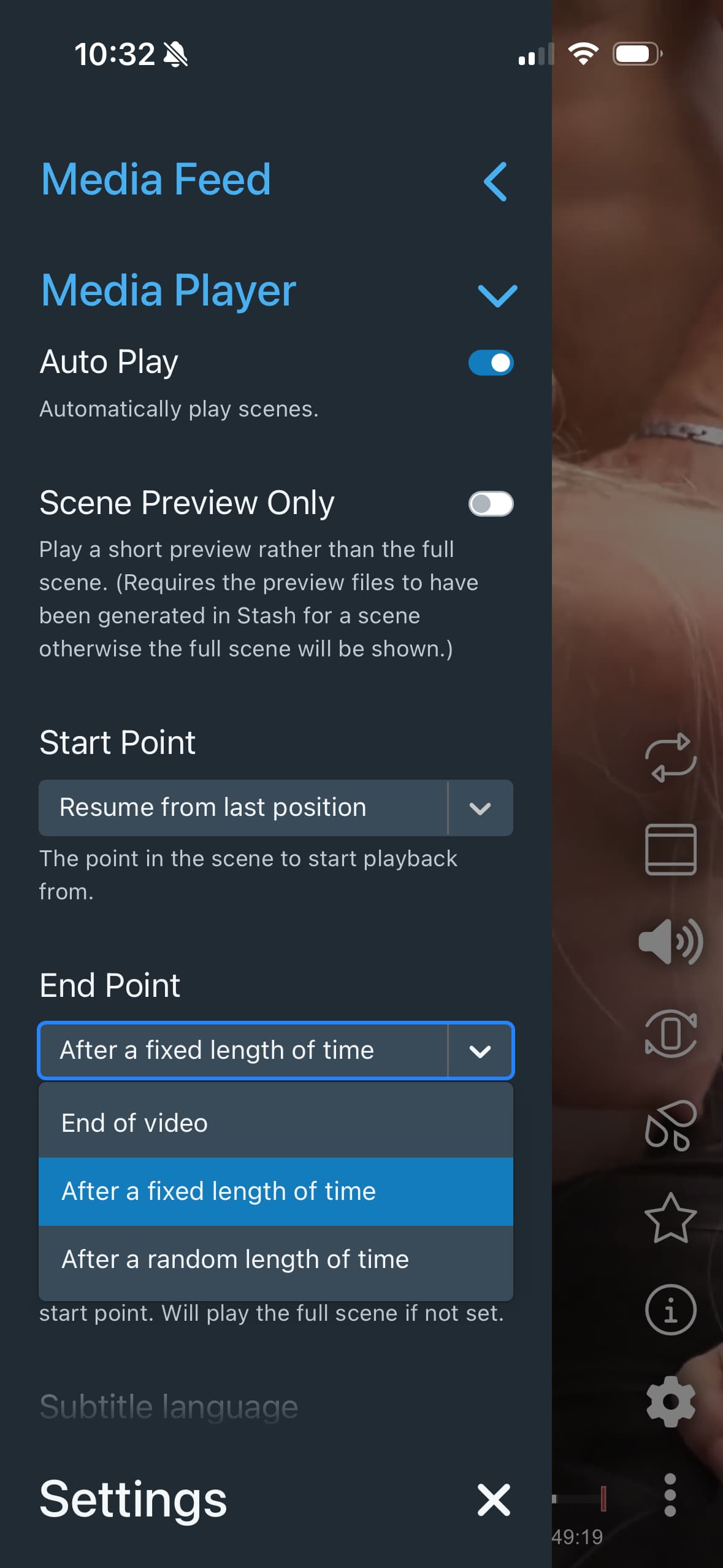
What version does it say you’re on in the stash settings? Also are you accessing it via a web browser or do you have it saved as an iOS/android homescreen app?
@varryent I’ve just released a new version (2.1.0) which adds “quick tag” buttons. In Settings > UI > Action Buttons there should be able to add a new “Add tag to scene” action button. Does that do what you’re looking for?
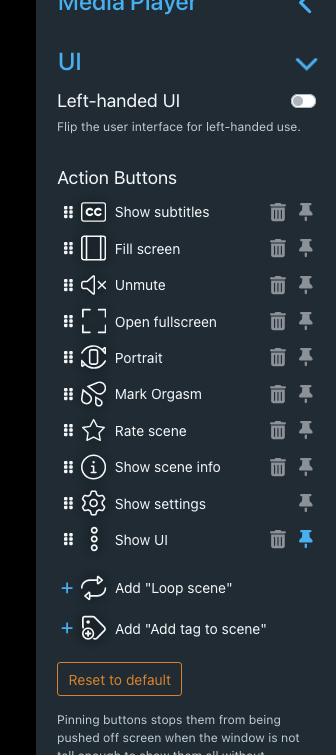
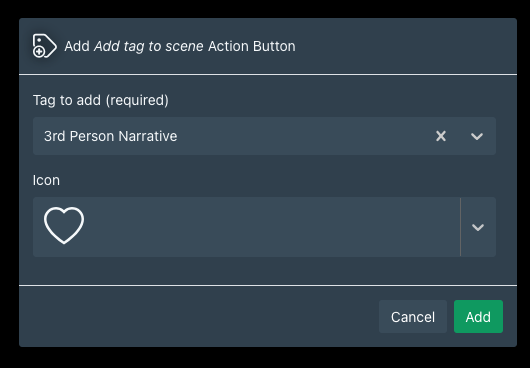
Very good addition! I have got this error with the update.: Something went wrong.
TypeError: Failed to construct 'URL': Invalid URL at http://localhost:9999/plugin/stash-tv/assets/app/assets/index-Bh2I1h3d.js:215816:71 at main at http://localhost:9999/plugin/stash-tv/assets/app/assets/index-Bh2I1h3d.js:216491:39 at ConfigurationProvider (http://localhost:9999/plugin/stash-tv/assets/app/assets/index-Bh2I1h3d.js:162533:43) at ErrorBoundary (http://localhost:9999/plugin/stash-tv/assets/app/assets/index-Bh2I1h3d.js:216782:5) at IntlProvider2 (http://localhost:9999/plugin/stash-tv/assets/app/assets/index-Bh2I1h3d.js:168082:45) at App (http://localhost:9999/plugin/stash-tv/assets/app/assets/index-Bh2I1h3d.js:217318:83) at ApolloProvider (http://localhost:9999/plugin/stash-tv/assets/app/assets/index-Bh2I1h3d.js:148846:21)
@jermhack Oopsie! Thanks for letting me know. Try updating to 2.1.2 and hopefully that should fix it.
Thanks for the update. I’m addicted to it! I hope the next step is to add markers to scenes ! I love reviewing my content 
1 Like
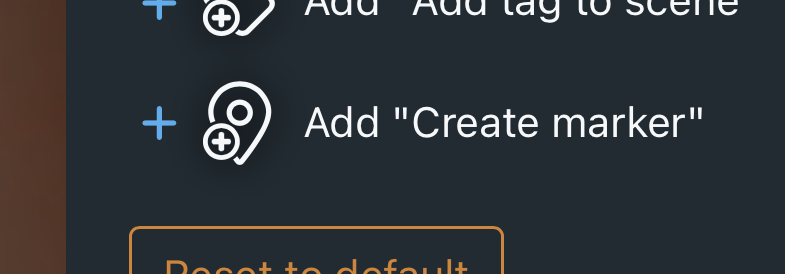
@jermhack have just released a create marker button now
1 Like
You’re the best! Can we create a quick adding marker tag to a scene, like we can already do with buttons for tagging an entire scene ?
Yeah I think that should definitely be possible. I’ll add it to the list
1 Like
Great work on this plugin. You’ve done some really good work this should be part of the default stash install.
I was wondering if you could add some form of quick delete? or just delete for those scenes that you don’t really want to keep, I can do a pull request if you don’t have time (and when I have some time)
Thanks! I’ve not specifically been aiming to get it added to core but tried to build it so that it could in theory be added without too much work. So maybe that might happen at some point in the future.
Yeah that shouldn’t be too hard. Happy to add it to the todo list for when I next get a chance. Can’t say how long that might be though so you’re welcome to make a PR if you get to it before me.
Yes! Very much so! I appreciate your efforts <3. By far my favorite plugin 
1 Like
I’ve just released version 2.5.0 which includes the ability to add a create marker button which creates a maker using pre-defined defaults. @jermhack
I’ve also added in a delete scene/marker button and a organize scene button (in version v2.7.0) @deetee
Thanks ! You’re the best ! Let’s reviewing all this content 
1 Like
Is it possible for enhancing speed / decreasing/increasing audio? I may learn how to code to try and PR that if busy
What’s your use case? You can click and hold on the left side of the video and that should change the playback rate to 1.5x. Then you can drag left and right to increase/decrease that. Would that work?
Or do you like watching all your videos on 2x speed or something like that? Because holding down all the time would be quite annoying.