Stash Open Media Player (fork)

:placard: Summary Open scene paths in an external player from the scene toolbar, with SMB/UNC share support.
:link: Repository https://github.com/DogmaDragon/7dJx1qP-stash-plugins/tree/main/plugins/stashOpenMediaPlayer
:information_source: Source URL https://dogmadragon.github.io/7dJx1qP-stash-plugins/main/index.yml
:open_book: Install How to install a plugin?

[!tip] Supports local paths and SMB/UNC network shares.

Features

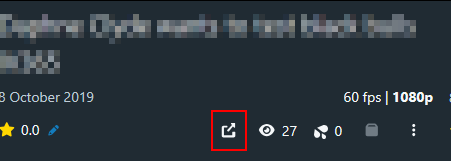
Open a scene in an external media player when the scene toolbar button is clicked.

Path handling supports:

  • URLs
  • smb:// URLs
  • UNC paths like \\server\share and //server/share
  • Local drive paths

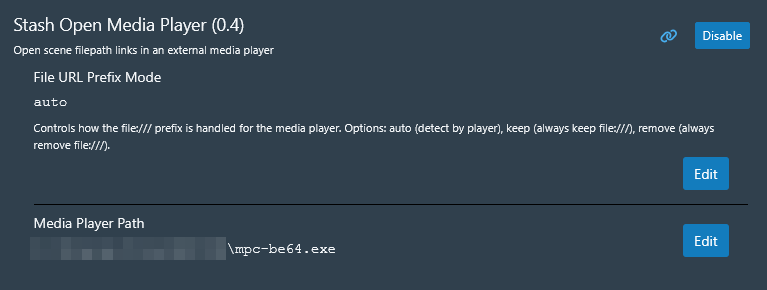
File URL Prefix Mode

In plugin settings, choose whether the player receives a file URL or a native path.

  • auto - checks Media Player Path for vlc or mpc and chooses behavior automatically; otherwise preserves file URL input when present.
  • keep - always pass a URL to the media player.
  • remove - always pass a native filesystem path to the media player.

[!info]+
Tested with VLC and MPC-BE.

Requirements

  • Python 3.9+
  • A configured external media player path
Screenshots


1 Like

Thanks for updating this after the update that changed the files list. Essential plugin for videos with encoding that the stash player doesn’t like.

brokedarius

Hi folks, if anyone has a clue with whats going on regarding Stash Open Media Player and Stash Open Media Player fork? From what I recall you would click the URL to you file in the file info tab and it would start playing using the external player even on an SMB share but now when I click the new button of the forked version, it refuses to start the external player… Am I missing something here?

DogmaDragon

Stash changed how it displays the path so the fork was updated to work with local usage in mind. I can look into SMB pathing when I have some time. Leave a comment on Discourse under the plugin so that I won’t forget.

(Reminder you suggested I should do)

That extra button to open my external media player is not showing up in the scene toolbar. All it did was adding a new ‘Plugin Tasks’ tab in tasks with the option ‘Stash Open Media Player’.

Make sure you don’t have the following plugins:

  • Stash Userscript Library
  • 7dJx1qP’s Stash Userscript Library

As they might cause a conflict.

@brokedarius could you give the new version a try to see if it solved your issue?

Ok, so @dogmadragon I took a great look at the plugin today, and I managed to implement the changes needed while keeping this with as less overhead as possible.

Basically no changes for users running Stash locally but some adjustments for those running it from a container and such.

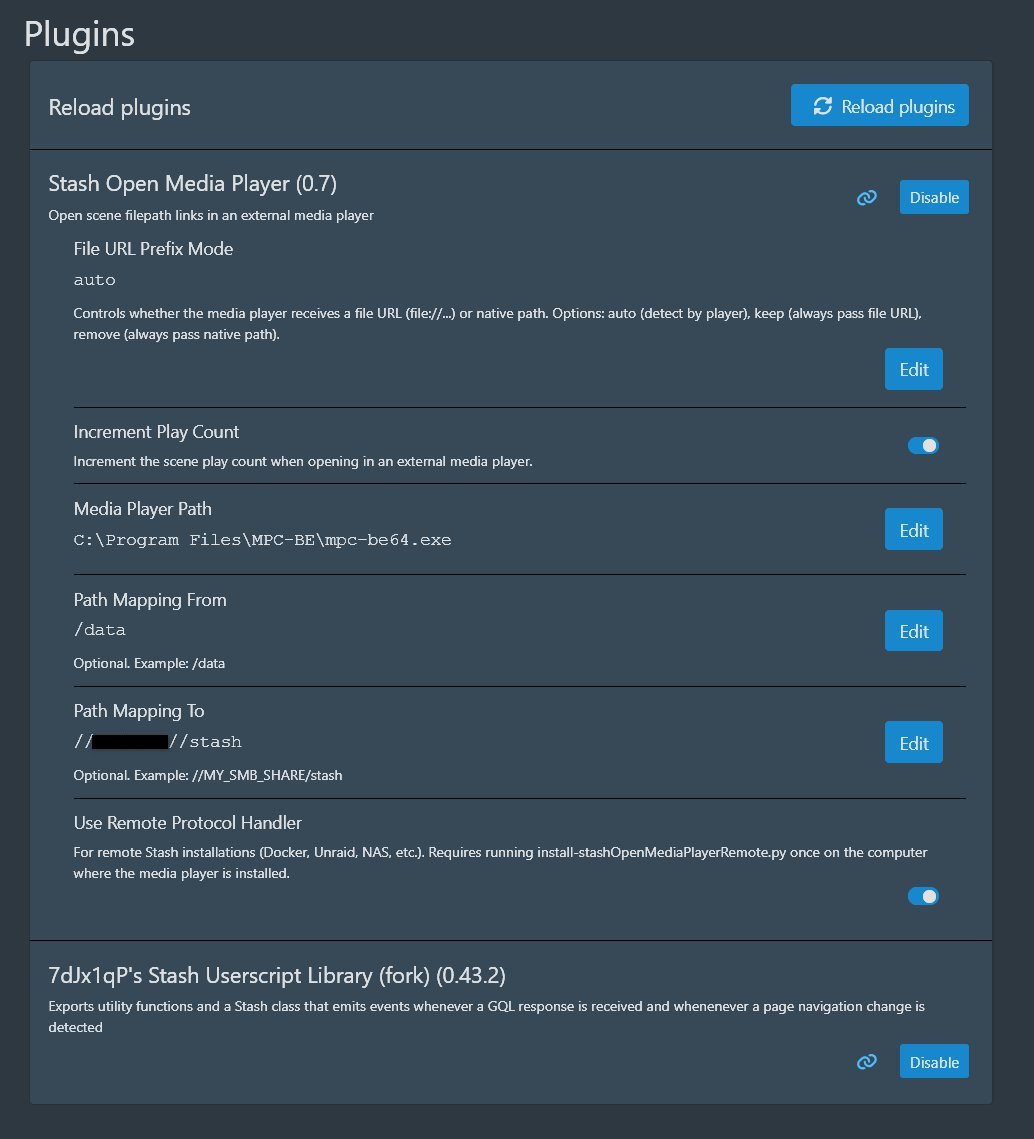
I implemented an optional a remote protocol mode for Docker/Unraid/NAS installs where the player runs on another location than the Stash server.

For it to work (On Windows or Linux), the user has to run a small .py install script to register the protocol (uninstall script provided).

I changed the .yml to reflect the remote option in the UI as a check box and also 2 path mapping entries that non-remote installs can just keep blank.

Then to finish, I added another option in the .yml to increment the view count when opened from an external player that works for both local and remote plays.

This should also support all portable player installs, I tested this with mpv, smplayer, VLC and MPC-BE.

I don’t have a Linux machine setup to test the code immediately but I will do so when I get a chance.

We went from:

log.py → Unchanged

manifest → Listed new files

stashOpenMediaPlayer.js → Added one function and slight changes to openMediaPlayerTask

stashOpenMediaPlayer.py → Unchanged

stashOpenMediaPlayer.yml → Added useRemoteProtocol (boolean), pathMapFrom (string), pathMapTo (string) and incrementPlayCount (boolean) as options

New files:

install-stashOpenMediaPlayerRemote.py → Protocol registration

stashOpenMediaPlayerRemoteClient.py → Path manipulation and playback on local machine

uninstall-stashOpenMediaPlayerRemote.py → Protocol removal

Would you be interested in a PR for this?

1 Like

Can’t promise I will merge it, but you are welcome to submit the PR and I will take a look at it.

1 Like

Good idea, i was gonna suggest fixing this plugin too, the changes are simple to make it work, similar to what i did in the plugin i just created last week.
AI suggested me the same solution for stash running on other containers or NAS for my plugin but as i havent seen people interested in it i havent implemented that.
Maybe you can take a look at my plugin, its similar to this one but with more features:

I could probably use your solution too.