|
Summary | Adds a notification button on the nav bar whenever you have out of date plugins and scrapers. You can then quickly update those plugins/scrapers on the fly. |
 |
Repository | CommunityScripts/plugins/stashNotifications at main · stashapp/CommunityScripts · GitHub |
 |
Source URL | https://stashapp.github.io/CommunityScripts/stable/index.yml |
 |
Install | How to install a plugin? |
Features
- Receive updates on out-of-date plugins and scrapers.
- Quickly update plugins/scrapers wherever you are in Stash. No need to go to the settings page!
- Button is hidden when everything is up-to-date to reduce clutter on the nav bar.
Installation
By default, the community scripts repository for adding plugins is added to Stash. Simply search the plugin in the list on the Settings > Plugins page and install.
Screenshots


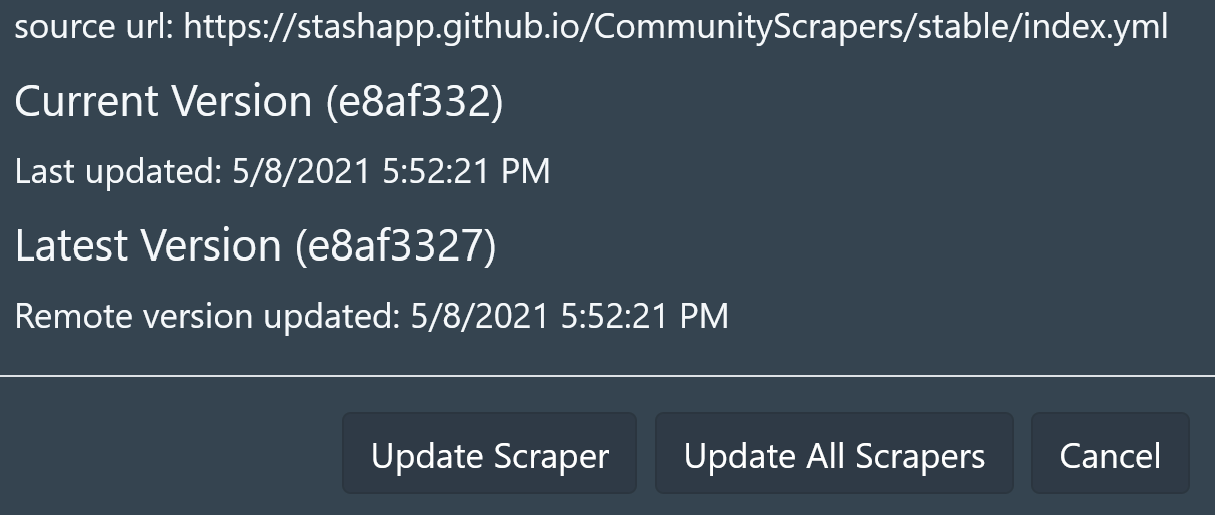
Clicking on the notification will open a small window, allowing you to either update the plugin or all plugins with available updates. This functionality is also available for scrapers.
In the future, I want to expand this to other types of notifications. This plugin is available in the community repository for folks to modify it however they like. If you want to add notification types, please feel free to do so.
My development repository for the plugin is located here.