|
Summary | Stash Interactive Tools offers enhanced functionality, including customizable sync offsets, adjustable stroke lengths, support for multiple funscripts with heatmap integration, and compatibility with ivdb tokens for filescripts and URLs. |
 |
Repository | https://github.com/xtc1337/StashInteractiveTools |
 |
Source URL | https://raw.githubusercontent.com/xtc1337/StashInteractiveTools/refs/heads/next/stash.yml |
 |
Install | How to install a plugin? |
Stash Interactive Tools
Current features:
- Adds ability to change sync offset
- Adds ability to change the stroke length
- Adds supports for multiple funscripts (with heatmap support)
- Adds support for ivdb tokens (filescript and via url)
Multi Funscripts
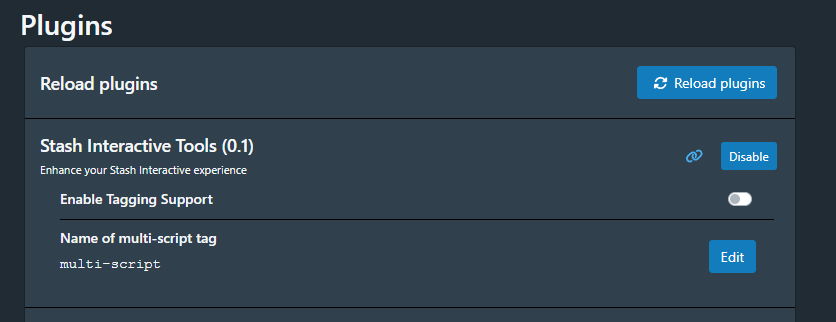
The plugin allows to tag all scripts that are found to have multiple tags. To do this go to the plugins
settings and set the tag name you would like to use, the default tag is set to [SIT: Multi-Script]
Once set go to the Tasks screen and press the tag tasks
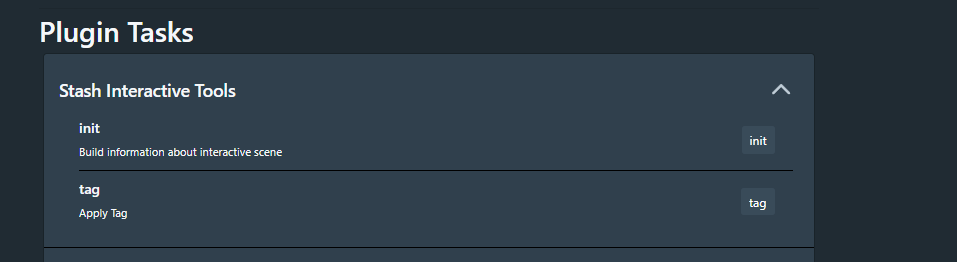
Currently, the matching logic is very simple, later support will be added to customize.
The logic states:
- Take the base funscript name and use as prefix via an glob lookup
- ie:
Izzy Green 02 - Puerto Rico Creampie Sextape.funscriptwill look forIzzy Green 02 - Puerto Rico Creampie Sextape*.funscript - Note: There is special logic added so that versioned files are not picked up..
- ie:
My Script 01.funscriptandMy Script 02.funscripteach have their own video so when viewingMy Script 01video it will not returnMy Script 02
- ie:
- ie:
- Strip the prefix and remove
()- ie:
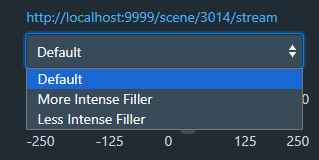
Izzy Green 02 - Puerto Rico Creampie Sextape (Less Intense Filler).funscriptandIzzy Green 02 - Puerto Rico Creampie Sextape (More Intense Filler).funscript
Will outputLess Intense FillerandMore Intense Fillerin the ui
- ie:
IVDB.io Support
Also IVDB.io tokens are now supported in Stash. To enable you still need to have the video locally and then input the url of the video on ivdb.io as one of the scripts urls.
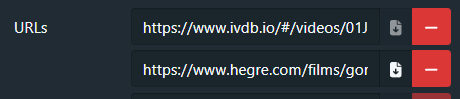
If you already have a collection of downloaded ivdb tokens you can enable “Handle funscript files that are handy tokens (no ivdb url needed)”
Modify Funscripts
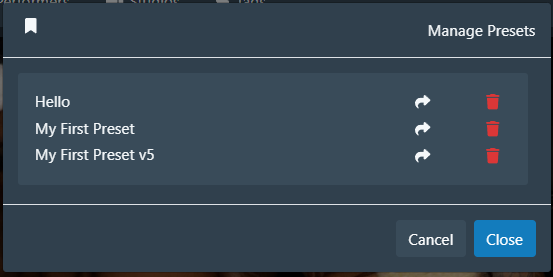
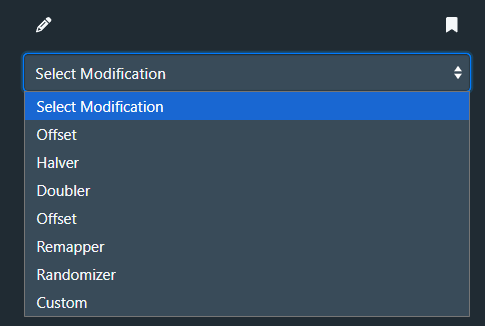
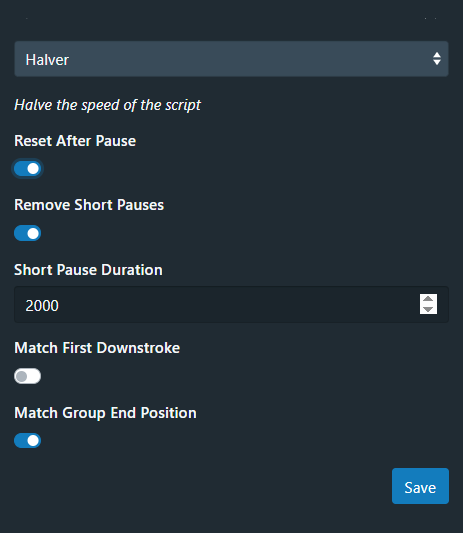
Allows user to modify funscripts and save presets. This mimics a few features found on funscript.io that was created by @defucilis
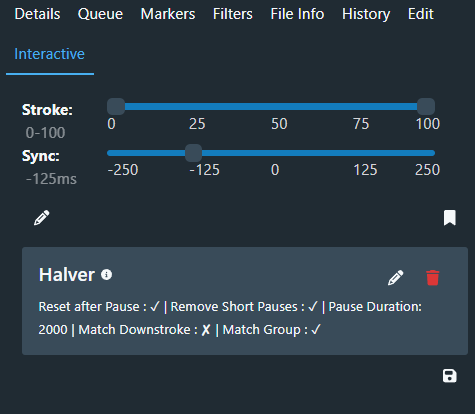
Improved Tagging
The tagger nows runs faster, and will untag items that don’t have 2+ funscripts
It will untag scenes with Zero funscripts, IF the file count is 1, and only 1. This avoids removing the tag if you have 2+ files and only 1 of them has funscripts detected.
Remapping
The stock Stash heatmap only graphs a single funscript.
The ‘remap’ task adds the following, and has settings discussed below:
Replaces the stock heatmap
Builds a multi-funscript heatmap, each one stacked on top of the next
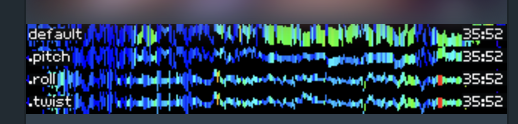
To build this, we use PIL (which should be installed by the install task), and use a small font Volta-Goldfish which is included.
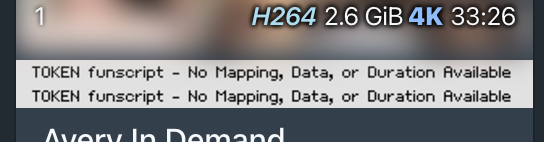
There are a few premade maps for Tokens, Broken and Missing as well. You could replace these with nicer graphics, or alter the font used, and a bannermaker script is included.
Tokens can’t be mapped
The data isn’t available to do a map for those
Map by Scene Duration or Full Funscript lengths
This setting option either:
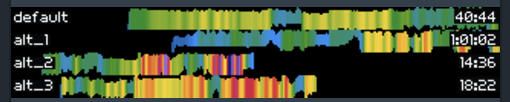
- Aligns the heatmaps with the length of the scene. This makes it much easier to see incorrect or different lengths
OR
- It does the normal ‘full length’ and maps the entire funscript… this means that a 5 minute and 50 minute funscript both take up the entire length
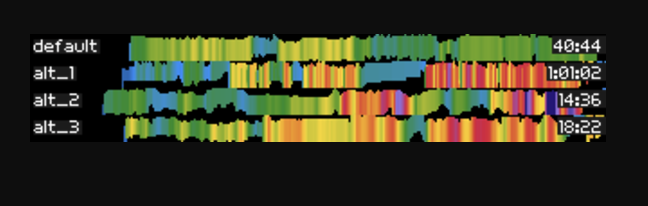
Labels in the heatmap
Labels primary as “Default”
The ‘default’ text can enabled/disabled when mapping multiple funscripts in one heatmap, but if there is only one funscript, no text label is used.
Heatmaps are sorted
The default is first, alphabetically the rest, then Tokens are pushed to the end of the list
Timestamps - optional
- The length of the funscript (the last action time) can be added on the right side of the map
- The timestamp is super useful for finding mismatched scripts…
- This is enabled/disabled in the settings
Disable duplicates
If turned on in the settings, this looks at the “actions” (not the entire funscript file itself), hashes them and keeps track
- Metadata is ignored, ONLY the actual actions are considered.
- If identical to a previously mapped funscript, will rename the funscript file to .funscriptdupe
- If your ‘primary’ (same filename) funscript is a token, and you have other funscripts:
- Attempts to swap one of them for the token.
- Rename to (token).funscript
- Copy another to .funscript
- Likely will then flag the copied original one as a dupe
- Attempts to swap one of them for the token.
Duplicate Highlighting
If you don’t disable duplicates, the background of that part of the heatmap is changed to white to highlight it’s a duplicate
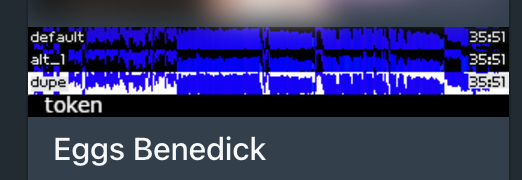
Flagging Tagging
- If the length of a funscript is more than a few minutes from the length of the video, we change the text to a red background, and optionally, can tag the scene
- The tag name is configurable in the settings, an empty value means it will NOT tag these items, only mark the heatmap
- Suggestions for other ‘problems’ to tag are welcomed. (Short? Ideas?)
- Some tokens are recognized and will get flagged as an incorrect time, token recognition is 99% but there are tokens it misses.
Broken/Missing funscripts
- If a funscript has faulty/unreadable json, it will map/flag it as Broken.
- Usually Missing means the permissions are wrong for some reason.
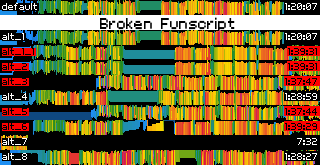
Change 0 (or less) interactive speed to 1
- Stash won’t display a heatmap that if it thinks the ‘interactive speed’ is 0, which is the case for most token funscripts.
- If Enabled, this runs an SQL command to change the value in the database to 1.
While this should be safe and cautious:
- PLEASE backup your database, as direct SQL (even via GQL commands) is considered ‘dangerous’ in general, but no GraphQL method allows this change otherwise
Remap Settings
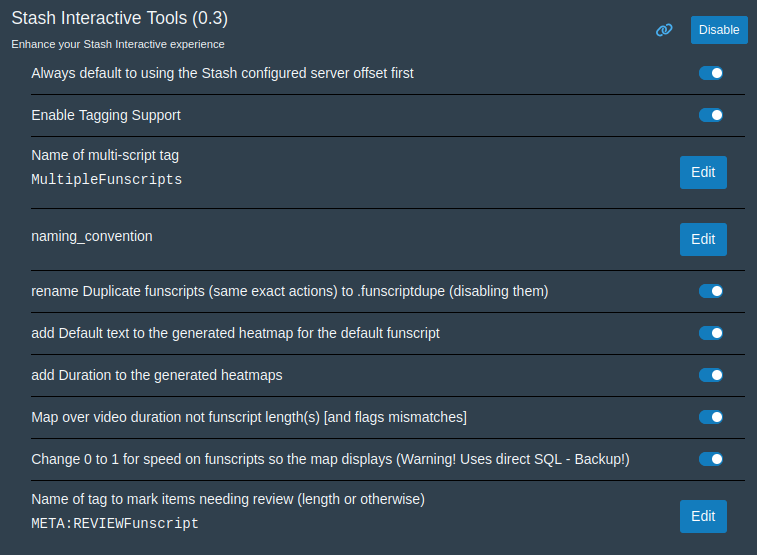
Requirements
- PythonToolsInstaller plugin
- Python 3.10+