Role Tagger

:placard: Summary Adds a “Roles” tab to the scene page for tagging each performer’s role in the scene (e.g. Security Officer, Dominant, Top).
:link: Repository https://codeberg.org/HeMan/role-tagger
:information_source: Source URL https://heman.codeberg.page/role-tagger/index.yml
:open_book: Install How to install a plugin?

role-tagger

A Stash plugin that tags each performer’s role within a scene (Top, Teacher, Security Guard, or anything you define), with multi-select tagging, performer-card badges, per-performer rollups on the performer page, and automatic scraping from IAFD and GEVI.

Features

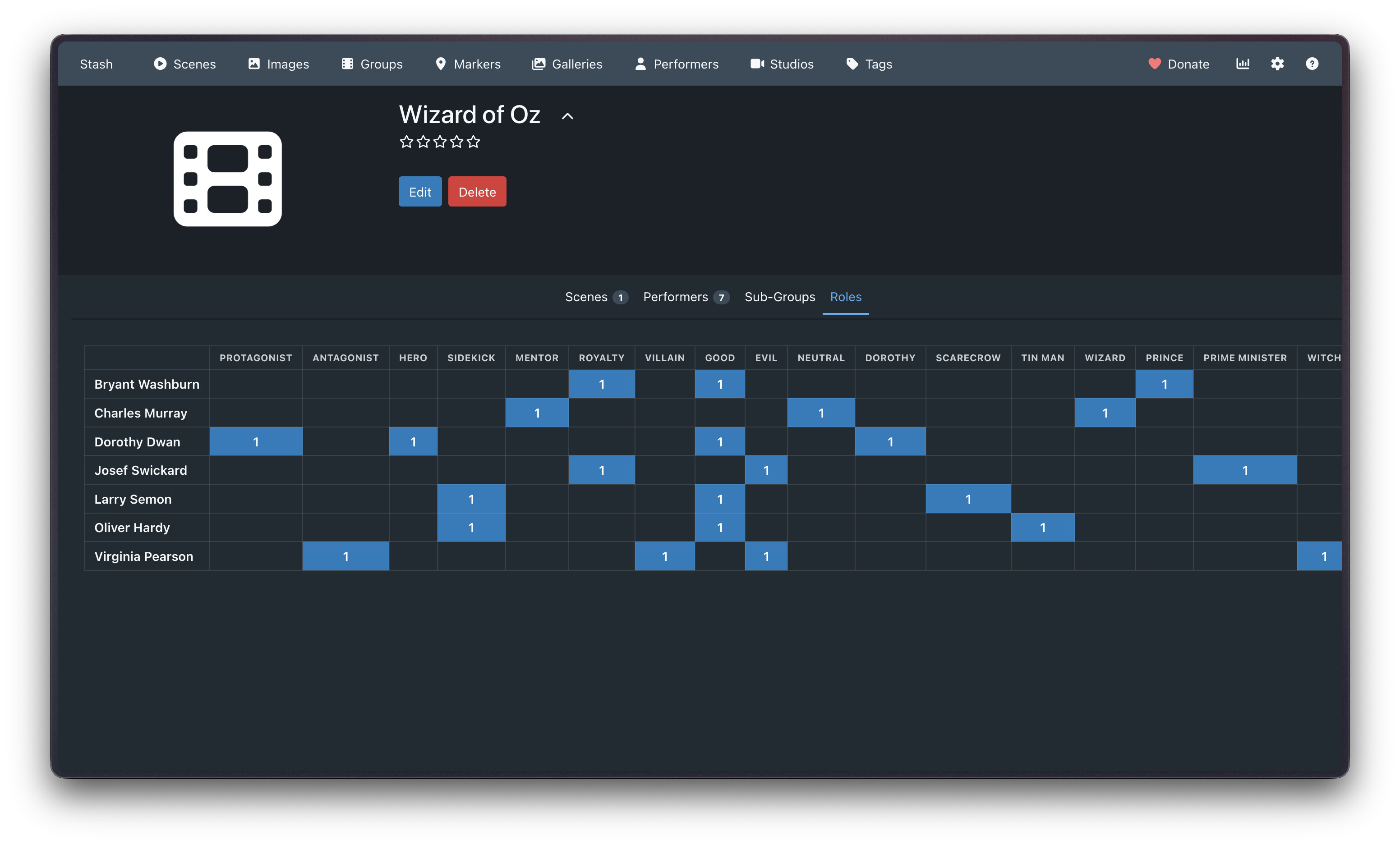
Scene page: “Roles” tab

Adds a Roles tab to the scene page, next to Details/Markers/Edit/etc. For each performer on the scene, pick one or more roles from a multi-select:

  • Creatable: type a role that doesn’t exist yet and pick “Create …” to add it on the fly. It’s saved to the plugin settings immediately, so it’s available on every future scene without editing settings by hand.
  • Multiple roles per performer per scene: a performer can be tagged e.g. both Security Guard and Antagonist in the same scene.
  • Two scrape buttons in the toolbar (Scrape IAFD roles, Scrape GEVI roles). See Scraping below. Only shown for sources enabled in settings.

Performer cards

Wherever a performer’s card shows up on a scene page, it displays their role(s) for that specific scene as small pill badges underneath their name/age.

Performer page

On a performer’s Scenes tab, above the normal scene grid, there’s a role rollup: their scenes grouped into sections by role (Security Guard (12), Student (8), Unassigned (3), etc.), each rendered with Stash’s native scene cards (thumbnails, hover preview, everything). A toolbar above it has bulk scrape buttons that scrape every one of that performer’s scenes with a linked IAFD/GEVI URL in one go (see Scraping).

A multi-select Filter by role… dropdown below the toolbar narrows the rollup down to just the selected role(s) - handy once a performer has a long list of them. It’s populated from whatever roles that performer actually has (including Unassigned), and clearing the selection shows everything again.

“Always” a role

For performers who exclusively play one role across their whole scene history, the same toolbar has an Always… dropdown: pick a role and hit Apply to tag every one of that performer’s scenes that doesn’t already have a role with it. Scenes that already have a (possibly different) role are left untouched - existing role tags always win.

Checking Apply to future scenes too also saves the role on the performer itself, so any scene this performer gets newly linked to afterwards is auto-tagged with it too (as long as that scene doesn’t already have a role for them).

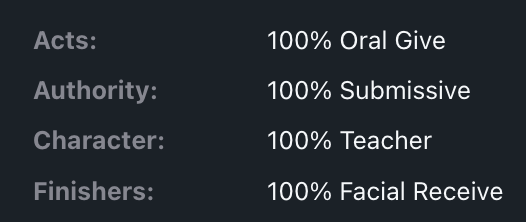
The performer’s bio details panel (below the usual details) also gets two summary lines:

  • Role split: percentage breakdown of main roles, e.g. 50% Dominant, 50% Submissive
  • Act split: percentage breakdown of sub-splits, e.g. 60% Uses Leather, 40% Uses Restraints

(See Main vs. sub roles for what that distinction means.)

Experimental: a tab instead of a rollup

The [Experimental] Real "Roles" tab on performer page setting works around this by directly manipulating the DOM to insert a tab next to “Appears With” that shows the same rollup content. It looks and behaves like a native tab, but it’s not an officially supported mechanism. This could break in future updates. If that happens, turn the setting off; the rollup still works fine above the Scenes tab grid either way.

Main vs. sub roles

Roles are split into two settings:

  • Main role options (roles): broad splits, e.g. Security Officer, Dominant, Top. This is what you’d typically pick per performer per scene, and you get to define these to your preferences.
  • Sub role options (subRoles): finer-grained, act-specific tags you may not want rolled up into the main splits, e.g. Oral Receive, Cunnilingus Give. Scraping discovers these on its own, but you can define your own hierarchy too.

This split is also why the role multi-select’s dropdown shows two grouped sections (“Main” / “Sub”), and why the performer bio shows two separate percentage lines instead of mixing both into one confusing list.

Scraping

IAFD

Scrape IAFD roles reads the scene’s linked iafd.com/title.rme/... URL, parses the cast list, and matches each name against the scene’s performers. IAFD lists a performer’s role directly. NSFW example here

GEVI

Scrape GEVI roles reads the scene’s linked gayeroticvideoindex.com/episode/... URL. GEVI encodes each performer’s activity as a short code instead of a plain word, decoded against a legend shown on the same page (“Action notes: A=Anal; b=bottom; t=top; …”):

  • Codes are one or more <Act letter><role letter(s)> pairs concatenated, e.g. At = Anal + top, OrAtRg = Oral+receive, Anal+top, Rim+give.
  • A role letter can repeat within one act, e.g. Atb = Anal+top and Anal+bottom for the same performer, that gets collapsed into Versatile.
  • give/receive only make sense paired with an act (giving during Oral vs. Rim are different things), so those get tagged with the act name attached, e.g. Oral Receive, Rim Give.
  • If a performer has both <Act> Give and <Act> Receive for the same act, those collapse into <Act> Versatile (e.g. Oral Give + Oral ReceiveOral Versatile).
  • The legend is read fresh from each scene page rather than hardcoded, since it only lists the codes actually used on that page and GEVI has more act types than just the examples above.

Bulk scraping

Each source also has a Bulk scrape … for performer task, run from the button in the performer page’s rollup toolbar. It scrapes every scene of that performer with a linked URL for that source, one request at a time with a short delay between each (to avoid tripping the source’s bot protection), and shows a confirmation dialog first since it overwrites existing role tags on every scene it touches.

Scanning your whole library

Each source also has a Scan library for … roles task. Unlike every other task here, it doesn’t need a specific scene or performer, so it’s meant to be run directly from Stash’s own Settings → Tasks page — it scrapes every scene in your entire library with a linked URL for that source, and reports live progress in the tasks bar at the top of the page while it runs. Same caveats as bulk scraping (one request per scene with a short delay, and it overwrites existing role tags), just at library scale — expect it to take a while on a large library.

Tagging Solo scenes

The Tag Solo scenes’ performers task (Settings → Tasks) finds every scene tagged Solo, Solo Male, or Solo Female (whichever of those exist in your tag list) and tags any performer on one who doesn’t already have a role there as Solo - no scraping involved, just reads your existing Stash tags. Scenes/performers with an existing role are left untouched.

Enabling/disabling a source

The Enable IAFD (on by default) / Enable GEVI (off by default) settings control whether that source’s scrape buttons show up at all. Turning one on/off also allows/blocks its scrape tasks from running server-side, in case they’re triggered directly from Stash’s own Tasks page rather than this plugin’s buttons.

Installation

This plugin only works on Stash v0.31 and above. custom_fields on scenes is required for this to work.

One-click, via a plugin source (recommended)

  1. In Stash, go to Settings → Plugins → Sources and add https://heman.codeberg.page/role-tagger/index.yml as a source.
  2. Role Tagger now shows up under Available Plugins - click Install. Future updates show up as an Update button here too, no manual re-copying needed.

Manual

  1. Copy the role-tagger folder into your Stash plugins directory (Settings → Plugins shows the configured path).
  2. In Stash, go to Settings → Plugins and click Reload plugins.
  3. role-tagger should now appear in the plugin list, with its settings underneath.

Maintainers: publishing a new version

After bumping version in role-tagger.yml and pushing to main, run ./scripts/publish-pages.sh locally. It builds role-tagger.zip and index.yml and pushes them to the pages branch, which Codeberg Pages serves at https://heman.codeberg.page/role-tagger/. This is a manual step, not CI - Codeberg’s hosted Actions runners are currently capacity-limited.

Requirements

The scraping tasks need a few Python packages (cloudscraper, lxml, beautifulsoup4, stashapp-tools). These are installed automatically into whatever Python your Stash server uses the first time a scrape task runs, so the very first scrape may take a little longer than usual. No manual setup is required.

How role data is stored

Role assignments live in the scene’s custom_fields.roles value, as a JSON-encoded map of performer ID → array of role strings (e.g. {"123": ["Dominant"], "456": ["Submissive", "Restrained"]}). This is plain scene metadata, and it doesn’t create or remove any actual performer-to-scene relationship, so removing this plugin doesn’t lose anything about your library beyond the role tags themselves (which stay in the database as an orphaned custom field, in case you reinstall later).

Example

Here’s what tagging actually looks like end to end, using Big Buck Bunny as a stand-in scene. “Roles” are whatever tags you define, so this example uses them to mark which animal each performer plays.

Say you’ve imported big_buck_bunny_1080p.mp4 as a scene, with two performers attached: Big Buck Bunny and Frank.

  1. Open the scene, go to the Roles tab.
  2. For Big Buck Bunny, type Bunny into the multi-select and pick Create “Bunny”. It’s not in your role list yet, so this adds it to the Main role options setting on the spot.
  3. For Frank, do the same with Squirrel.

That’s stored on the scene’s custom_fields.roles as:

{
  "1": ["Bunny"],
  "2": ["Squirrel"]
}

(keyed by each performer’s Stash Performer ID), and roles in settings now includes Bunny, Squirrel alongside whatever was there before.

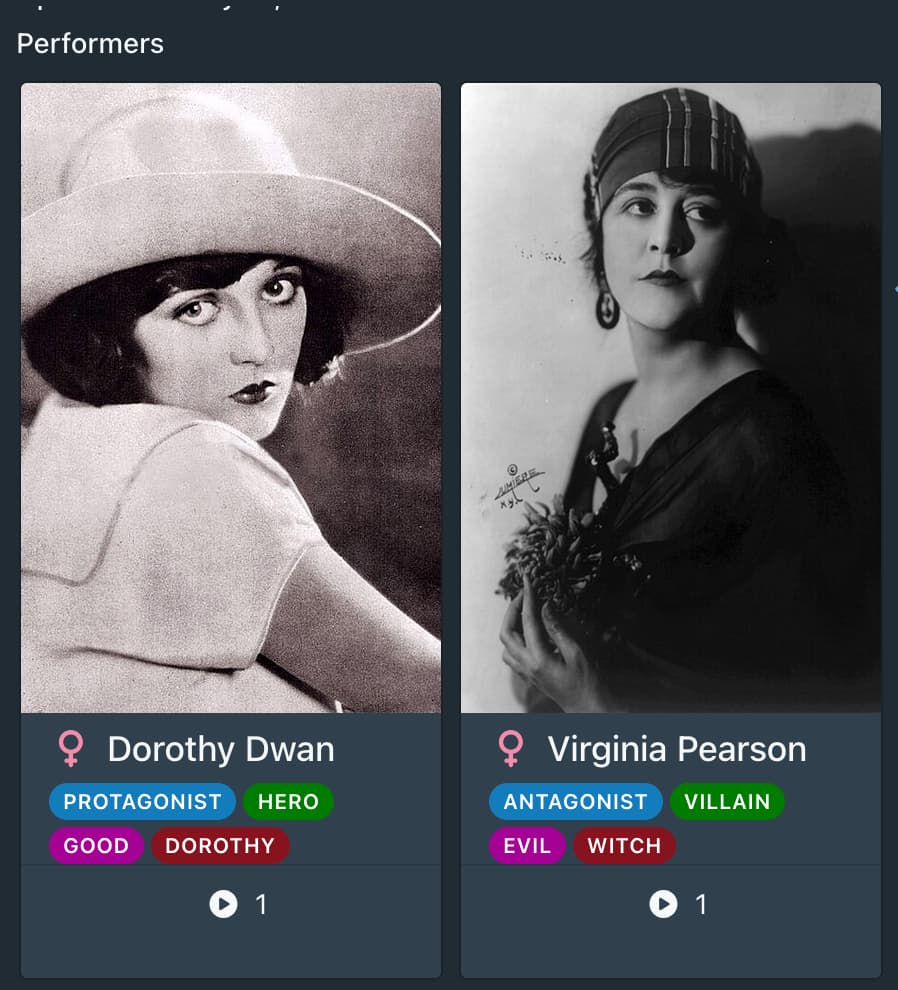
Back on the scene page, Big Buck Bunny’s performer card now shows a small BUNNY badge, and Frank’s shows SQUIRREL.

Head to Big Buck Bunny’s own performer page, and the Scenes tab shows a rollup with one group — Bunny (1) — containing the Big Buck Bunny scene card. His bio panel shows Role split: 100% Bunny, since it’s his only tagged scene so far.

Adding sub-tags: protagonist / antagonist

Protagonist/Antagonist aren’t things scraping would ever discover on their own, so instead of typing them into the Roles tab (which would file them as main splits, same as Bunny/Squirrel), add them directly to the Sub role options setting: Protagonist, Antagonist. This is exactly the manual curation subRoles is there for — you decide the hierarchy, scraping just fills in what it can auto-classify (like GEVI’s Oral Receive/Rim Give).

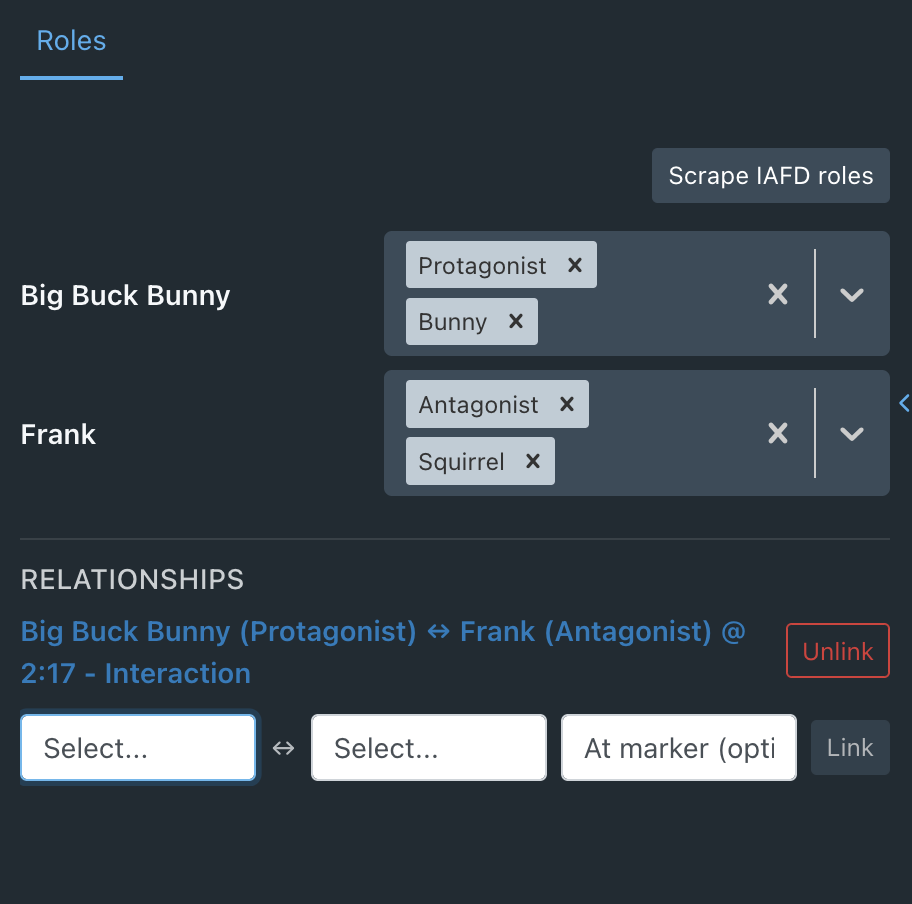
Back on the scene’s Roles tab, the multi-select’s dropdown now has a Sub group alongside Main. Tag Big Buck Bunny with Protagonist and Frank with Antagonist, on top of their existing main tags:

{
  "1": ["Bunny", "Protagonist"],
  "2": ["Squirrel", "Antagonist"]
}

Big Buck Bunny’s performer card now shows two badges, BUNNY and PROTAGONIST. His performer page rollup gains a second group, Protagonist (1), alongside Bunny (1) (the same scene card shows up in both, since it’s grouped per role, not per performer). His bio panel now shows both lines: Role split: 100% Bunny and Act split: 100% Protagonist.

What this looks like

The scene’s Roles tab, mid-selection — the multi-select’s dropdown grouped into Main (Bunny, Squirrel) and Sub (Protagonist, Antagonist) sections:

Back on the scene’s Details tab, each performer card shows both of their tags as badges:

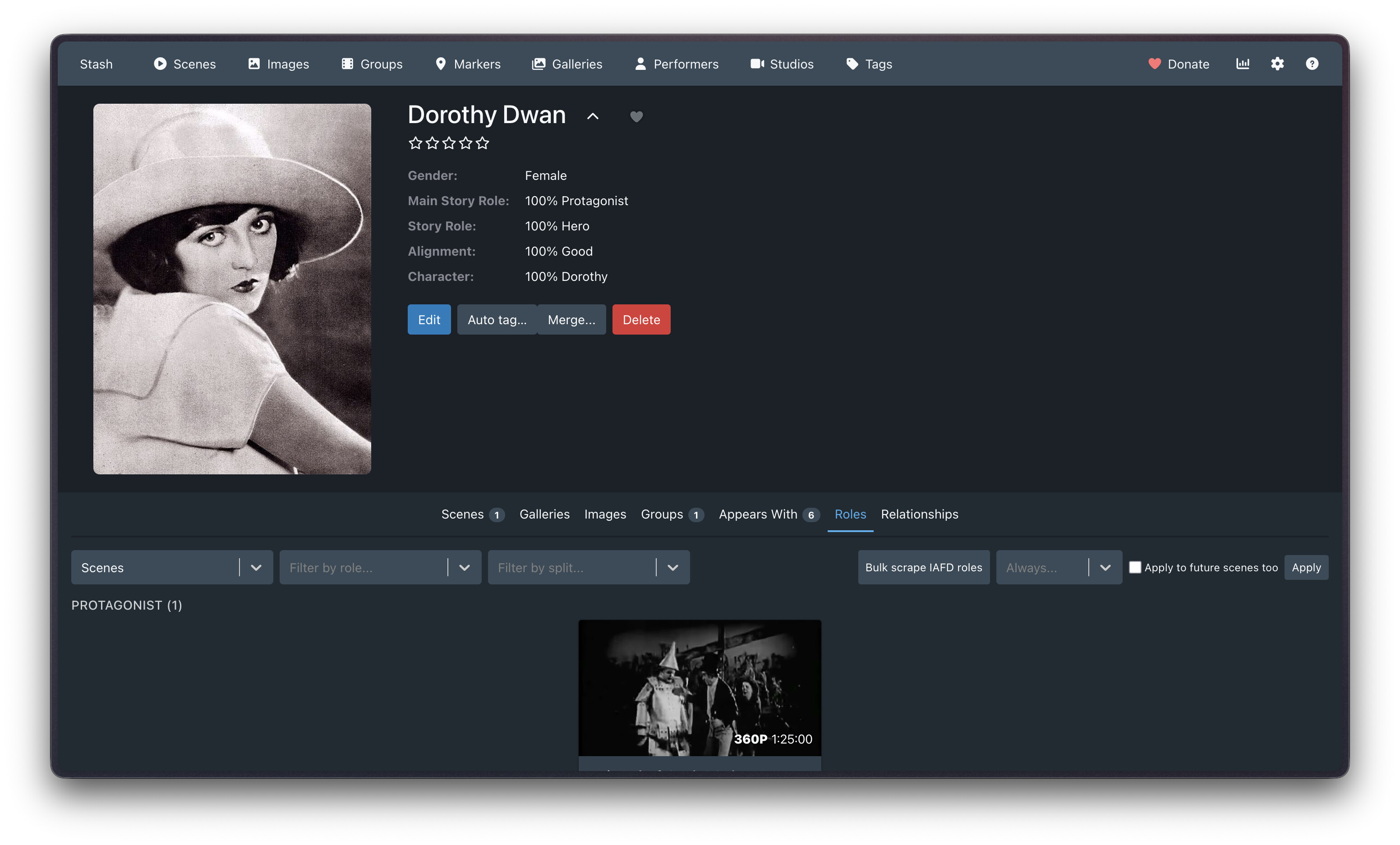
Big Buck Bunny’s own performer page: the Role split:/Act split: lines in his bio, above the normal scene grid:

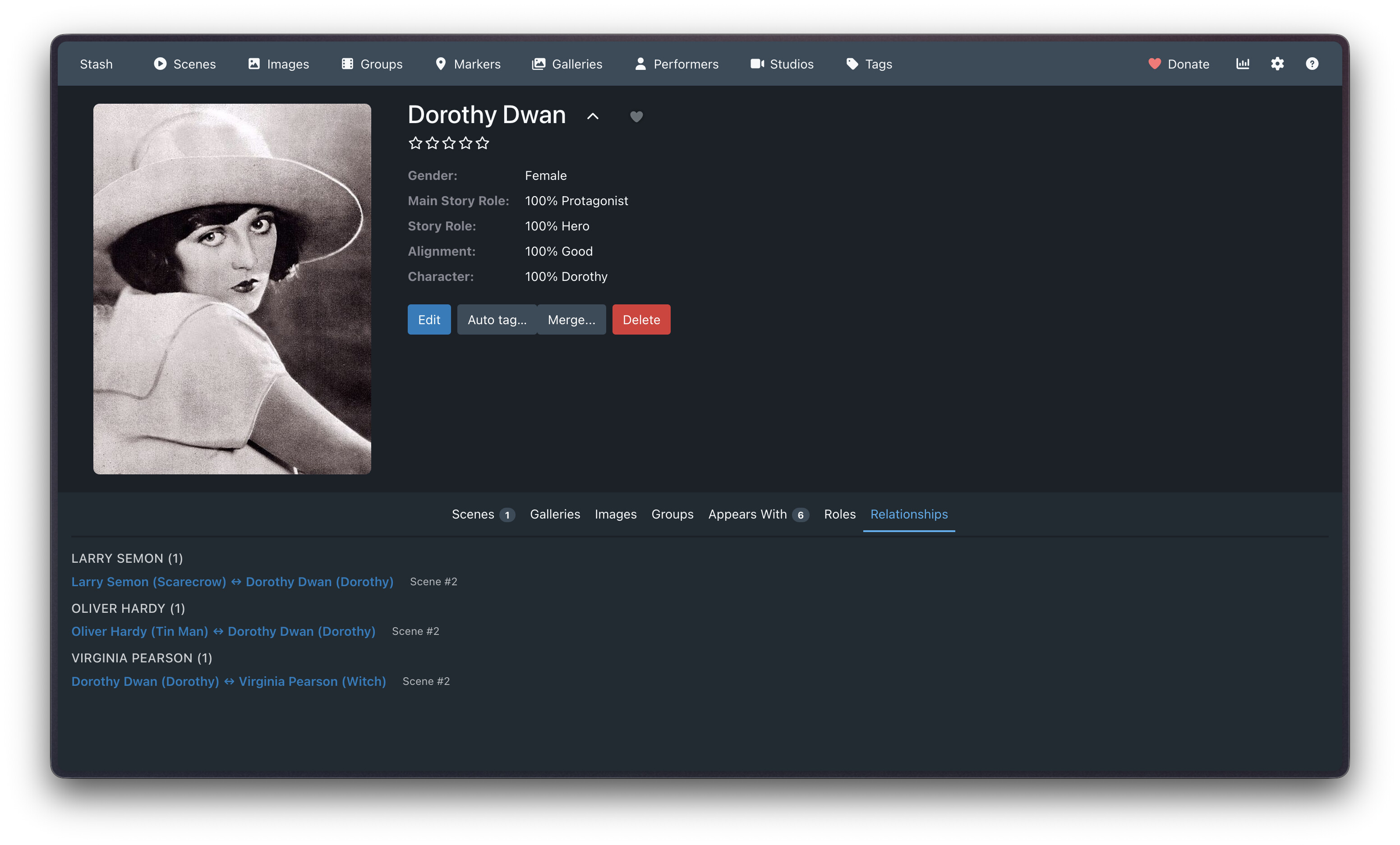
With the experimental DOM-injected tab enabled instead, the rollup shows up as a real Roles tab next to Appears With, grouped the same way (Bunny (1), Protagonist (1)):

Known limitations

  • Not all IAFD/GEVI scenes have roles: You’ll be notified if this is the case though.
  • Name matching is exact. Performers are matched by exact (case-insensitive) name between the scraped cast list and the scene’s existing performers. If a name differs (aliases, disambiguation suffixes GEVI/IAFD didn’t strip, etc.), that performer is reported as unmatched rather than guessed at.
  • The experimental performer tab is a DOM-injection hack. See above. It’s off by default for a reason.
  • Bulk scraping is intentionally slow. One request per scene with a short delay between each, to avoid getting rate-limited or blocked by IAFD/GEVI.
  • All 6 scrape tasks show up in Settings → Plugins / Tasks with a generic “Run” button. Only the two Scan library for … roles tasks are meant to be run from there. The other 4 (single-scene and bulk-per-performer scrapes) need a scene or performer only this plugin’s own buttons provide - running those from Settings will just fail with a “missing argument” error rather than do anything wrong.
3 Likes

Cool plugins bro. I don’t have an idea when I should use this yet though.

Perhaps only one way I can think of it is maybe “Cosplay” type of scene?

Thanks dude! Cosplay could be a great use for it. It could be used for anything really. IAFD’s scraper offers subtext about who’s receiving a facial in a scene with a lot of performers, which could be helpful info before pressing play. BDSM enjoyers could use it for Dominant/Submissive/Switch. Themed content enjoyers could use it for Teacher/Student, Step-Father/Step-Daughter. Gay people could use it for Top/Bottom/Versatile. Possibilities are open for all of it.

1 Like

Cool plugin. Any thoughts on having it apply tags to the scene when a role is assigned to a performer that matches a tag? For example, performer is assigned “Dominant” role so the tag “Dominant” also gets applied to the scene.

There is another plugin,Scene Marker Tags to Scene, which does something similar for markers.

Yeah, really nice idea. I’ve made it a ticket and I’ll work on it shortly: #6 - Auto-tag scene when a performer's assigned role matches a tag name - HeMan/role-tagger - Codeberg.org

Edit: Published an update for this. There’s a new “Auto-tag scene from assigned roles” option in plugin settings you can turn on :slight_smile: There’s also a “Roles to never auto-tag” box to fill in if you find yourself in the situation where you want to auto tag some roles, but not others.

2 Likes

Nice plugin:-)

The pulldown menu when selecting an existing role name is very short, please enlarge to make selection easier.

Suggestion: If you click on a role badge, a window pops up and shows all performers who have that role. Would that be possible?

If I rename a role in the settings, is that new name automatically applied to the assigned performer roles? If not, is that possible?

Thanks! :grinning_face_with_smiling_eyes: Could I please get a screenshot of the issue with the role name dropdown? Just trying to figure out the visual issue (whether horizontally or vertically short, and whether there’s a theme involved). When I know more, I’ll make the bug ticket.

For the other two features, I’ve made tickets and I’ll get to them shortly :slight_smile:

#7 - Clicking a role badge to show all performers with that role - HeMan/role-tagger - Codeberg.org

A minor issue. On the performer page, the checkbox to select multiple scenes doesn’t work. I can get around this by enabling the roles tab. This just moves the problem to that tab instead of the scene tab.

It might also be nice to be able to do bulk updates. I don’t know that I need that but typing this made me think of it.

1 Like

Both tickets done, tested, and published :grin: Things to try:

  • Click a role badge to see who else has it. On a performer card, clicking one of their role badges (e.g. “Dominant”) now pops up every performer in your library who’s also tagged with that role. Handy for browsing “who else does this.”
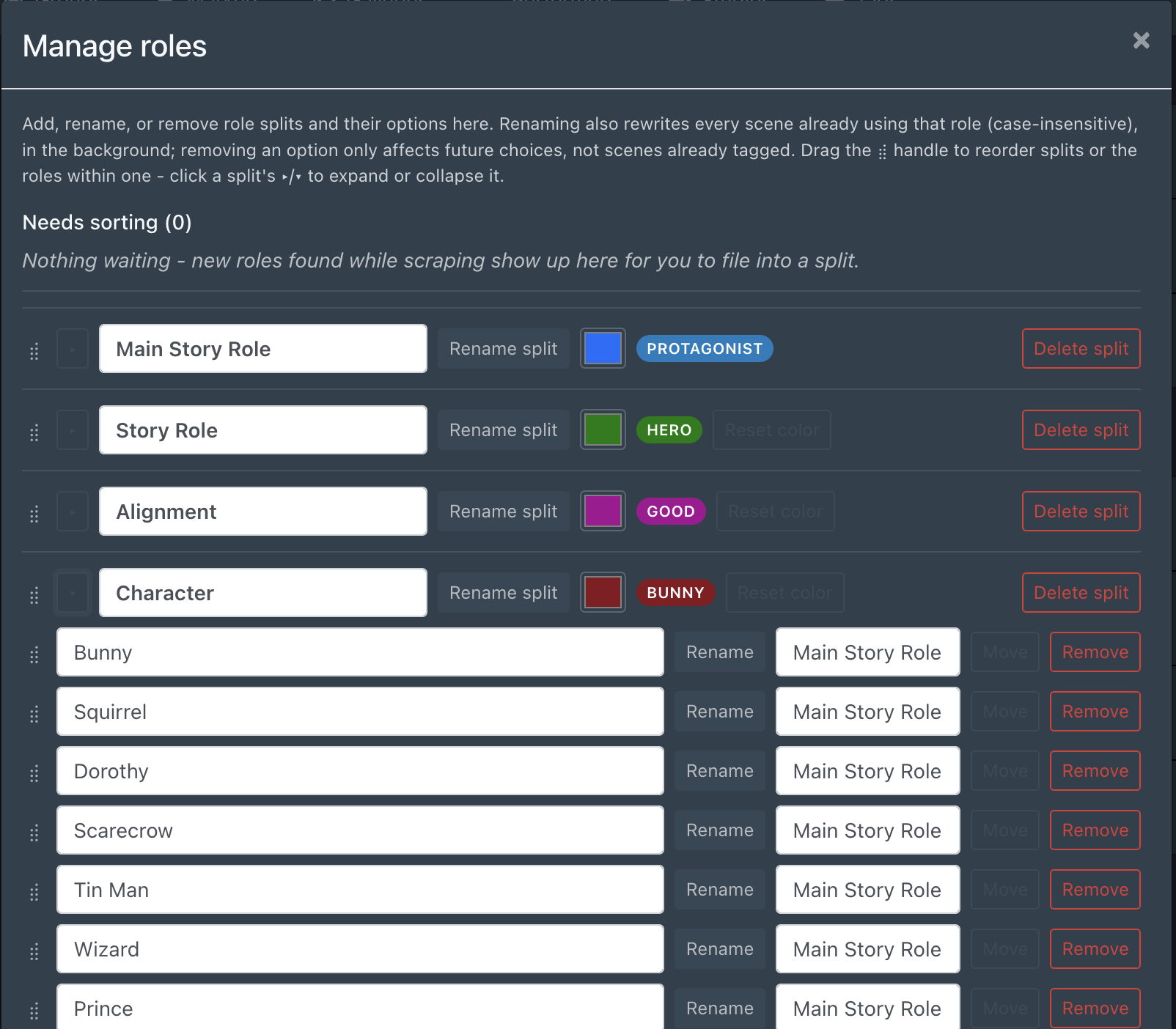
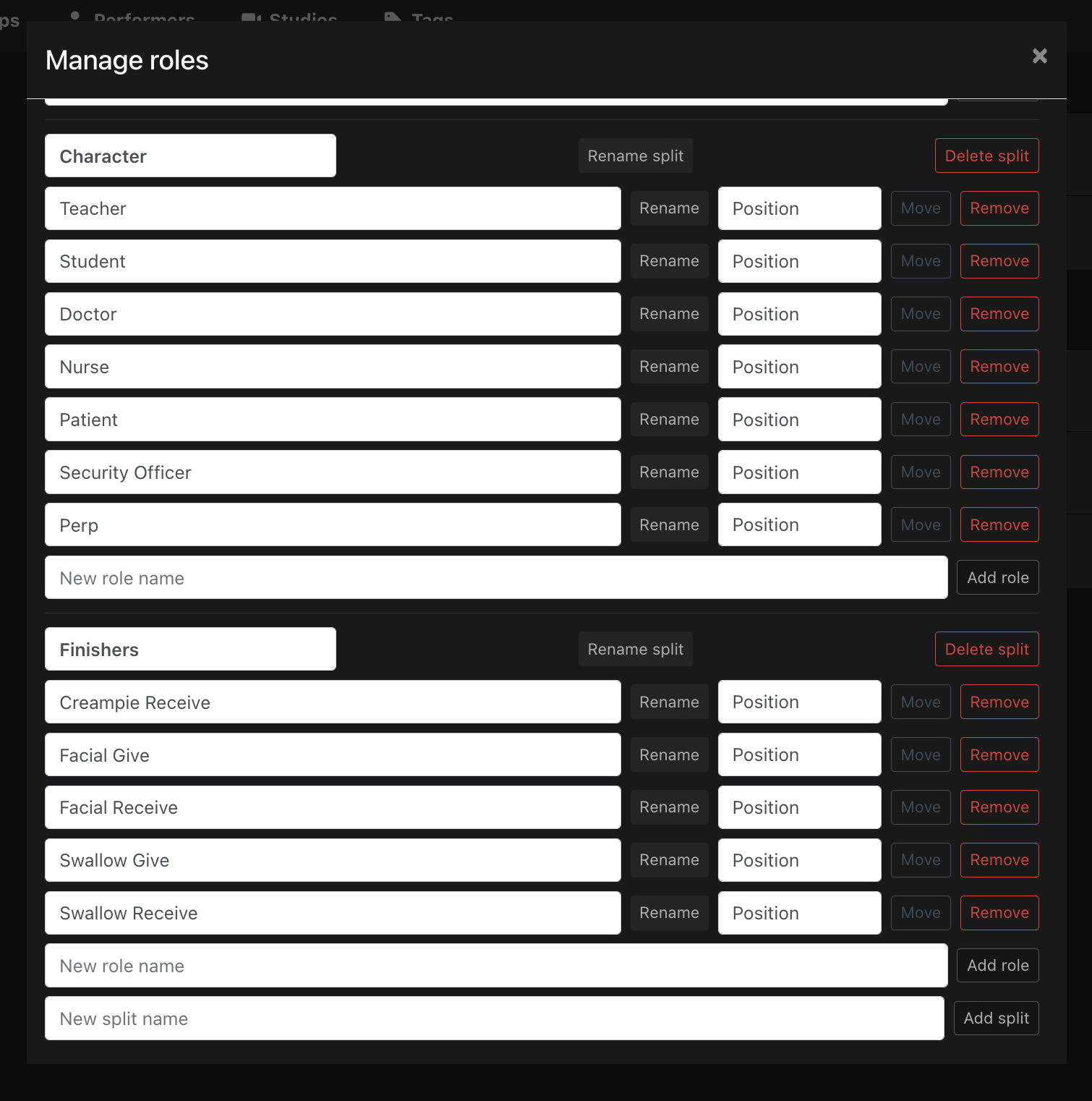
  • Renaming a role now actually renames it everywhere. Previously, editing a role name in settings only changed the option going forward, while old scenes kept the stale name. There’s now a “Manage roles” tool under Settings → Tools where you can rename a role in place, and it rewrites every scene already using it.

Apologies. I’ll hop on this as the next prio ticket!

1 Like

Just published an update now :slight_smile:

From the roles tab, you can multi-select scenes and the role augmenter dropdown at the top should change to this:

Only works on a performer’s page for now, but give it a spin and let me know how it works for you.

1 Like

Role badge popup works, thank you.

Renaming issue - it changes the role in the settings and in the pulldown menu after renaming in Tools, but an already assigned role doesn’t change.

Regarding the pulldown menu for role selection in the scene menu, it shows (at least for me) only 3 rows, better to show more rows.

The multi-selection didn’t work for me.

Anyone else having same issues?

Ah yes, did the task finish successfully? It took about 10 mins to do a full rename across 500 scenes for me. If it did, the logs will reveal what happened and would be really useful to me.

I think it’s best if I make a ticket to drop role management from Plugin Settings altogether and keep all role management (adding, editing, deleting) under Tools exclusively so it doesn’t live in two places.

Also another slight bug, after multi selection of scenes and application of roles, the page needs to be reloaded. Making a bug ticket for that now.

I should add that I don’t have Python installed. But I understood, that this serves only for scraping, right?