 |
Summary | Adds a blurred poster backdrop to performer pages. |
 |
Repository | https://github.com/stashapp/CommunityScripts/tree/main/plugins/performer-poster-backdrop |
 |
Source URL | https://stashapp.github.io/CommunityScripts/stable/index.yml |
 |
Install | How to install a plugin? |
Performer Poster Backdrop (Stash UI Plugin)
Adds a blurred poster-style backdrop behind performer headers using the performer’s poster image.
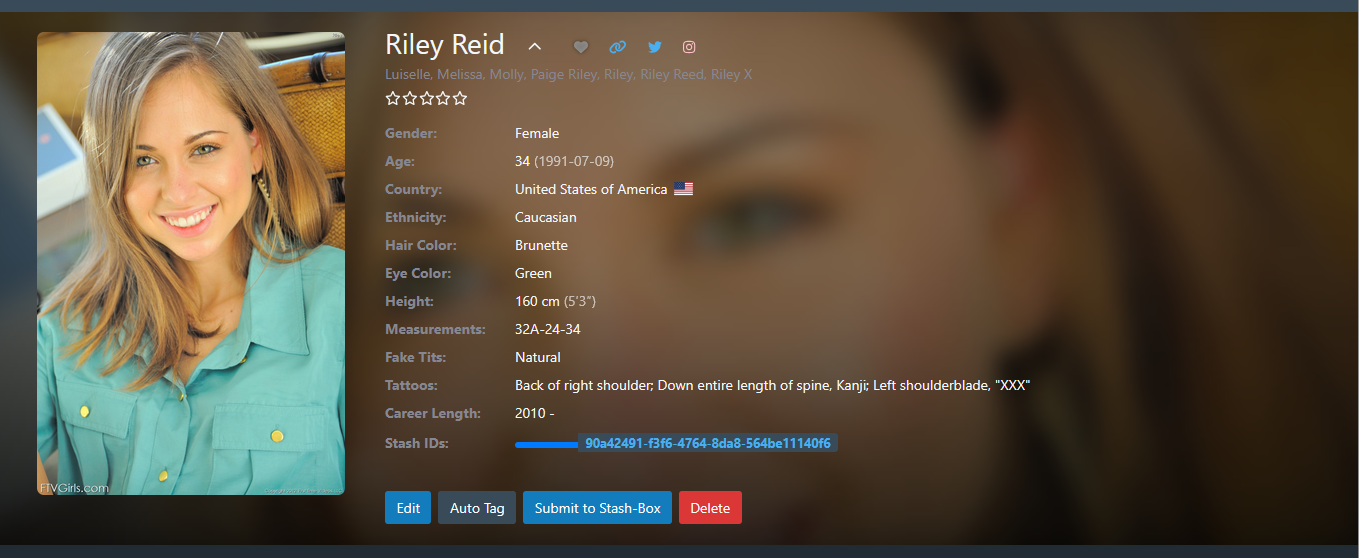
Features
- Applies only to Performer pages
- Uses the performer’s poster image as a background layer
- Adjustable:
- Opacity
- Blur strength
- Vertical image alignment
- Supports per-performer Y-offset overrides
- Blank settings automatically fall back to defaults
Installation
-
Copy the following files into your Stash UI plugins directory:
performer-poster-backdrop.ymlperformer-poster-backdrop.jsperformer-poster-backdrop.css
-
In Stash, go to Settings → Plugins
-
Find Performer Poster Backdrop
-
Adjust settings if desired and click Confirm
-
Refresh a performer page
Settings
Backdrop opacity
Controls how visible the backdrop is.
- Range:
0–1 - Default:
1 - Examples:
0.7→ subtle0.5→ very soft0→ invisible
Leaving this field blank uses the default.
Backdrop blur
Controls how blurred the backdrop appears (in pixels).
- Default:
10 - Examples:
5→ light blur15→ strong blur0→ no blur
Leaving this field blank uses the default.
Default Y offset
Controls the vertical alignment of the backdrop image.
- Range:
0–100 - Default:
20 - Meaning:
0→ favor top of image50→ center100→ favor bottom
Leaving this field blank uses the default.
Per-performer Y overrides
Use this when a specific performer’s poster needs different vertical positioning.
Enter overrides as a comma-separated list in a single text field.
Format
PERFORMER_ID:OFFSET
Example
142:35, 219:20, 501:50
Accepted separators:
:(recommended)=-
Whitespace is ignored.