Its little faster but still takes couple of mins to load.
the first load takes a min to cache everything but it should be quicker afterwards, i’ll also keep looking to see if there’s any more optimizations that can be done
after first laod, it takes over a min to show the initial data, then another min or so to show the historical info i.e. week/month, on this day data, definitely faster than the previous version
For me, it takes between 10 and 20 seconds to load. But my Stash is running on an SSD, maybe that’s why?
1 Like
hmmm ideally i want it to be instant for everyone, I only have about a month of data so it loads immediately.. I’ll keep working on it!
Hi, @sanjiswe thanks for your great work on this plugin!
Would it be possible to add support for O stats of images too? For example, the timelines, most recent O, etc. would also include and show the images.
It’s possible but I was hoping that stashapp would add date tracking to images before I try and make my own solution. It’s something that people have been requesting so I’m sure it will happen soon.
Agreed and it makes sense that the feature be implemented in the core app first. I also noticed that the images are missing the history tab on the UI that allows manual edits to O stats. I hope the date tracking for images gets baked in a future release. I’ll try to find a feature request on this and bump it.
Thank you again for your work on this plugin. Even if just for scenes for now, it does exactly what I was looking for.
1 Like
Thank you for this. A potential optimization - for the automated saveWatchData tasks, perhaps it could check if one is already queued before adding another? Sometimes I run days-long image clip preview generation tasks and a ton of saveWatchData tasks will stack up behind it.
2 Likes
Thanks for bringing that to my attention, I’ll look into fixing that!
Hey man great plugin! But I think personally the oldest O metric is kind of a dead metric as it is essentially static.
I think a better idea would be to track instead: ‘oldest O on this day’. Which would be a better way to track it historically and would be more in line with data over time tracking. It would still be static in the sense that there would be a hard 365 limit. But would obviously provide a more revolving and logical metric over time.
2 Likes
Agree that oldest O isn’t a great category, will always show the first scene ever tracked.
As a side note I wish the plugin was able to track watch time with the Android TV Stash App, which is where I view content rather than in-browser.
2 Likes
That’s an issue you should take up with the Android TV Stash App developer. The GQL endpoints exist to submit viewing activity, but they would need to use them.
1 Like
It’s tracking the oldest o in relation to all of them so if you o to that scene again it will update with the next oldest, I just liked having it to revisit old scenes I may not have seen in a while!
I know some of the more important issues involve the page taking a while to load everything with a lot of data. It’s something that I’m not able to test very well since I only have about 2 months worth of data.
This is actually a really good point, I hadn’t thought of that since I haven’t been tracking too long yet
1 Like
Just a quick update, you no longer need the CommunityScriptsUILibrary installed in order for this to work! Will try and work on some improvements for quicker load times as well.
I believe I have fixed this issue in the latest update! If there is another task running it should now remove the currently queued save task with an updated version.
1 Like
Hi, thanks for the awesome plugin!
I was wondering if the watch time could be counted in the plugin when casting (AirPlay/Chromecast).
It seems stash counts it but the plugin doesn’t.
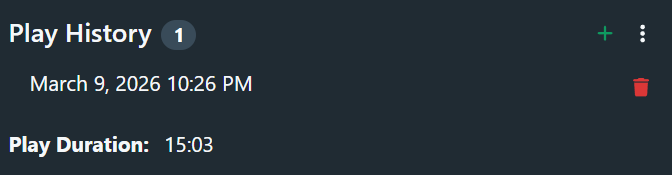
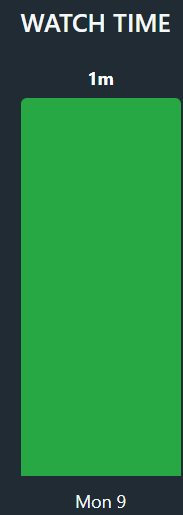
I’ll do some testing with this! It should work as long as the tab with the video playing is open in your browser. It pauses the time tracking if you switch tabs.
1 Like