First, thanks for this very interesting piece of software, I didn’t think I needed that before stumbling unto it.
I started fiddling with it and at first I added both StashDB and ThePornDB stashboxes. Problem is, I realized some of my videos were misidentified as something else entirely. When checking their info, it seems it was ThePronDB which didn’t identify them correctly.
I wanted to get rid of ThePornDB and only rely on StashDB in the end, and “reset” all ThePornDB identified scenes to unidentified so I could tag them myelf or find alternative metadata providers, but I can’t seem to find how to “reset” or “start from scratch” for some files.
Is there a way to delete them that way in a full batch? As I mentionned I have a lot of files and I don’t see myself going through all of them, checking if they have the wrong metadata provider, and then delete them.
Or should I simply start over and wait a few days for all phashes and such to be generated again? I guess I could skip generating previews to go a bit faster…
To make it a bit clearer perhaps, I’d like to remove all metadata (or delete) scenes which have theporndb as a metadata provider so I can scan them again and reidentify them with stashdb instead.
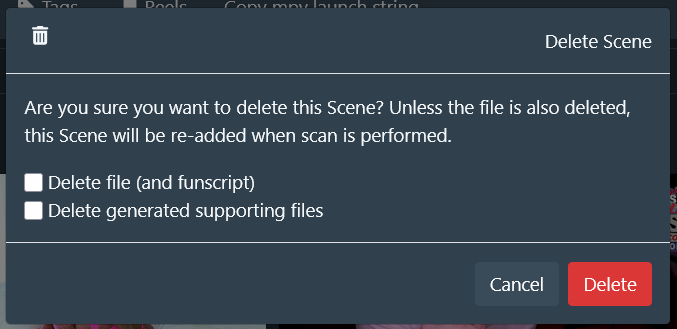
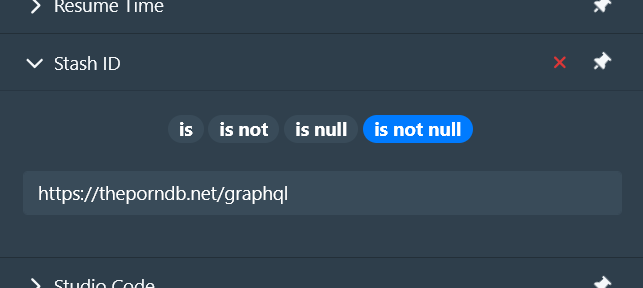
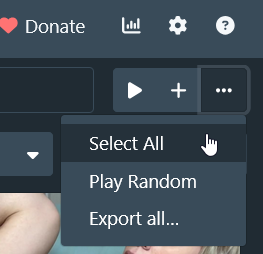
Yes, you can do bulk deletions: switch the scenes view to List (in case you have a lot of them) and then apply a filter like Stash ID is not null with the endpoint for TPDB to find all of the relevant scenes, then select them all and hit the delete button (remember to uncheck the boxes in the delete modal so that you do not actually delete the video files)