I found this on github: [Feature] Start generating .webp for Markers immediately after marker creation · Issue #4067 · stashapp/stash · GitHub
It mentions that generating markers is a 2 step process, but I couldn’t figure out how to do it. I don’t care about generating them automatically when I create a marker, just generating them in general.
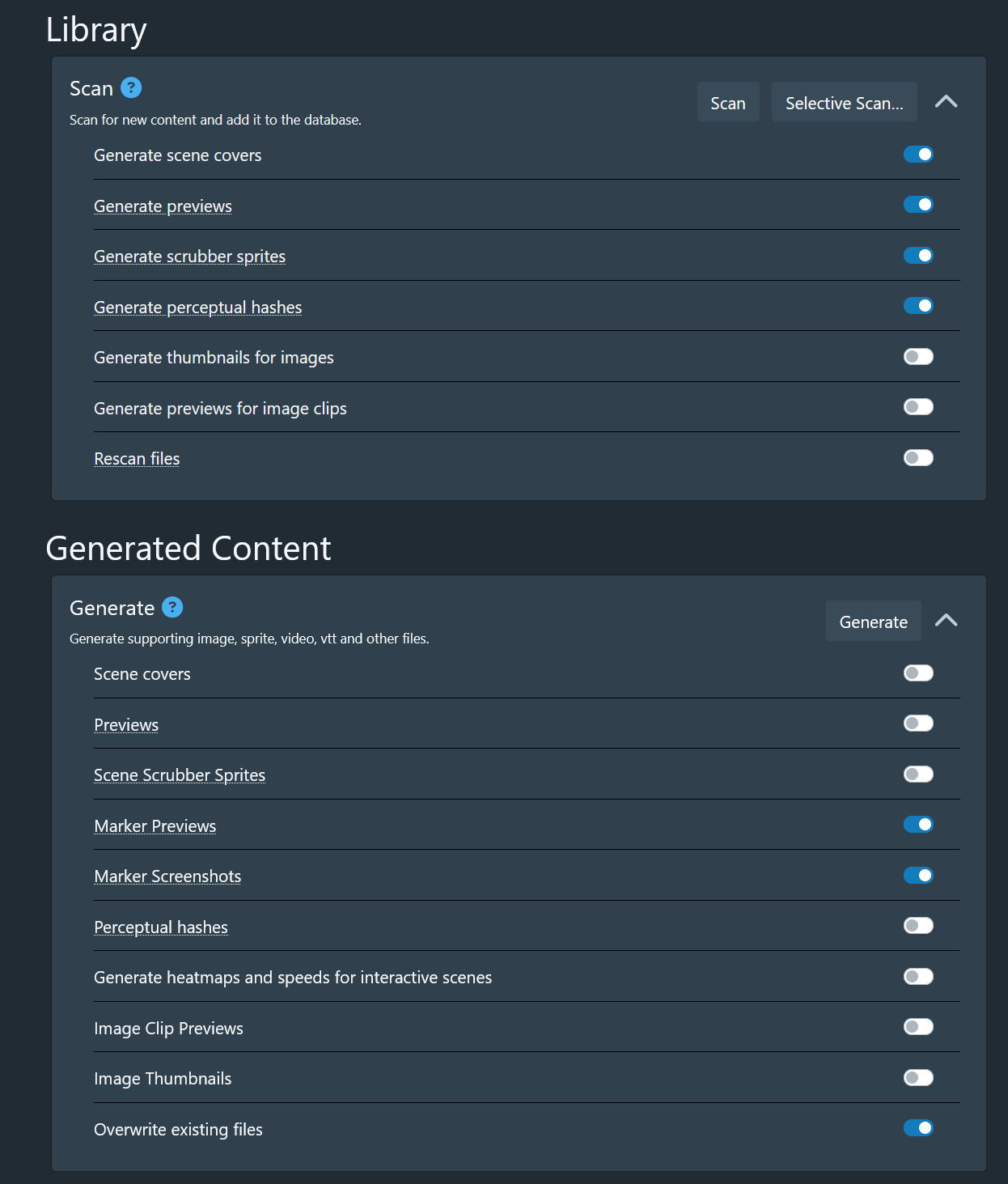
My task page looks like the attached screenshot, and I can’t see anything about webms, or saving markers as videos.
Any help would be much appreciated, thanks.
do it.
That looks like a typo in the issue. Stash only generates MP4 and WebP previews.
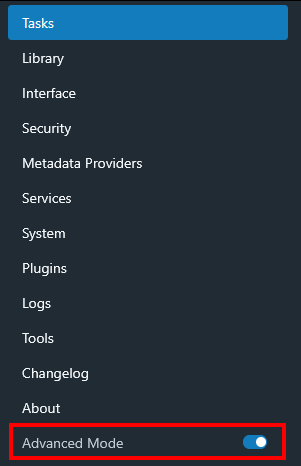
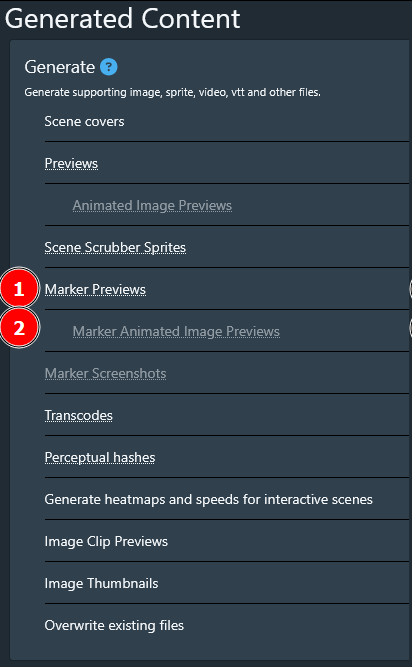
Under Generated Content enable Generate Previews for MP4 previews and Marker Animated Image Previews for WebP previews (hidden by default under Advanced Mode flag). That would correlate to 2 steps.
Ah I see, thanks for the quick reply.
That does make sense.
I will take a look at some plugins to see if I can find what I’m looking for.
Thanks
I figured out I can do this Clip Mash for anyone that may be interested: GitHub - soundchaser128/clip-mash: Generates compilation videos semi-automatically
Little bit slow overall but it lets me export a marker as a video file.