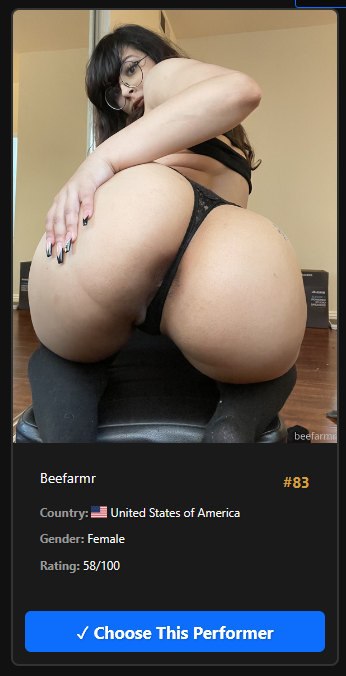
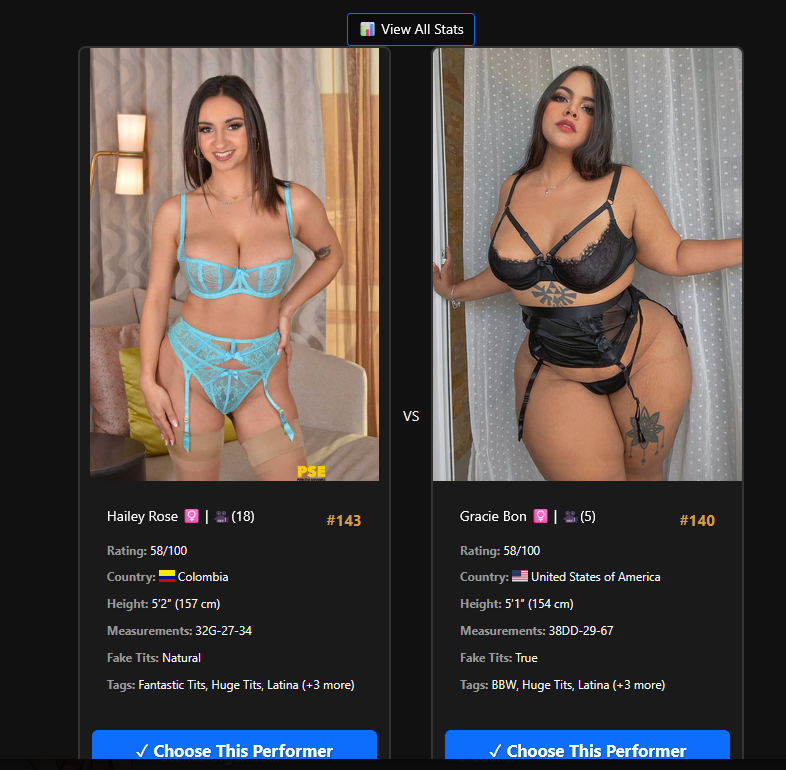
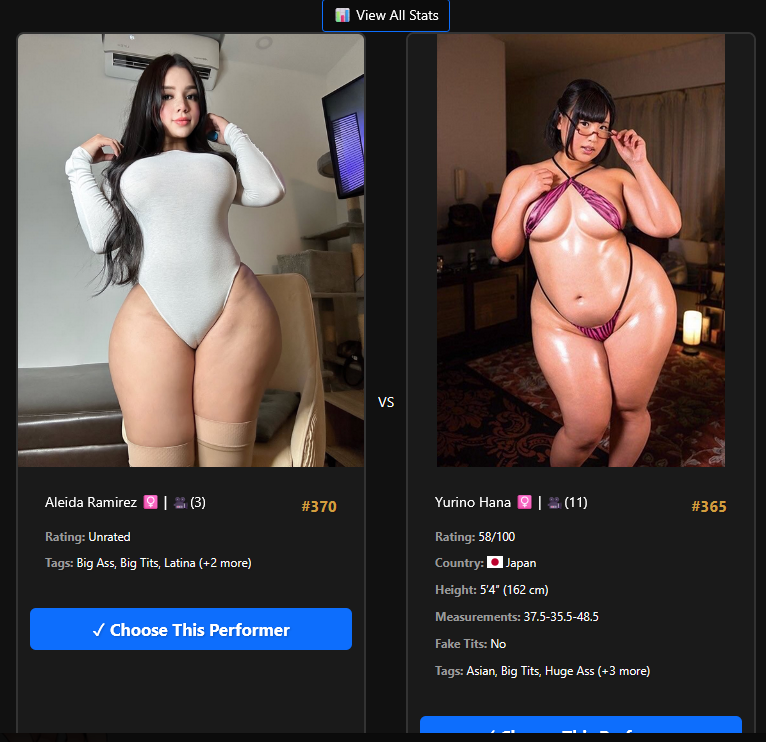
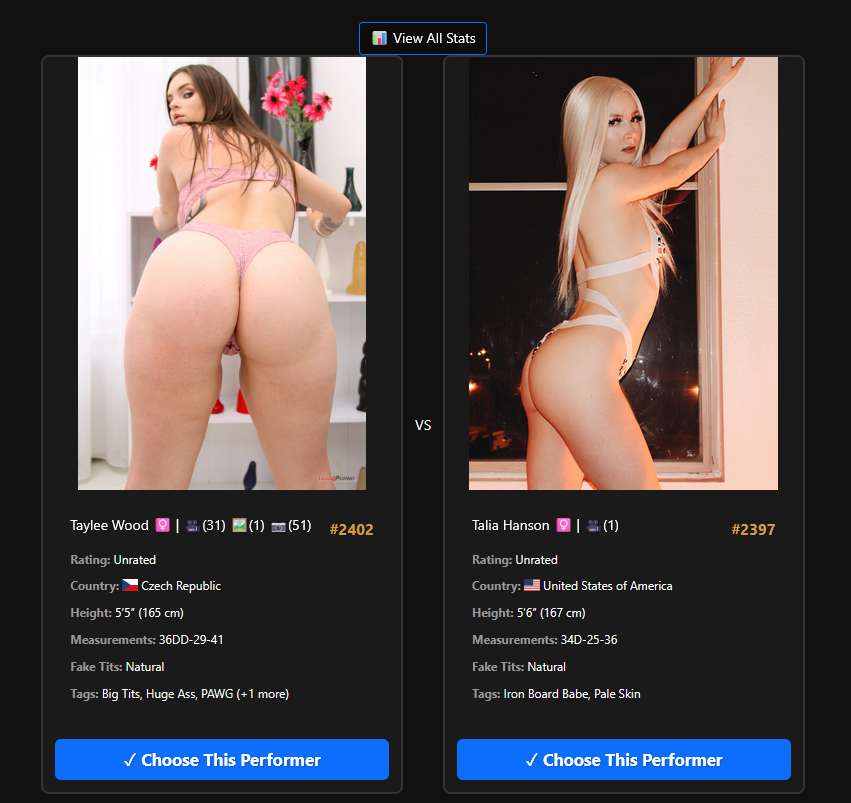
An ELO-based ranking system for performers in Stash. Compare performers head-to-head in an interactive battle interface to build personalized rankings based on your preferences.
Features
Battle Modes
The plugin offers three distinct comparison modes:
Swiss Mode (Default)
True ELO with zero-sum property - Winner gains exactly what loser loses, maintaining rating pool integrity
Pairs performers with similar ratings for competitive matchups
Uses weighted random selection to prioritize performers with fewer matches
Best for building initial rankings and ensuring balanced coverage
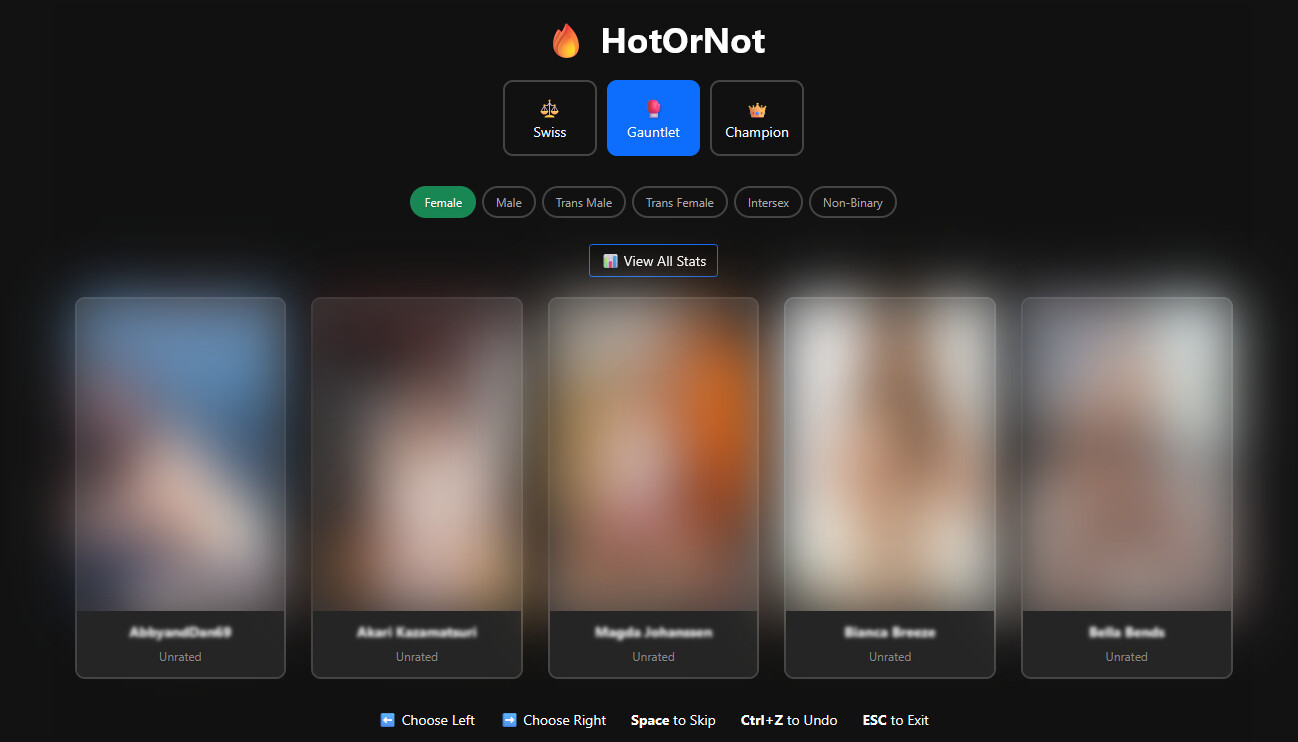
Gauntlet Mode
King of the hill style - One performer stays on as champion while challengers attempt to dethrone them
Champion works their way up the rankings by defeating increasingly difficult opponents
Only the active participant (champion) has their rating change
When the champion loses, they “fall” to find their appropriate position
Visual streak tracking shows how many wins the current champion has
Great for quickly identifying top performers
Champion Mode
Winner stays on with reduced rating impact (50% of Swiss mode)
Both performers get rating updates, but at a slower pace
Maintains the “winner stays on” excitement while still evolving rankings
Good for fine-tuning existing rankings
ELO Rating System
Adaptive K-factor based on:
Match count (new performers have higher K-factor for faster initial placement)
Scene count (prolific performers have more stable ratings)
Current rating distance from default
Diminishing returns at high ratings (harder to reach 100)
Skip as draw - Skipping applies ELO draw mechanics (higher-rated performer loses points to lower-rated)
Comprehensive Statistics
Each performer tracks:
Total matches played
Wins, losses, and draws
Current streak (positive = winning, negative = losing)
Best and worst streaks ever
Last match timestamp
Access the Stats Modal to view:
Rating distribution bar chart (grouped by rating ranges)
Full leaderboard with all performers
Win rates and streak information
URL Filter Support
Respects the current page’s filter criteria when launched from a filtered performers page:
Gender filters
Tag filters
Studio filters
Rating filters
Favorites filter
Age, ethnicity, country filters
And many more…
User Interface
Floating action button on performer pages to launch the comparison modal
Battle rank badge on individual performer pages showing their rank position (e.g., “#5 of 100”)
Side-by-side comparison with performer images and metadata
Visual feedback showing rating changes after each choice
Keyboard shortcuts: Left Arrow (choose left), Right Arrow (choose right), Escape (close)
Responsive design that works on desktop and mobile
Battle Rank Badge
When viewing a single performer’s page, a badge displays their battle rank:
Shows rank position and total performers (e.g., “Battle Rank #5 of 100”)
Essentially Im adding a performer ledger for each performer so you can know who battled who. There will also be some more major improvements with the release. But I will need some time to test as some of it is potentially dangerous like ‘Wipe custom fields’. I want to make sure that targets only Hot or not stats. I think a feature like this is necessary for users that would rather just start over.
Additional changes coming include performance, leaderboard display, and performer weighting. I am very much a perfectionist so please forgive me if it takes a while. Ultimately I will aggregate the match history add-on and hot or not. But for the sake of my sanity, they will stay separate for now.
Between this and the major work I did on the SFW plugin the other day im going to take a break for a bit but this release should be pretty fucking solid.
I have created and added a performer ledger to the custom fields value of each performer page. To get the best use out of this feature it is meant to be used with the Hot or Not Match history add-on. I will definitely aggregate these in the future, but for now they are separate
What it does
Tracks the last 10 performer match ups and their results
Color coded for visually distinct win\Losses
Each performer match up result is linked to the performer
Logic included to handle undo feature
Notes: This is a pretty cool feature and Im excited to put it out there. I tested it quite extensively but it is possible there could be bugs or race conditions I didnt catch. However I did spend a CONSIDERABLE amount of time tuning this and making sure the logic is always reporting the results correctly from the different modules. My main concern is gauntlet mode which took me hours to fully fix and integrate, but it should be stable.
Bug Fixes
Keep in mind this is my first pass on this. There’s still plenty to do. I spent alot of time on this. An ungodly amount. Close to 8 hours across a few days. So im probably going to take a break for a bit as this and SFW plugin took alot out of me, but I will be available for immediate bug fixes. Shoutout to lowgrade for getting the ball going on this. He did a great job of laying a very solid foundation and a fantastic plugin.
Updated math-utils
Updated undo logic to include ledger
added ledger (limited to 10 matches)
Added Undo function to ledger.
Adjusted recency performer for ‘weight =’ to .5 to ease the selection of new challengers
This logic is also modified as the original would cause the same performers to be shown in batches. For example if you rated performers during a certain time in the day everyday, you are likely to see the same performers
Added missing updateImageRating function
Use a count query to see how many performers have a higher rating than the current one. This renders performer matchups in the backend much faster.
Undo happens in one request vs 2 now
If you match Performer A vs B, then quickly Undo, you are guaranteed to restore exactly what was there 5 seconds ago, regardless of any other background tasks Stash might be doing. The reduced call is also a performance increase and less load on your stash DB.
Added task to wipe performer custom fields (Hot or not Match History Add-on)
WARNING: THIS IS ALPHA!! IT WILL WIPE ALL PERFORMER CUSTOM FIELD DATA. It needs to be more targeted but if you dont have custom field data it’ll work without issue and will wipe ONLY performer custom field data. If you dont trust me back up the DB.
Ui-modal.js + ui dashboard
Added escape key function to exit plugin
Arrow key functions now locked to modal
This also improves performance and responsiveness for the application
Updated text formatting surrounding keys to be centered. Now displays correctly
By proxy this fixed a few visual errors between card image size discrepancies
Updated icon to balance scale, maintains theme of original stash icons.
Updated api-client.js
Changes were made to mostly handleComparison for better state and performer win\loss reporting to integrate with the ledger but also to correct logic how these values were being handled by the plugin. Due to inconsistencies with how states were carried null and unknown values were being reported due to malformed data or making the wrong function call.
Match-Handler.js
Minor logic adjustments regarding performer win\loss state
Hot Or Not CSS
Removed styling for gauntlet mode selection post fork to V3 (took way too long to fix this)
Selection now matches the UI of the rest of the plugin and is scaled correctly without UI errors such as no breathing, overlap, and overly scaled\sized images.
Regarding future updates:
I’d very much appreciate if anyone decides to prod an update to include a changelog with reasoning\intent so we can correctly maintain and verify going forward.
No problem at all man im just happy to contribute. Thanks for the bug report. What you are talking about has to do with the main.js and how it handles filtering. Specifically in this function:
/**
 * Reads the ?c= params from the current URL and extracts any gender filter values.
 * Handles Stash's paren-encoded JSON and mixed-case display names like "Female", "Non-Binary".
 * Returns an array of ENUM strings (e.g. ["FEMALE","NON_BINARY"]) or null if no gender filter found.
 */
function parseGendersFromCurrentUrl() {
  try {
    const urlParams = new URLSearchParams(window.location.search);
    const criteriaParams = urlParams.getAll('c');
    if (!criteriaParams.length) return null;

    // Display-name → enum mapping (covers all known Stash gender labels)
    const LABEL_TO_ENUM = {
      'female':             'FEMALE',
      'male':               'MALE',
      'transgender male':   'TRANSGENDER_MALE',
      'transgender female': 'TRANSGENDER_FEMALE',
      'trans male':         'TRANSGENDER_MALE',
      'trans female':       'TRANSGENDER_FEMALE',
      'intersex':           'INTERSEX',
      'non-binary':         'NON_BINARY',
      'nonbinary':          'NON_BINARY',
      'non_binary':         'NON_BINARY',
    };

    function normalizeGender(raw) {
      const key = String(raw).toLowerCase().trim();
      // Already an enum value?
      if (Object.values(LABEL_TO_ENUM).includes(raw.toUpperCase())) return raw.toUpperCase();
      return LABEL_TO_ENUM[key] || raw.toUpperCase().replace(/[\s-]+/g, '_');
    }

    for (const param of criteriaParams) {
      // Decode and convert Stash's ( ) encoding to { }
      let raw = decodeURIComponent(param).trim();
      raw = raw.replace(/^\(/, '{').replace(/\)$/, '}');

      let criterion;
      try {
        criterion = JSON.parse(raw);
      } catch {
        continue;
      }

      if (criterion.type !== 'gender') continue;

      // value may be a single string or an array
      const val = criterion.value;
      if (!val) continue;

      const arr = Array.isArray(val) ? val : [val];
      const enums = arr.map(normalizeGender).filter(Boolean);
      if (enums.length > 0) return enums;
    }
    return null; // no gender filter in URL
  } catch (e) {
    console.warn('[HotOrNot] parseGendersFromCurrentUrl error:', e);
    return null;
  }
}
I honestly think the filter respect should be revisited in general. To me this block looks fine. But there are other parts in the code where filtering is applied and I think there are conflicts since its in multiple places.
The fact that this comment exists in ui-dashboard.js
  // Do NOT reset selectedGenders here — it is managed by main.js (synced from URL)
  // and state.js (default: ["FEMALE"]). Resetting on every UI render would stomp
  // on the auto-detected filter.
@Sakoto I introduced that function to grab the current gender filter from the URL on my last PR. This was so that it defaults to what the user has instead of defaulting to only Female every time you open it.
Let me know what you see when you’re done reviewing. I’m not going to make any changes but I am curious to know what’s conflicting with the fetcher.
Also there is a constants.js that is already supposed to have that information cached so it’s not baked into main.js.
I’m going to research this a bit.
I’m not going to make any changes but I will post an update here if I see something.
Thanks for maintaining this both. However, it doesn’t show performer images when using Swiss or Champion mode. It shows 4 performer images at the start of Gauntlet. I downloaded this from the Github and moved it to the plugins folder for Stash. It appears in my plugins list and I have the button on the performers page. I don’t think I made any changes, but it very well just be user error on my part.
Hello and welcome @Crush3d_Guide. I’ll try to clear some things up first:
You should be able to install the plugin from the plugins area of Stash. You can add my Source URL as a source. Instructions on how to install a plugin: How to install a plugin? . Try removing the downloaded version you have and installing it via the Plugin manager in Stash.
When opening the Gauntlet mode from the main Performers page, it’s supposed to show you 5 performers you can choose from for the Gauntlet mode.
Some things I need clarification on from you so I can try to help address what you’re reporting:
Are you using any themes for your stash environment? If yes, which one? I’m not aware of any theme clashes at the moment but I’d like to eliminate that as a possibility.
If you are using a theme, disable it momentarily and see if the plugin responds as expected.
Can you elaborate further on the performer images not displaying? Do you have images saved as your for your performer’s profile and that’s not displaying in the game? Is it only showing the name?
You can upload screenshots here, if any of the images contain nudity, you can add a spoiler to the image on discourse by clicking the plus sign on the editor (next to the emoji) and select “blur spoiler”
@bliks6
I’ve looked into this a bit further and I’ll share what I’ve concluded so far:
the ui-dashboard.js constant structure is for CSS/display purposes. it doesn’t conflict with any logic flow or selection of genders.
main.js is the main handler of defaults at the moment, but that constant structure is a redundancy that i’d like to push a new Pull Request to have it restructured to utilize constants.js instead. This is mostly a code inefficiency rather than a full on bug. So i’m not going to rush update and let @Sakoto let me know if there’s anything they want to introduce before i circle back to this plugin to put in PRs.
I’m going to run some tests by using your filter @bliks6 and see if I can replicate the behavior and pinpoint what’s going on. For the time being, you should be able to toggle the genders in the HotOrNot dashboard to properly pull up what you want to play.
There is one issue that I have noticed with grabbing the filter criteria from the URL where excluded tags are not handled. This is because the way Stash builds the URL params is with the modifier being INCLUDES_ALL, an empty items list, and an excluded list of the selected tags. The code does not currently handle that excluded list.
You can work around this by just filtering to include the tags you want to filter on and then directly changing the modifier in the URL to EXCLUDES
I dont have anything major to prod at the moment, I spent alot of time focusing on deck viewer so im gonna circle back to it this weekend. I mainly want to just do a code cleanup and verify logic
You are 100% on the money. I spent a massive amount of time on this trying to make it work for Deck View to no avail. IIRC it has to do with how INCLUDE is defined in the DB schema vs how exclude is handled in the URL via stash. Im pretty much at a stand still getting it working with Deck Viewer for the time being until i do further research.
An issue I face with this plugin is that I don’t really know or care about a large majority of the performers in my instance. They mostly have one scene and/or happen to appear with another performer I actually care about, so I can’t confidently rank them.
A couple ideas that could help in my case:
A filter that I could configure to narrow down which performers are shown to me for ranking. Like maybe I only show favourited performers and/or any performer with more than 3 scenes.
Display how many scenes each performer has and whether they are favourited or not on the performer card, similar to how they appear on the performers page.
Your first ask could probably be addressed once filtering is properly implemented.
Your second ask is not bad. I do like a scene counter suggestion. I also like the idea of adding performer tags. However, id much rather prefer these be modular opt in settings implemented via the plugin menu.
Thanks for your help, it seems to be working now. I removed the plugin that I had copied and added the source file link rather than repository link which let me install it. However, I was still just getting a white box for the performer image. I think it was related to my theme.
I was using several from the Community Repository alongside the “Theme Switch” plugin from when I first started setting up a few weeks ago to test the themes. I noticed that when I was switching themes with the plugin it seemed to only change some UI elements even when the page was reloaded and some themes seemed to have no effect. I’m not sure exactly what was happening, but I think I managed to have various themes active at the same time which was causing issues. After opening the plugin menu and going back to “Default” the UI appears to be the clean default again and performer images are being displayed in your plugin.
I reworked the filtering logic on this and have removed the URL parsing altogether for this particular context. Your selections in the next update will cache to local storage. This means way less code on the backend, and its much simpler to manage while not having to account for everyones different preferences. This selection will persist upon refresh or as long as your local cache for stash exists.
I have re imagined the cards in the next update. You can get a sneak peak below.
An option to set the cards to display a random generated preview videos of the performer after an user defined time and when I hover the mouse on the performer image.
This feature is similar to video banner plugin ( Video Banner ), which does the same to the performer page backdrop.
This will help users with huge library to also see a video preview of the performer and then judge the winner.
Ill write this down for an idea for a feature review. This would probably take quite a bit of work to implement properly and currently i have a few features I want to prod coming up that will enhance the engagement and interactivity of the plugin. So this Will probably be low on the list, but not a bad idea.
Regarding the next update. Its pretty massive and I think alot if its consumers will be very happy with what I put together. If my remainder tests Checkout today I will prod it tomorrow and let lurking prod it whenever he gets around to it.
Any chance of any other performer details showing up in the vs. card? If I remember right V2 or V1 had more details such as scene count and gallery count which can be helpful at a glance to know if you want to click through to the performer page for even more details or not.


 Swiss Mode (Default)
 Gauntlet Mode
 Champion Mode
 Gold (top 20%),
  Silver (top 40%),
  Bronze (top 60%),
  Default