 |
Summary | Custom dashboard with custom widgets |
 |
Repository | dirty-plugins/plugins/DirtyStats at main · dirtyground3/dirty-plugins · GitHub |
 |
Source URL | https://dirtyground3.github.io/dirty-plugins/main/index.yml |
 |
Install | How to install a plugin? |
Features
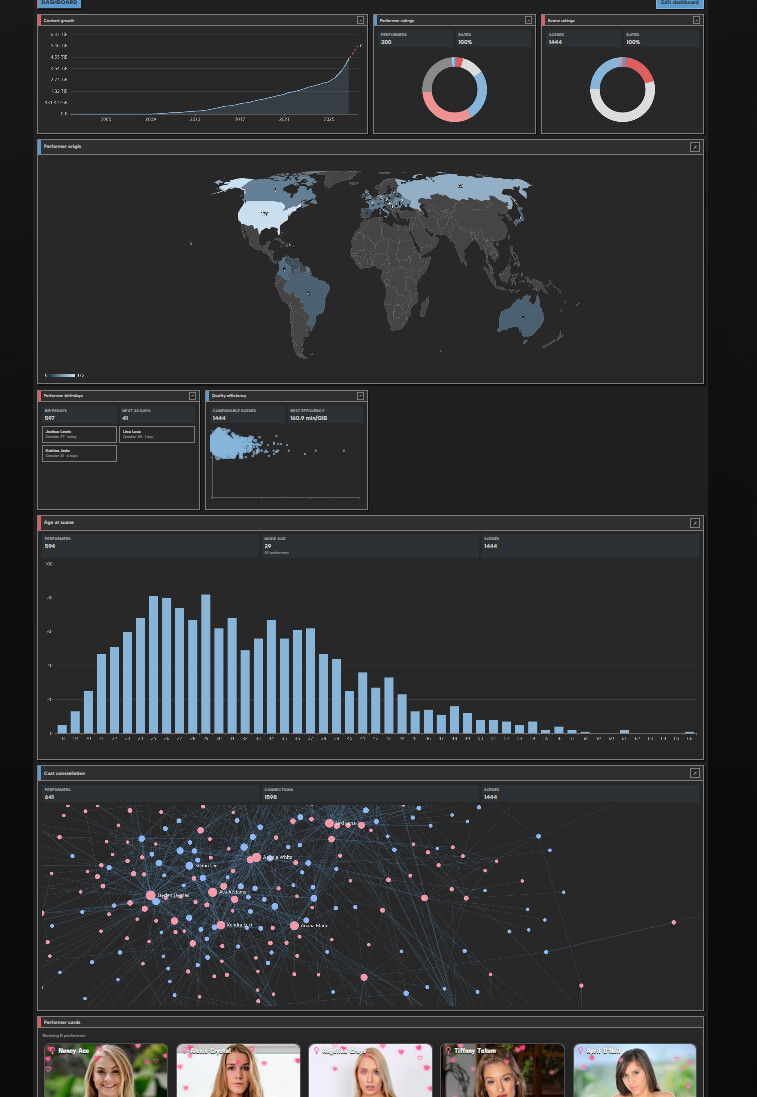
Create a custom dashboard with many different widgets:
-
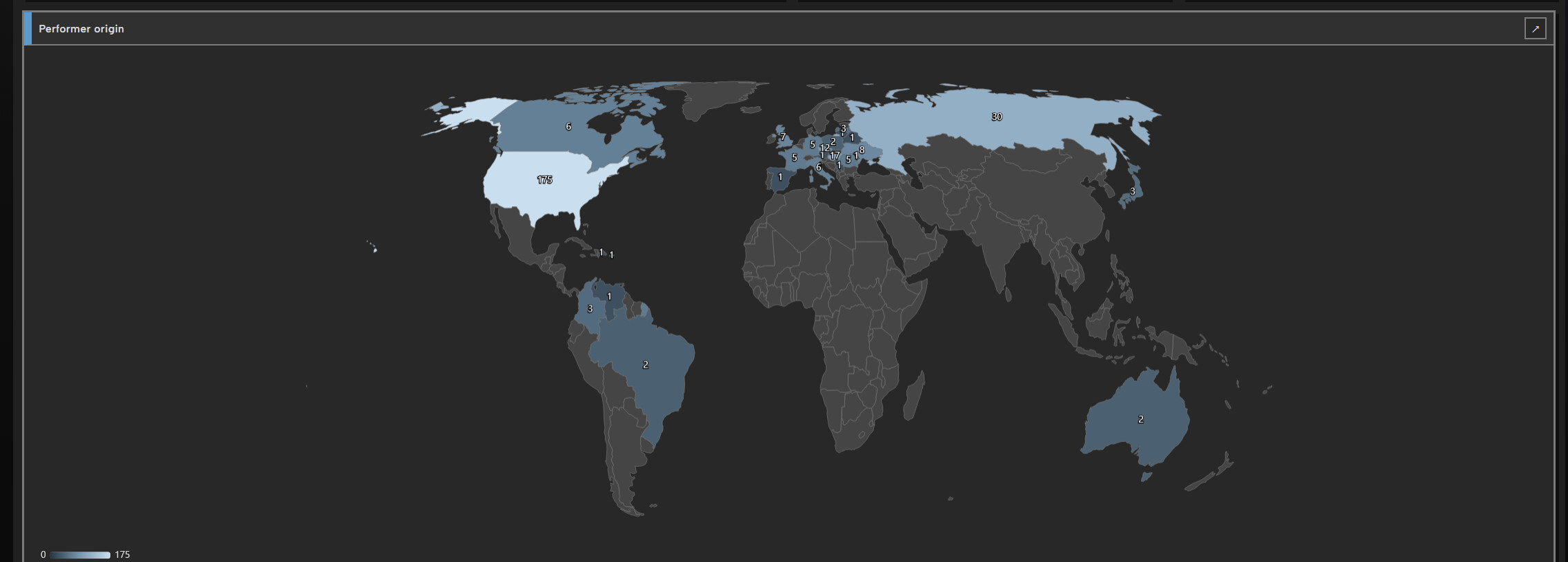
Performer origin: a world map showing where performers come from, with optional numbers on the map.
-
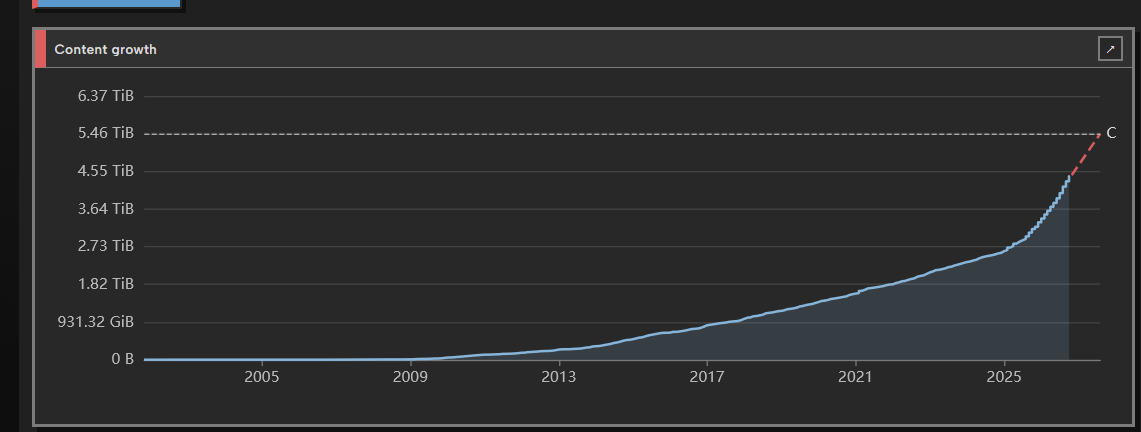
Content growth: how the library grew over time by day, month or year, with optional storage capacity and a forecast.
-
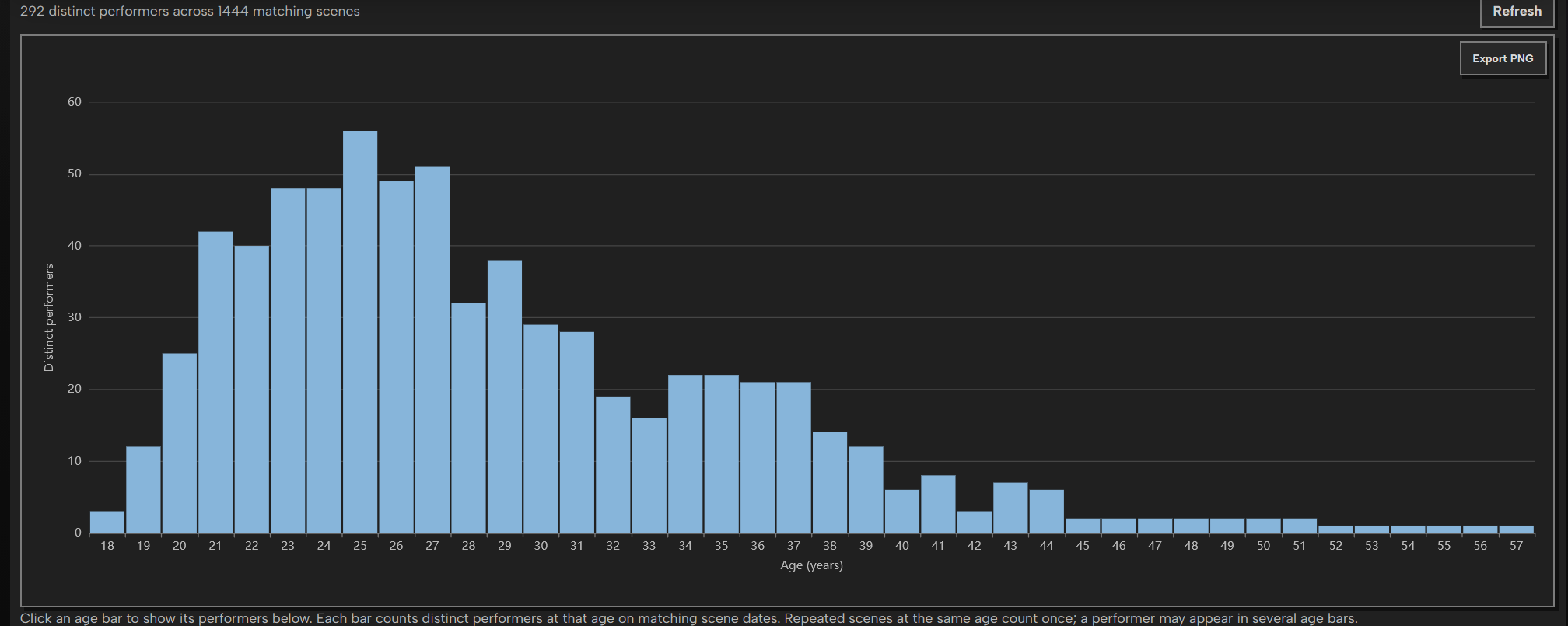
Age at scene: a histogram of performers’ ages on the date of each scene, plus mode, median and average age.
-
Scene ratings: a pie chart of scenes by rating, with unrated scenes as their own slice.
-
Performer ratings: the same rating pie, for performers.
-
Rating vs scenes: a scatter plot of performer rating against scene count, to find highly rated performers with few scenes.
-
Performer vs scene rating: a performer’s own rating against the average rating of their scenes, with a diagonal marking where the two are equal.
-
Performer cards: Stash’s native performer cards for a filtered group (4, 8, 12 or 24 cards). It appears only on the dashboard and has no full page.
-
Count vs rating: a scatter plot of each scene’s rating against its view count or O count.
-
Repeat-offender curve: what share of total views goes to the most-watched scenes, compared with an even spread.
-
Quality efficiency: a bubble chart of each scene’s rating against its minutes per GiB, with bubble size showing file size.
-
Studio value map: one bubble per studio showing its scene count, average rating and total size, drawn with the studio’s logo.
-
Tag DNA: a treemap of tags, sized by number of scenes and colored by average rating or by views.
-
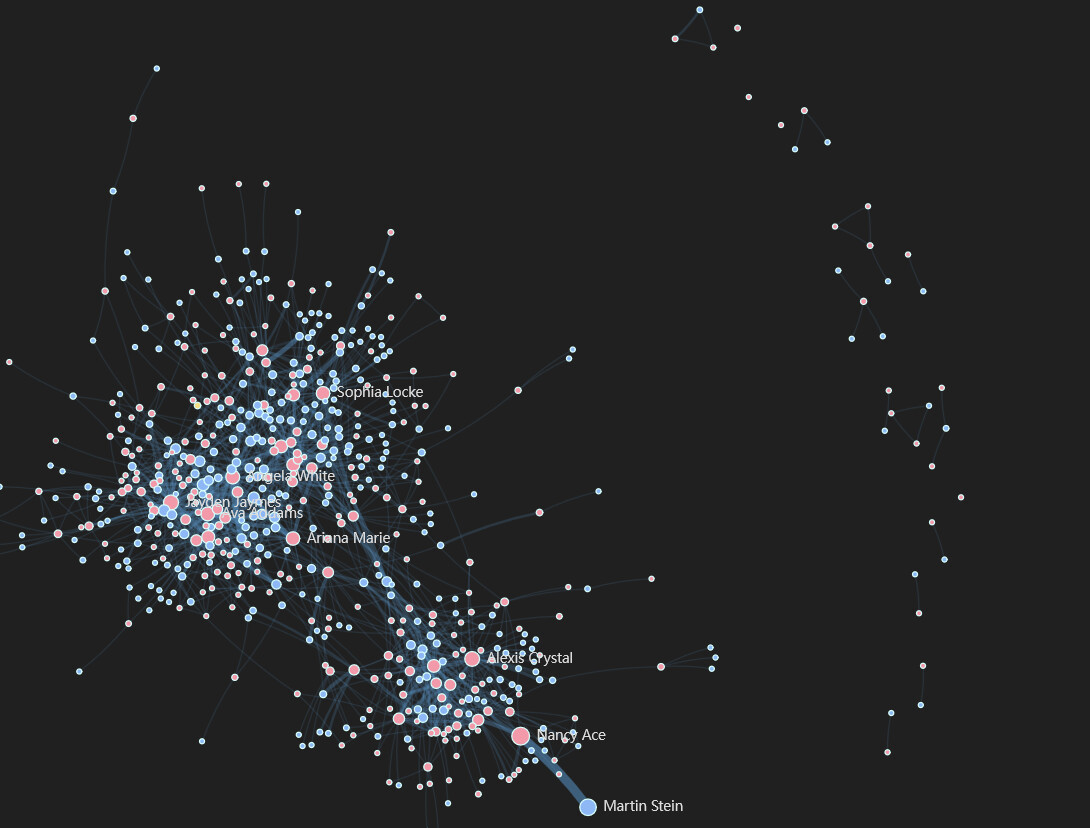
Cast constellation: a network of performers, linked by the scenes they appear in together.
-
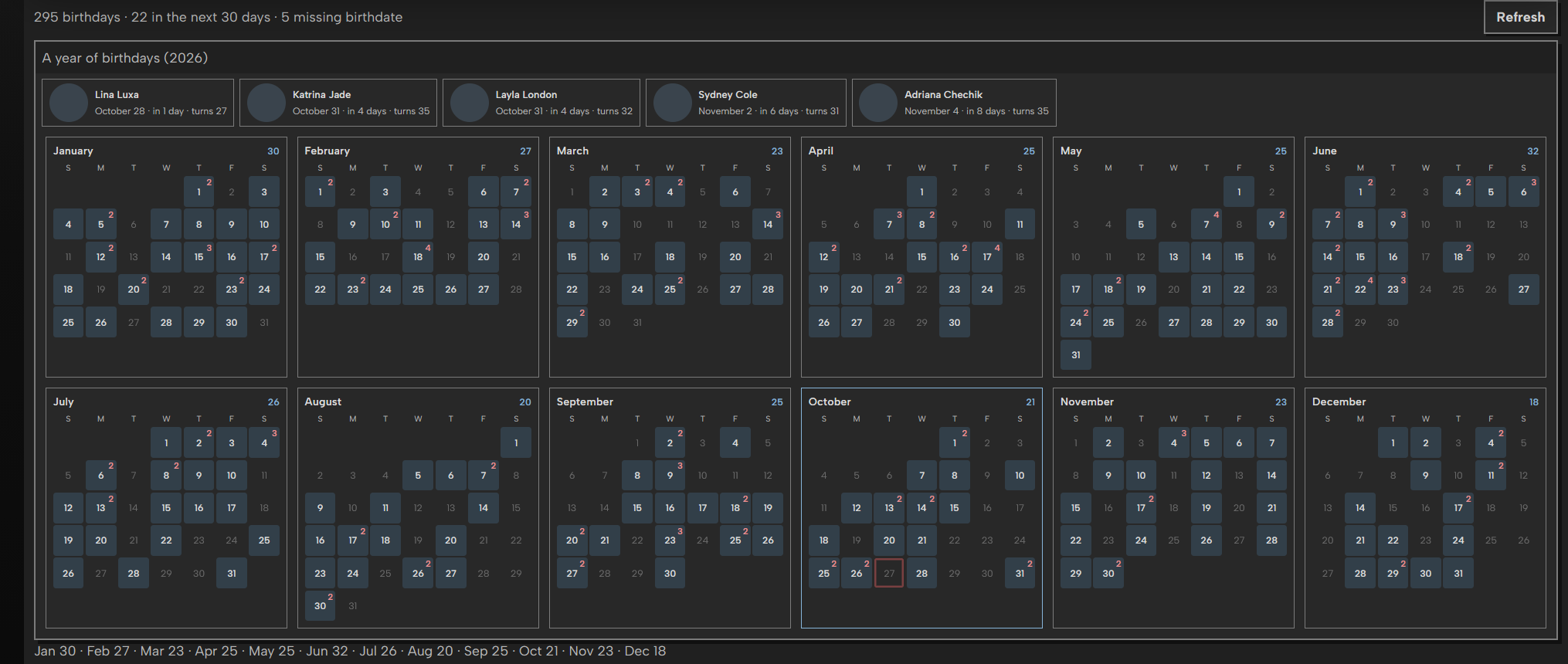
Performer birthdays: the next upcoming performer birthdays.
Installation
-
Open Settings → Plugins → Available Plugins in Stash.
-
Add this package-source URL:
https://dirtyground3.github.io/dirty-plugins/main/index.yml -
Reload the available plugin packages.
-
Install DirtyStats
-
Reload the Stash page after installation or an update.
-
Click on the dashboard icon on the top right
Screenshots
If you have ideas for other widget let me know!