 |
Summary | Full stats tracking for Stash. Sessions, watch time, trends and records. |
 |
Repository | https://github.com/pineapplestorm/climax |

Climax
A full-featured stats tracker for Stash. Records whole sessions rather than just play counts, and turns them into trends, personal records and browsable stats, with two-way O sync.
Climax is part plugin, part desktop app, available on Windows, macOS, or Docker. This post relates to the app side, requires the plugin Climax - Bridge to communicate with Stash.
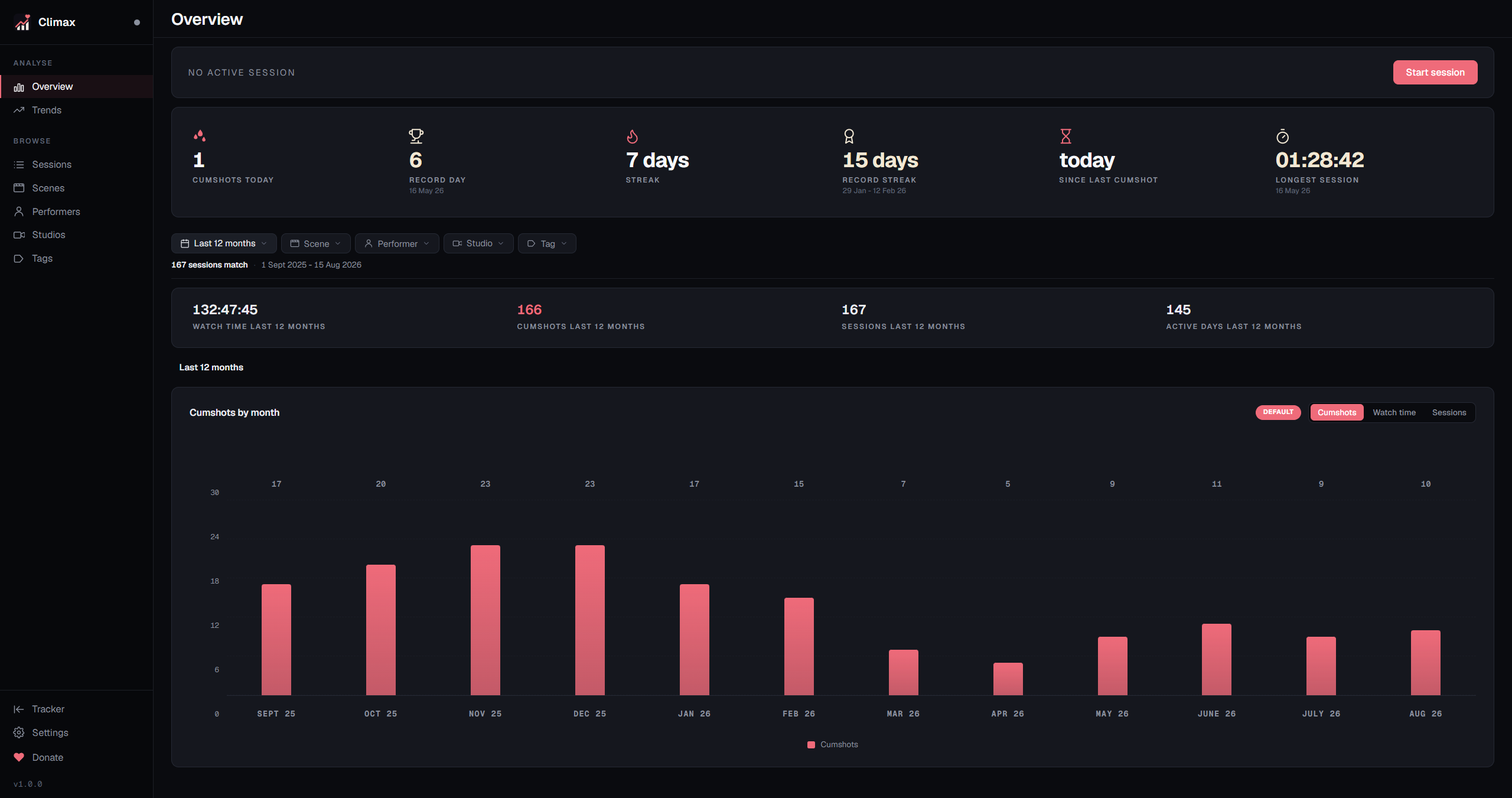
Features:
- Tracks sessions, not just plays. Start from the tracker, the navbar, or a global hotkey
- Live tracking indicator in your Stash navbar, with start, pause and stop from its menu
- Trends over any period: streaks, records, the days of the week and hours you actually watch
- Browsable pages for scenes, performers, studios and tags, ranked by what you have watched
- A report builder for anything the built-in pages do not cover, with CSV export
- Rebuilds sittings you never tracked from the play history Stash already keeps
- Two-way O sync. Log one in Climax or press the O button in Stash, and both stay in step
- Scenes watched on a TV or phone are also tracked and folded into your sessions
- Organising mode, which pauses Stash play history while you tag and tidy
- Able to run as a headless server in Docker, tracking plays from any device on your network, with the full dashboard in a browser
Your history, browsable
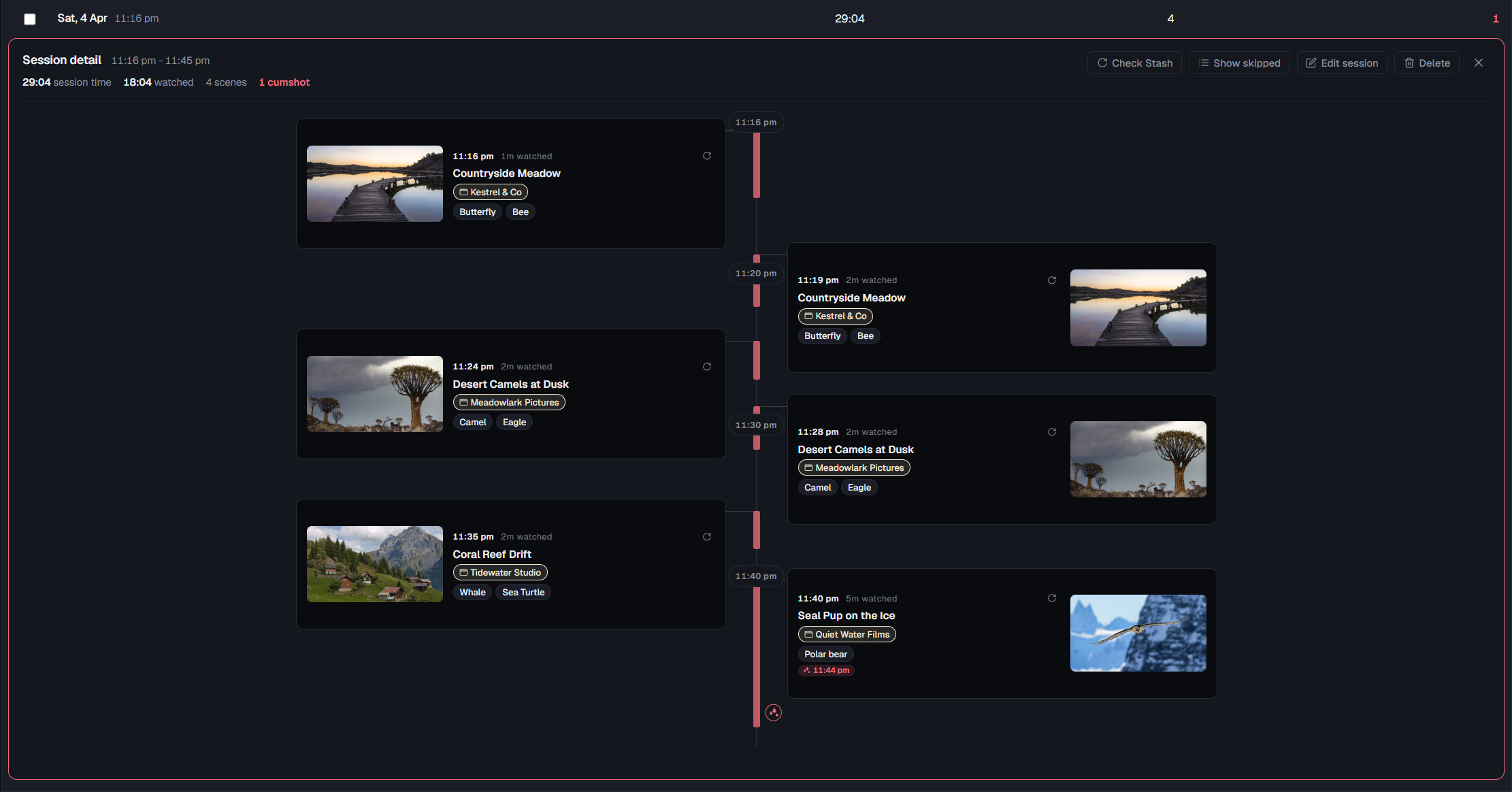
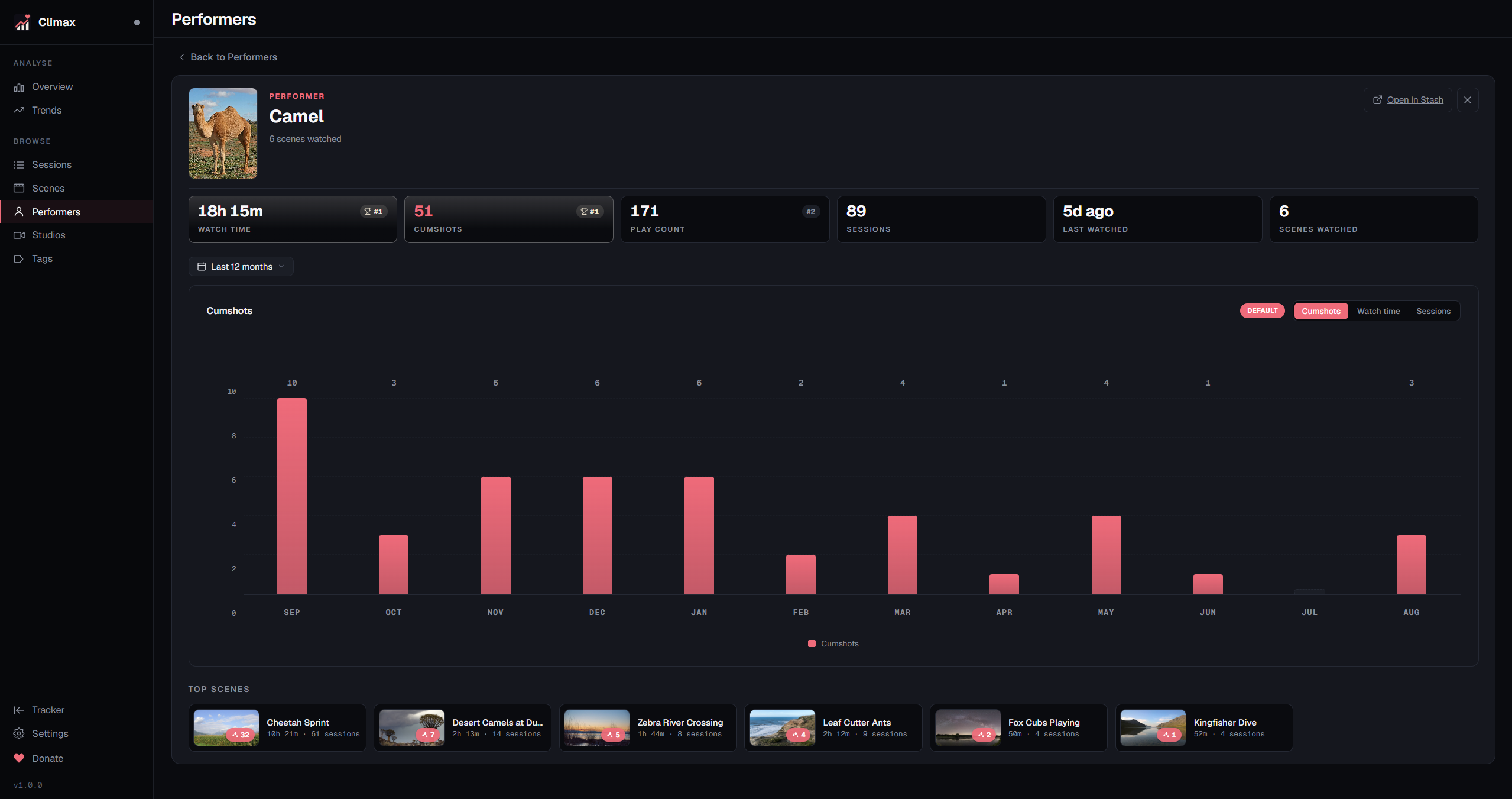
Every session you have tracked is browsable on the sessions page. Open a session and you get a timeline of what was watched, and when. Scenes, performers, studios and tags each get a page as well. Click into any of them and you get that one on its own: how it ranks against the rest of your library, a chart of the last twelve months, and the scenes you spent the most time on.
Trends and reports
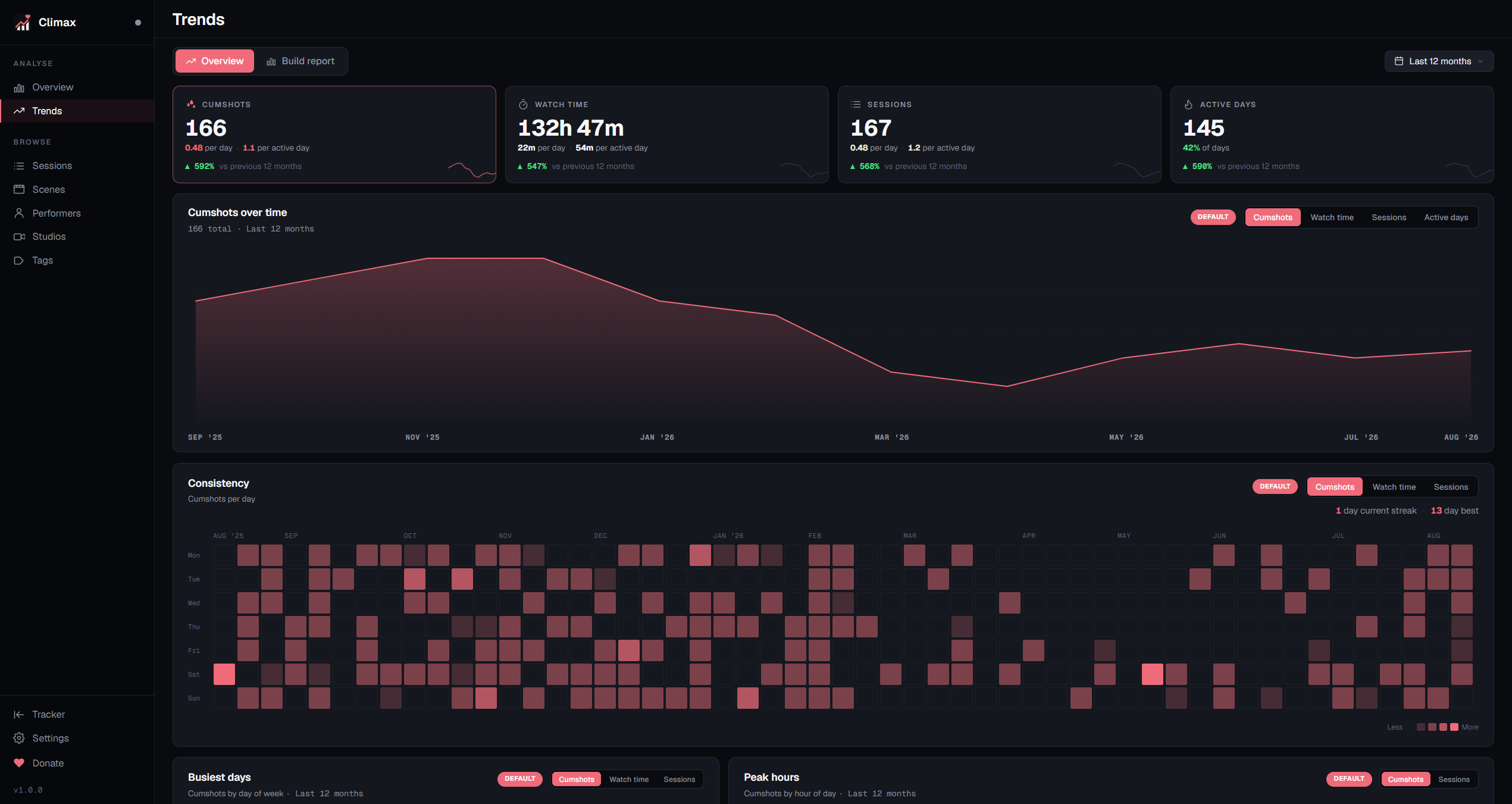
Climax is able to visualise data and trends for you. Set any period you like, from a week to everything you have ever tracked, and the whole page follows it: totals with their movement against the period before, a chart you can switch between watch time, O’s, sessions or active days, the days of the week you reach for, the hours you tend to start, and leaderboards for the performers, studios and tags you spend the most on. Your current streak sits next to your best one, and the consistency heatmap always shows a full year whatever period you pick. If none of that is the cut you were after, you can build your own and export it to a CSV as well.
Nothing has to be logged by hand
Forgetting to press start is how every tracker fails, so this one is covered from three directions.
The first is that you never have to go looking for Climax. The bridge puts an indicator in your Stash navbar that turns green the moment a session is running, so whether you are tracking is answered at a glance from any page. Its menu starts, pauses and stops sessions, and opens the dashboard, without leaving the tab you are in.
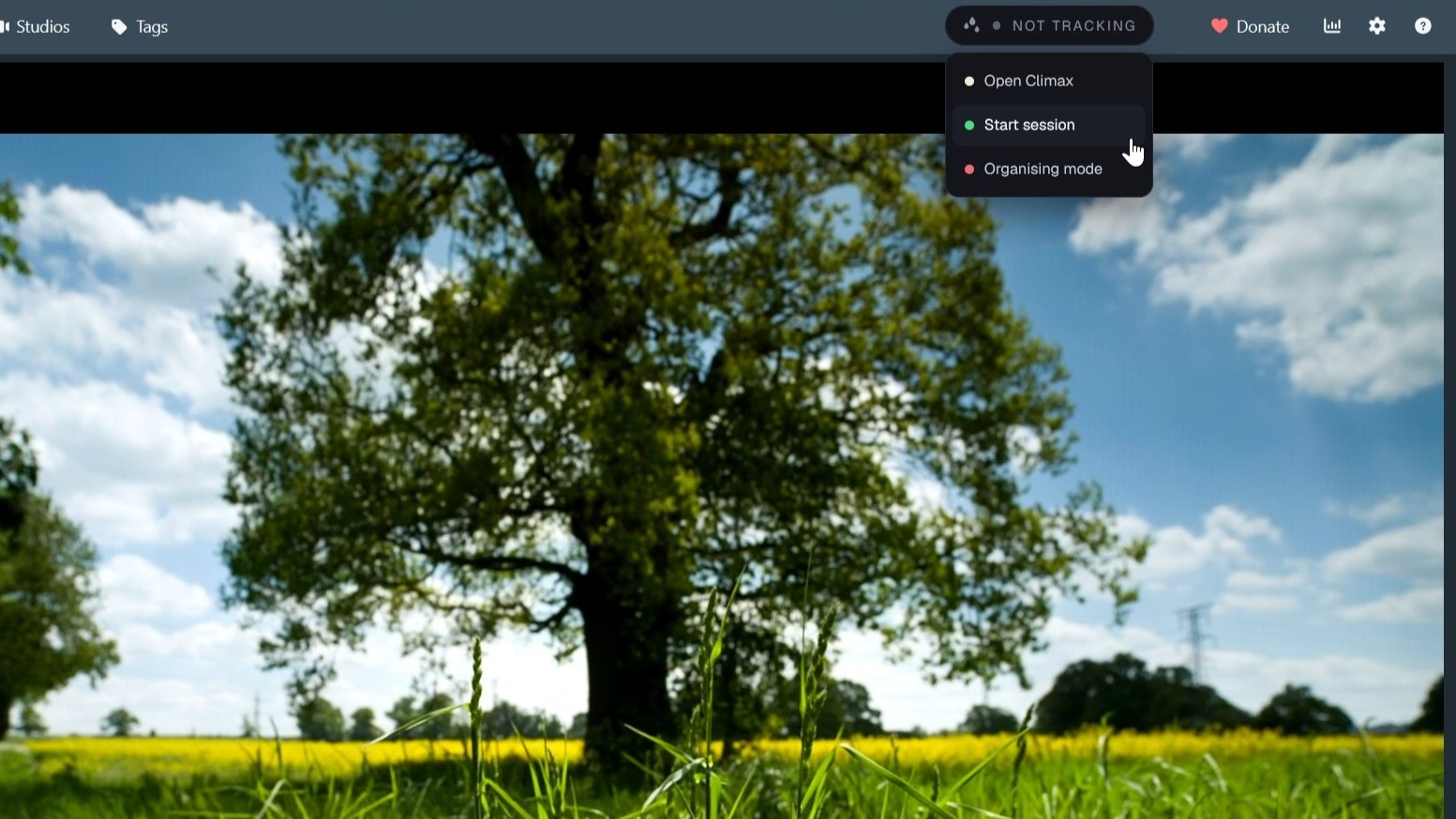
Ctrl+Shift+L does the same from anywhere on your desktop, whether Stash is open or not: it brings up the tracker and starts a session if none is running. Switchable in Settings if you would rather it were not there.
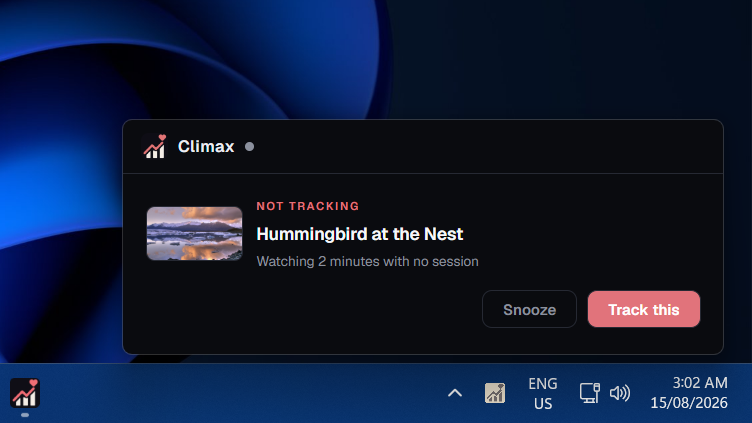
Second, it can notify you when a scene has begun playing without an active session running.
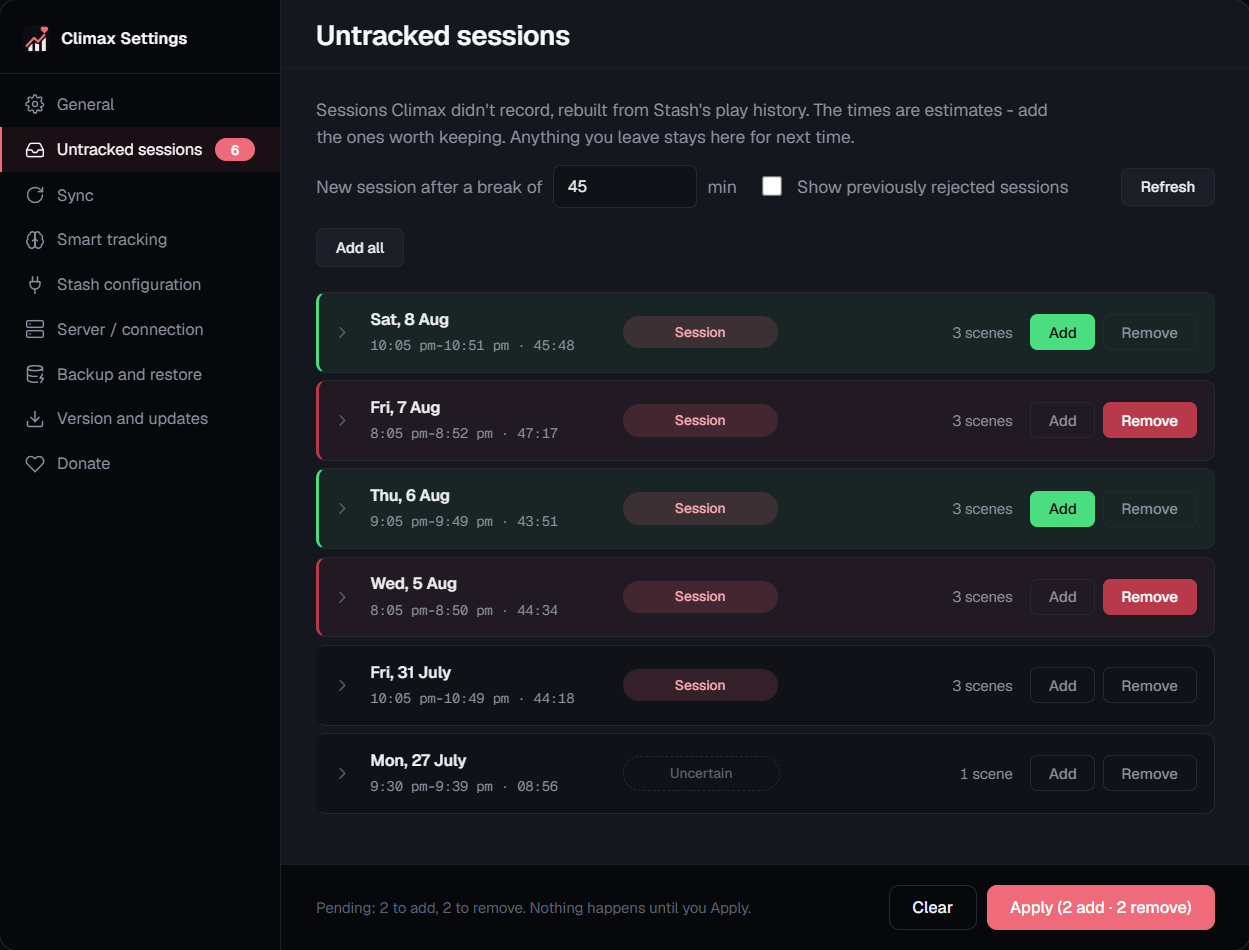
Third, and most usefully, Climax is able to rebuild sittings you never tracked at all. Stash has been timestamping plays since long before you installed this, and Climax reads that history back, and can estimate the session.
Running Climax as a server
Climax is also able to be run as a server on a separate machine in Docker, watching your local network. That suits you if tracking should not depend on one particular computer being awake, if you watch across a few devices and want the lot in one history, or if you already have a NAS or home server doing jobs like this.
The desktop app can then optionally run alongside it as well - as a client rather than on its own, connecting to the server instead of keeping its own copy. You keep the tray, the keyboard shortcut, idle detection and the tracker window on the machine you sit at, while the history lives on the server.
Private, always
Your O counter is the only thing Climax writes to Stash. Plays and watch time are read only. Everything else lives in one SQLite file on your own machine. No account, no cloud, no telemetry. The only request that ever leaves your network is a version check against GitHub.
Installation
-
Download the app from Github and run it. Neither build is code signed, so Windows shows SmartScreen (More info > Run anyway) and macOS needs allowing through Privacy & Security the first time.
-
On first launch Climax asks for your Stash address and offers to install Climax Bridge plugin for you. That is one click and you are done.
-
Or add the plugin yourself
Plugins can be installed and managed from the Settings > Plugins page.
Under the Available Plugins section click Add Source and enter the following:
Source URL:
https://pineapplestorm.github.io/pineapplestorm-stash-plugins/main/index.ymlThen find Climax Bridge under Available Plugins, click Install, and reload your Stash tab.
- Setup then offers to import what Stash already knows and estimate your past sessions from it. Both are optional and both can be run later.
Requirements
Stash, running and reachable. Tested against 0.31. The macOS build is Apple Silicon only.
AGPL-3.0, free, no paywall.