Hi, all. First post here. I promise I searched around for an answer before creating this topic. 
I was bummed for awhile because Stash (standard web UI) didn’t seem to play well when using it through iOS Safari + AirPlay to cast videos to a Roku TV. I could only get it to work inside a browser frame, as any time I made the video full-screen it would freeze/crash the TV.
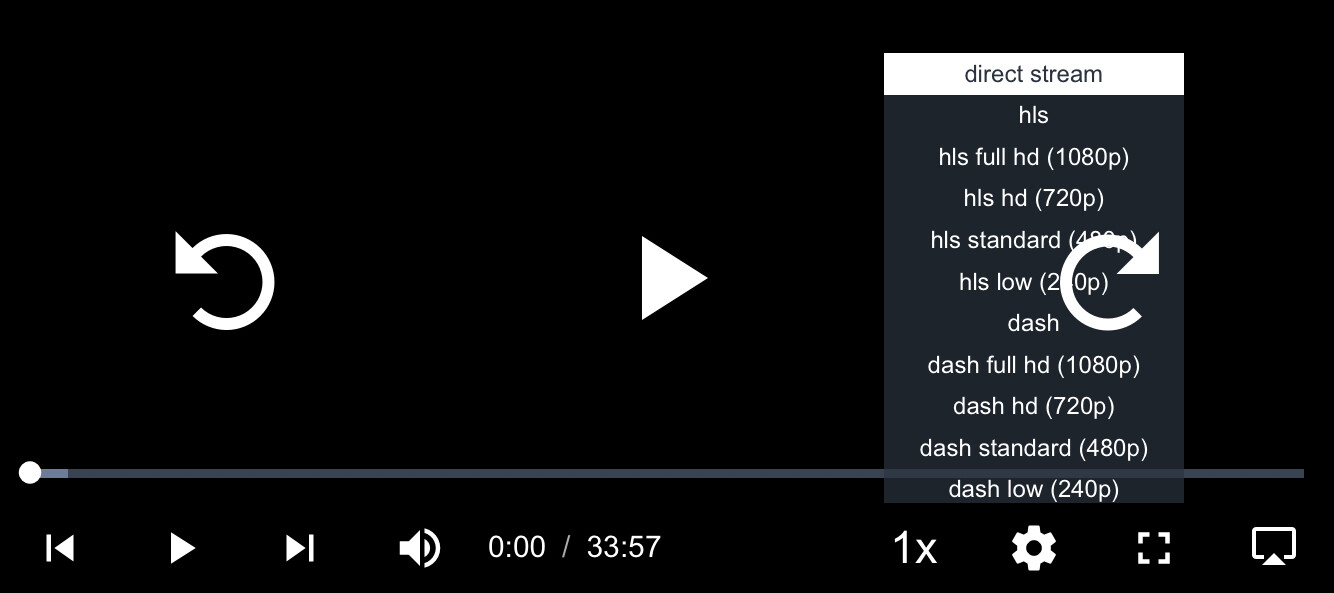
Later I determined it’s just a matter of changing the streaming format – it will consistently fail to work in full-screen when using “direct stream” (which is the default setting), but it works beautifully if I manually switch to a different format using the gear icon (image attached below).
My question is whether there’s any built-in setting or option where I can change the default streaming format to something else? Or disable “direct stream” from even being an option? I tried tooling around with the settings section that lets you customize ffmpeg transcoding options and/or insert custom JavaScript but I didn’t have any success.
I’m happy I got it to work at all, but I have to manually set the format for every video played. When a video ends and it moves to the next in the playlist, it goes back to freezing/crashing or skips videos in quick succession since it keeps defaulting back to “direct stream”.
I wanted to check here first before jumping into making it a feature request.
btw Props to the devs for having AirPlay support at all – I was shocked to find that the Roku remote control actually works for play/pause and rewind/fast-forward when used this way. Haven’t seen that functionality before when casting other media or using other apps to stream from my phone or tablet to the Roku TV. Bravo on that. 