The Apple hotline confirmed it should be working again within the next 48 hours. I’m curious to see…
1 Like
Lets hope the best. My fingers are crossed.
!!! STASHY IS BACK ON TESTFLIGHT !!!
A new version has been submitted and is currently awaiting approval.
Version 1.2
-
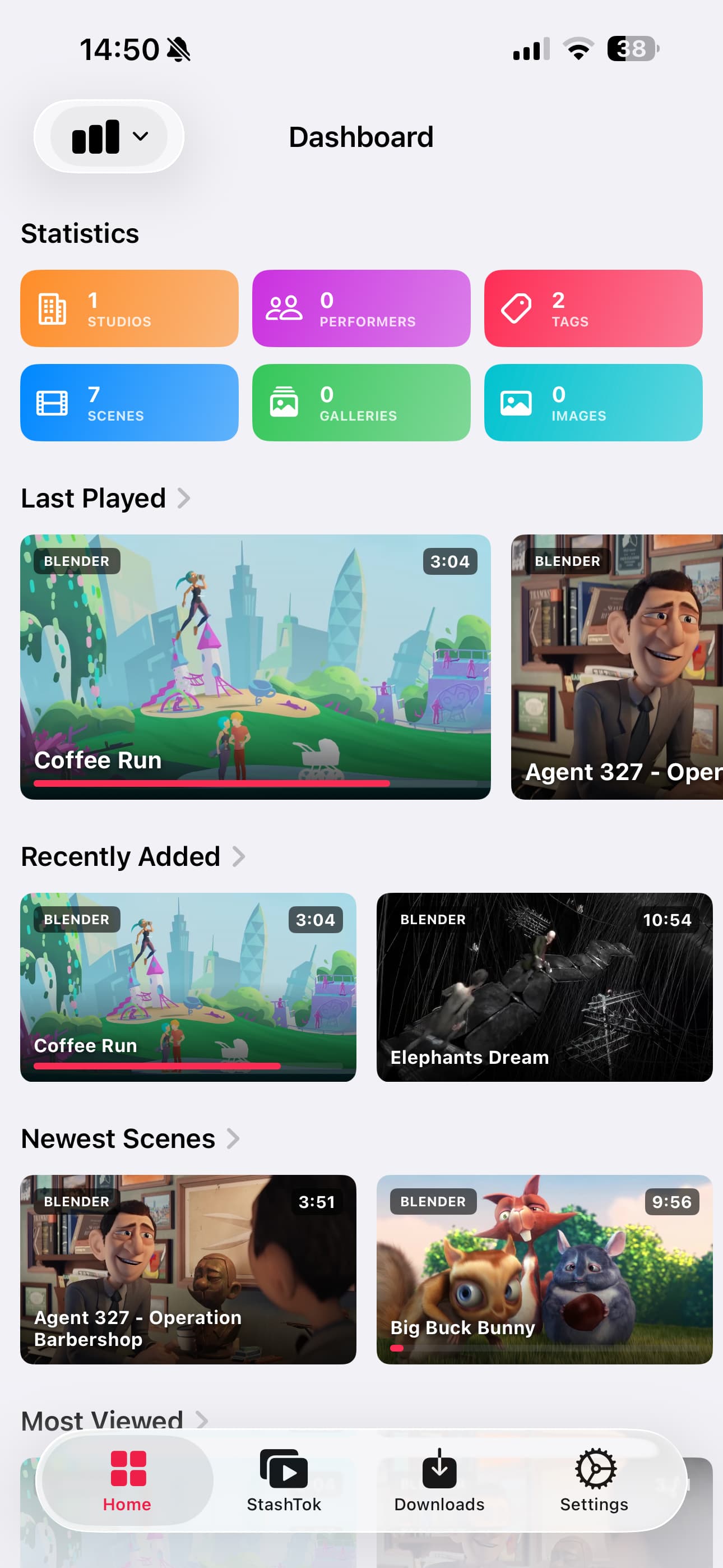
Dashboard Home Page: Added a new start screen (filters can be adjusted in Settings).
-
Navigation Improvements: The top-left button on the Home page now navigates through Catalog pages.
-
Media Navigation: Similar navigation updates for Scenes and Galleries within the Media section.
-
Stashtok: Introducing portrait-mode videos in a TikTok-style feed.
-
Downloads (VIP): Improved download functionality (Gallery support coming soon).
-
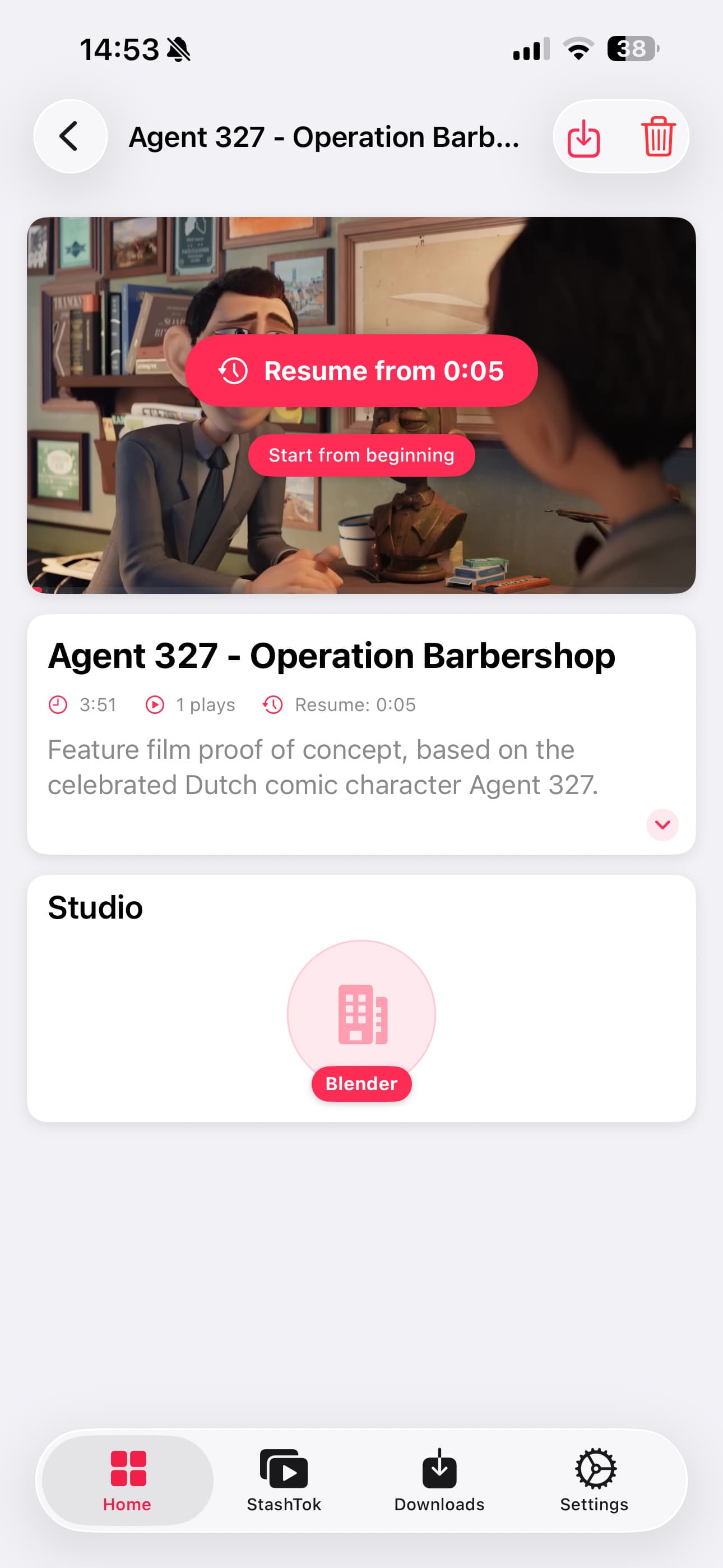
Stashy (VIP): Now correctly updates the view counter and supports video resuming.
-
Refinement: Numerous small visual and technical improvements.
My Vision
The ultimate goal remains to bring this app to the App Store.
-
Core Features: All standard functions are and will always remain free.
-
VIP Features: Only “fun” extras like Stashtok and Downloads require VIP status.
-
Fair Pricing: We keep this extremely affordable at €0.99/month or a one-time payment of €/$4.99.
2 Likes
Woohoo! This is awesome! I’m still seeing “Build Removed“. Can you publish a new Test Flight link here please?
1.0 Build 19 should bei online.
1.2 is in Approval
1 Like
Just tried out stashy and so far I’m enjoying it, a few things. Are you planning on adding previews when you hold down on a scene to sort of match stash? Also are you going to add any security measures such as Face ID? Also I noticed that stashtok only shows 5 videos? Is this intentional? What’s the source of the videos being played?
1 Like
Currently, I’m using the built-in iOS feature to lock the app via FaceID. That works well enough for me personally, but I’m happy to add it to the to-do list for future updates.
Scene Preview is not on the roadmap right now, and even if I do add it, it wouldn’t be a high priority at the moment.
By default, StashTok displays all of your scenes that are in portrait mode. Zooming in on landscape content simply doesn’t look good.
Hmm. For my iPhone it’s not listed under apps/settings for stashy or under Face ID/other apps? Where were you able too turn on Face ID for it?
Long press on App Icon. Works for every app
Sorry I didn’t follow up with you on this earlier because life got in the way, but the great news is that the newest builds you’ve released since the TestFlight came back have worked exactly as I would expect on the VPN - I can turn off my Wi-Fi, go on cellular with Tailscale connected, and reach my Stash server in Stashy via the Tailscale IP with no issues. Not sure if you flipped some switch on your side or it was just something that changed on my side between then and now, but it seems to be all good to go now!
It does look like filters are not functioning right now - I have filters for VR and flat videos and obviously want to mainly see the flat filter on Stashy, but even though I have that filter set it is still showing my entire library at all times.
I love the dashboard view, and I had a suggestion to make it useful as a launcher to different parts of the app - can you make the Statistics blocks for Performers, Scenes, Studios, etc., link out to those respective pages? That way instead of going to the drop down at the top of the page and finding Performers in it, you can just tap Performers and jump straight there. I would recommend rearranging things so you can see all the blocks at the same time instead of horizontally scrolling them if you make that change. That way, the Dashboard becomes a one-stop shop to jump to any page in the server.
StashTok is cool for users who have portrait videos, but I kinda hate that format lol. Any chance of like a video wall or something like that for landscape or other aspect ratio videos?
EDIT: Just tried out the Downloads feature - I really like it, but can I suggest some way to share the video file out to other apps, or letting us move the downloaded videos to our Downloads or other folders on the phone? One use case I may have for Stashy downloads would be downloading VR videos to my phone, then connecting my Viture glasses and playing the VR videos via SpaceWalker, but I need to be able to access the file in SpaceWalker to use that so it needs to be a file I can find in the Files app.
How is this organized? I optimized filters but not sure if it’s working now for you. Please test.
Mostly done
Done in next update
I just retested and the same behavior occurs. I have two saved filters in my Stash server: VR Videos, which is all videos with tag Virtual Reality, and Flat Videos, which is all videos without tag Virtual Reality. This works in the web GUI to filter my list to just the VR or just the flat videos, but in Stashy, even though Flat Videos is set as my default filter, it continues to show all videos and changing the filter doesn’t change what videos are shown.
1.2 - BUILD 7:
-
Media (scenes/galleries) is now integrated into the Home tab.
-
The Dashboard is now clickable and navigates directly to the filter.
-
Double-tapping “Home” always returns you to the Dashboard.
I’ve done a lot of work on the queries and unified the behavior of the view designs as much as possible. Hopefully, I didn’t break too many things—if I did, please let me know! 
These changes will allow for much better filtering in one of the upcoming versions.
Oh, and one more thing… Previews are now integrated! Just touch a scene and the preview should start right away.
Thanks for this amazing app!
I do have an issue with StashTok - it only loads 1 video for me. and that one video is black (not playing). using the latest update
New Update on TestFlight:
Ratings, Better Filters, Previews, Faste Loading times, ton of bugfixes
1 Like
Very nice app. Thanks. Any change one can make"filter” or sort on star ratings in a future release?
Just make the Filter on Web and use it in the App
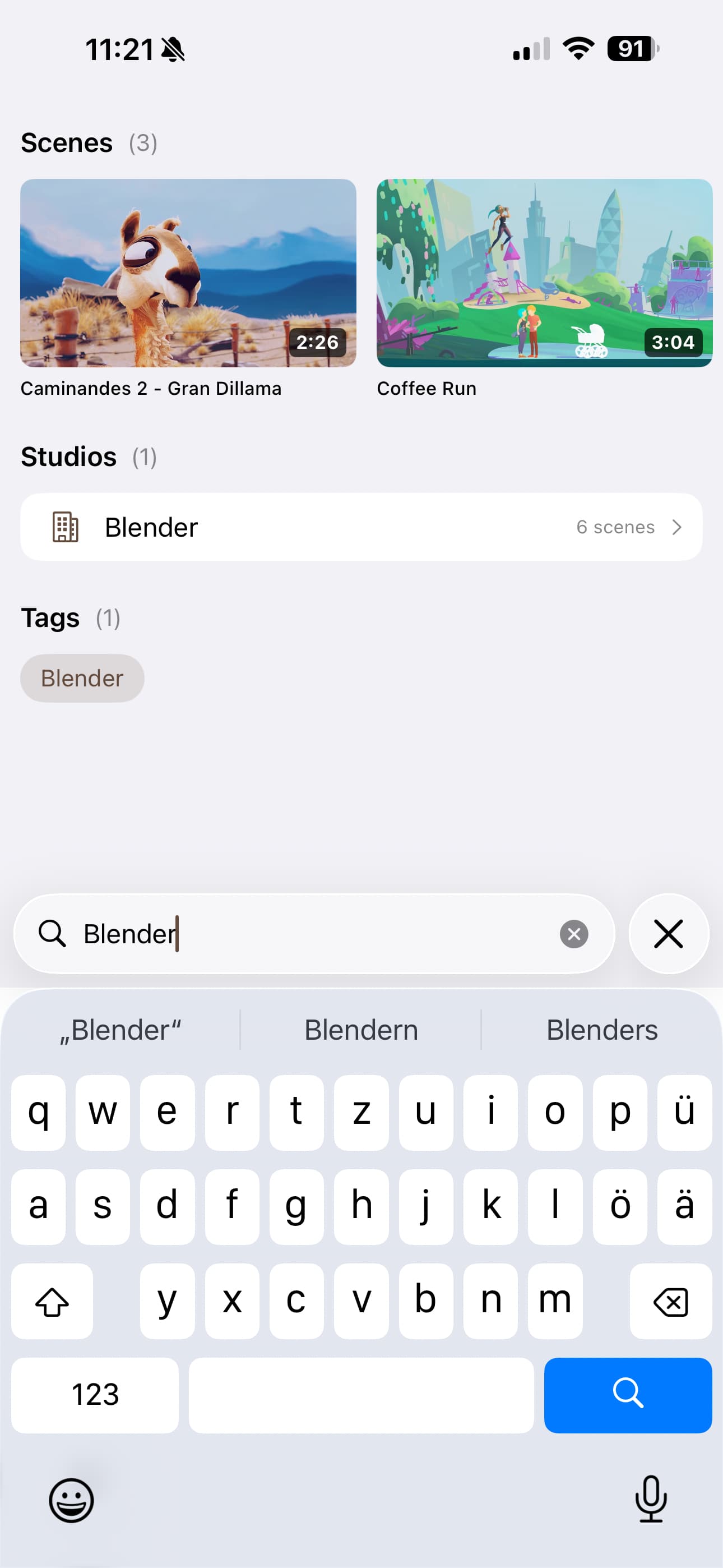
Add universal search and refactor view models for modularity
Introduced a new UniversalSearch for cross-entity search functionality, enabling users to search across scenes, performers, galleries, tags, and studios. Refactored view models into modular units with PaginatedLoader to streamline data management and handling.
Various related UI and navigation enhancements were implemented to support the new search experience.
1 Like
Added o_counter to Scenes and Stashtok.
Better Rating and ViewCounter in StashTok
1 Like